4. Commissioning
MiR Fleet PC Getting Started (en) 08/2020 - v.1.4 ©Copyright 2019-2020: Mobile Industrial Robots A/S. 22
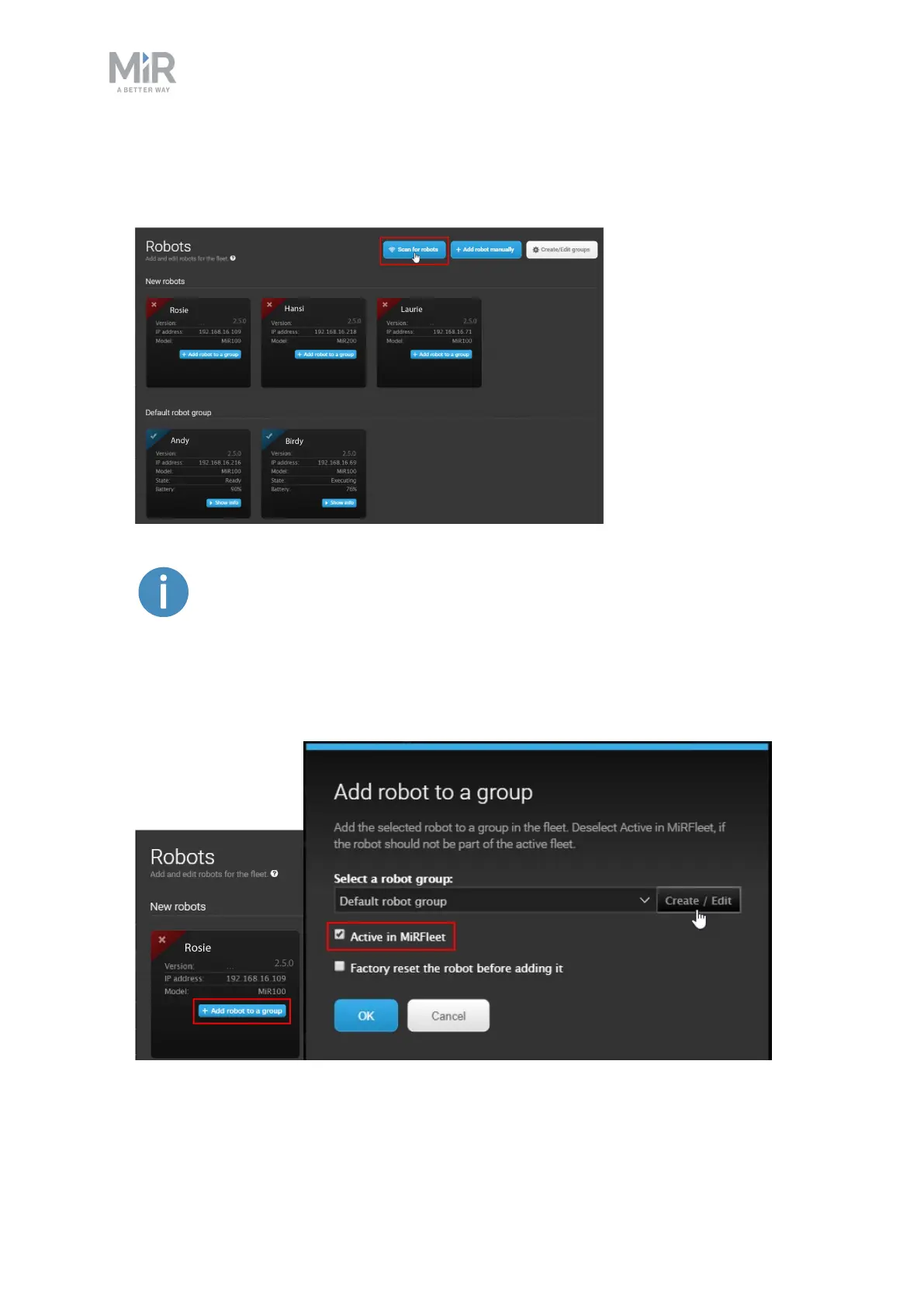
Follow these steps to add a robot to MiR Fleet:
1. Go to Setup > Fleet > Robots and select Scan for robots.
If one or more robots are not found by scanning, you can add them by
selecting Add robot manually and entering the IP address of the robot(s).
2. To activate a new robot, select Add robot to a group and select Active in MiRFleet. You
can use the default robot group or create new groups for different types of robots. See
more in Groups on page27.



 To Next Page