4. Commissioning
MiR Fleet PC Getting Started (en) 08/2020 - v.1.4 ©Copyright 2019-2020: Mobile Industrial Robots A/S. 41
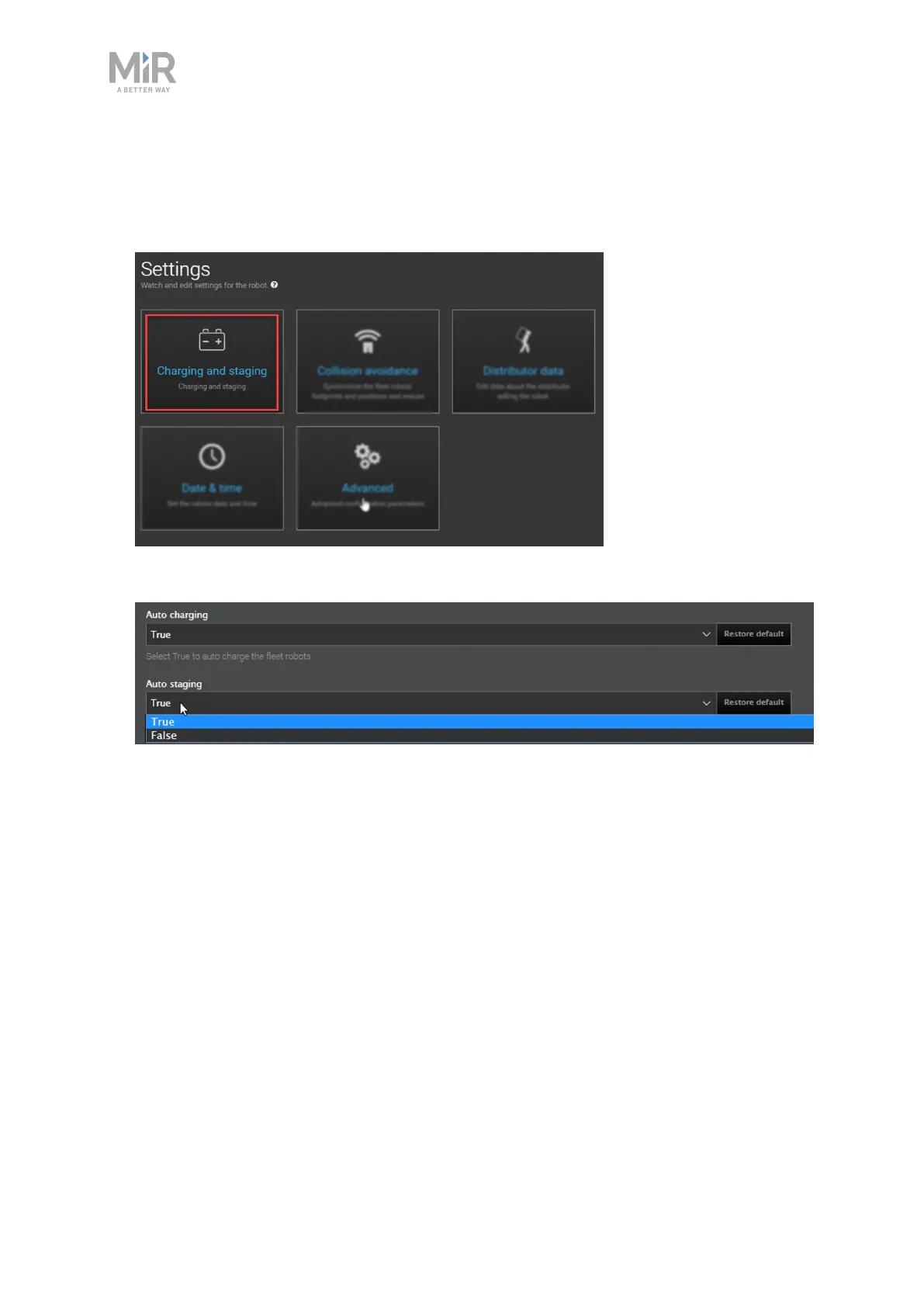
These settings are disabled by default. Follow these steps to set up the fleet robots for auto
charging and auto staging:
1. Go to System > Settings and select Charging and staging.
2. Set Auto charging and Auto staging to True.
MiR Fleet now handles charging and staging automatically, using the default settings. If you
want to change any other settings for auto charging and auto staging, see the following
description of the parameters you can change:
• Auto charging
Select True to enable MiR Fleet to send robots to charging stations automatically when
they are low on power.
• Minimum time at charging station
The minimum number of minutes a robot must charge at a charging station before it can
be released.
• Minimum battery percentage for missions
The minimum battery percentage a robot needs before it can receive a new mission.



 To Next Page