DEMO
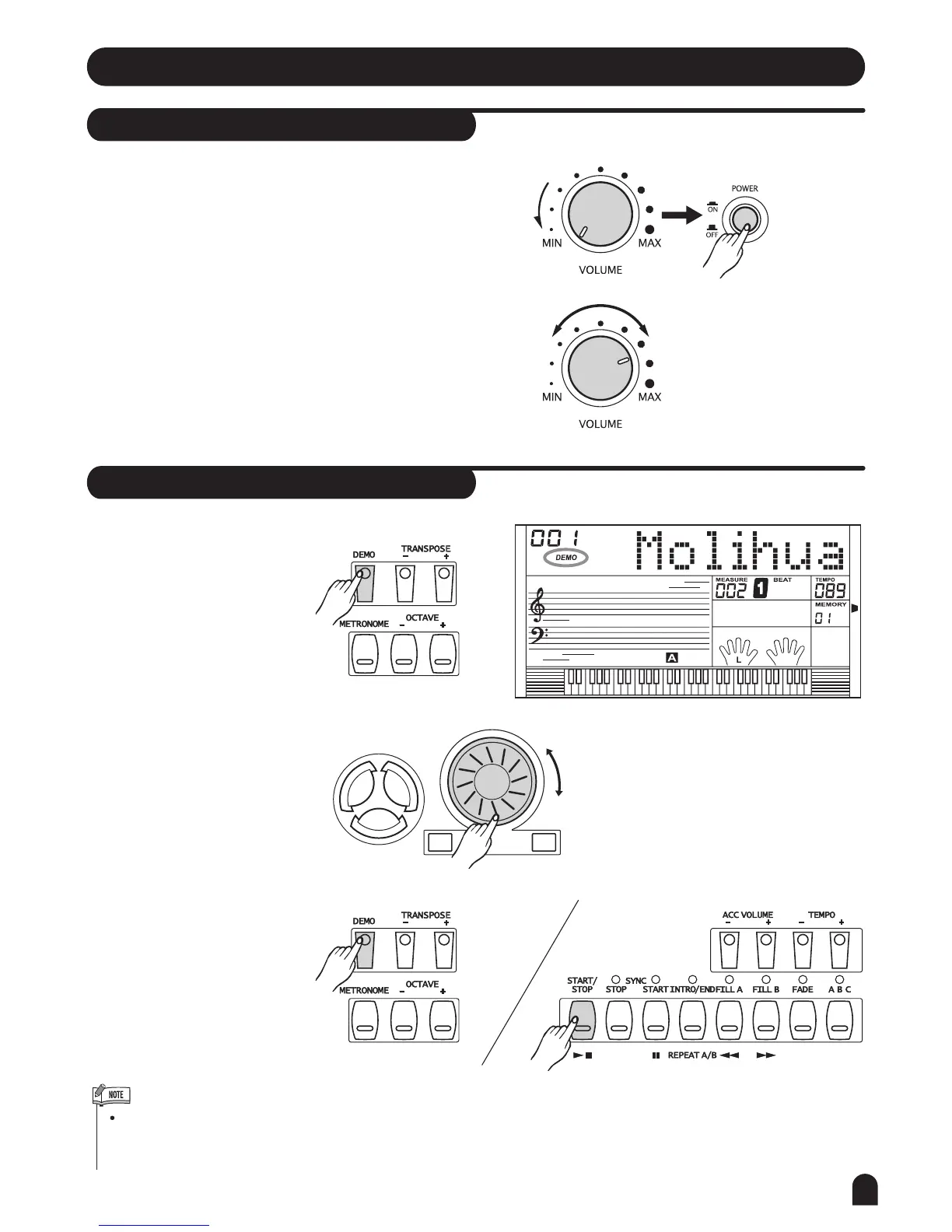
Power Switch & Volume
Adjust
volume
Basic Operation
11
1. First, please ensure the correct connection based on
previous instruction.
2. Turn the volume switch to reach the minimum volume
level, then turn the [POWER] switch on. The LCD
display lights up.
3. Use the [VOLUME] control switch to adjust the volume
to your desired level.
There are total of 2 demos.
1. Press [DEMO] button to
play demo songs.
2. Select a demo song with
[+/YES] / [-/NO] or dial.
3. Press [DEMO] or [START/
STOP] button to exit from
the demo mode.
In the demo mode, all function keys except DEMO,
START/STOP, TEMPO, +/YES, -/NO, VOLUME,
POWER ON/OFF will be voided.
+/YES-/NO
SONG
VOICESTYLE


 To Next Page