Mixer Menu
Option
LCD Display
Range
Deafult
Rhythm s Volume
Rhythm m Volume
026 Rhythm_s
026 Rhythm_m
026 Bass
026 Chord1
026 Chord2
026 Chord3
026 Phrase1
026 Phrase2
026Voice R1
010 Voice R2
010 Voice L
000-031
026
000-031
Bass Volume
Chord 1 Volume
Chord 2 Volume
Chord 3 Volume
Phrase 1 Volume
Phrase 2 Volume
Voice R1 Volume
Voice R2 Volume
Voice L Volume
000-031
000-031
000-031
000-031
000-031
000-031
000-031
026
000-031 010
000-031
010
026
026
026
026
026
026
026
30
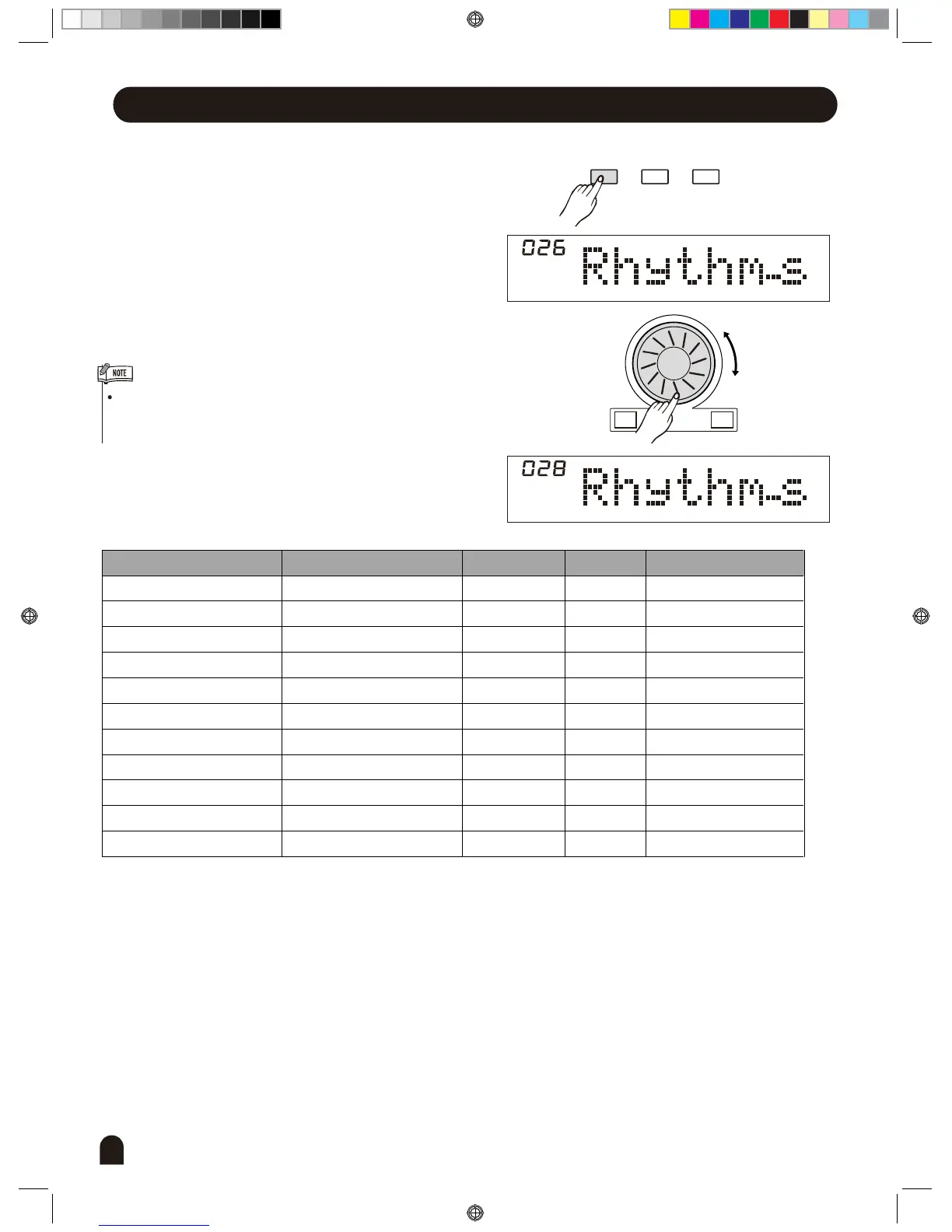
Press [MIXER] button to enter the menu of MIXER. The
default option of the menu is "Rhythm s ", When you
enter this menu next time, you will find the option is the
same as last time. Press [MIXER] button, select the
option you want to set. Use [+/YES] / [-/NO] or the DIAL
to set the parameter. The option and the parameters are
as the follows:
If you don't press any button for 5 seconds after entering
the MIXER menu, it will quit this menu automatically.
FUNCTIONMIXER
BACK NEXT
+/YES-/NO
percussion instrument 1
percussion instrument 2
bass foil
symphonic melody 1
symphonic melody 2
symphonic melody 3
intermezzo snippet 1
intermezzo snippet 2
single voice
dual voice
lower voice
Description
DZB0'B0DQXDOBB*BSDUWBDZB0'B0DQXDOBB*BSDUWB


 To Next Page