节拍器
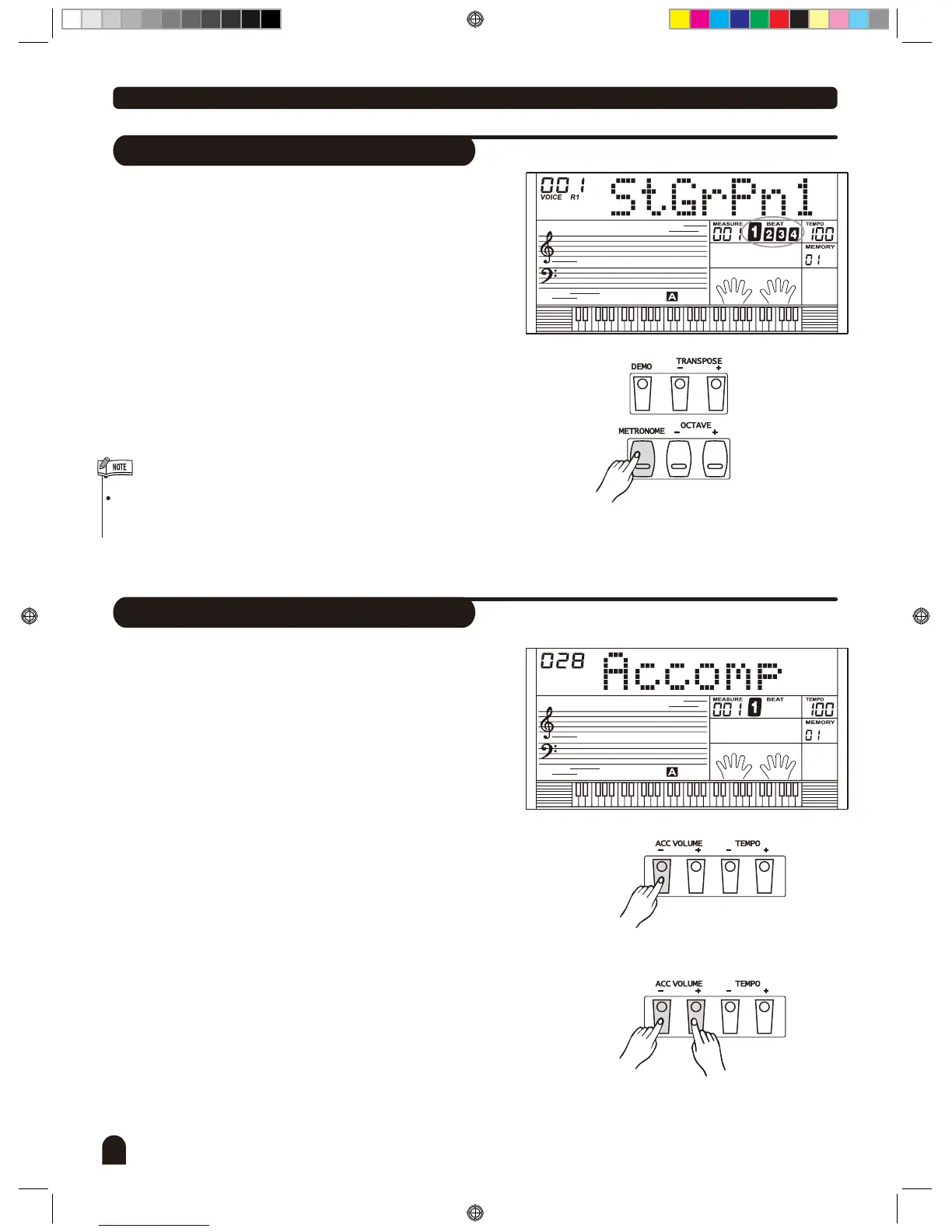
Metronome
节拍器
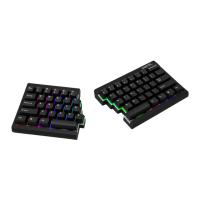
Accomp Volume
26
Style Control
1.
2.
3.
1.
Press the [METRONOME] button to turn on the metron-
ome, the beat sounds.
2.
Press the [METRONOME] button again to turn off the
metronome.
Metronome can be played in tempo with the accompani-
ment whenever you turn on the sytle.
Press [ACC VOLUME+] or [ACC VOLUME -] button to
adjust volume of accompaniment in style playing. The
LCD displays the ACCOMP volume which range
between 0 and 31. Default Accomp Value is 28.
Press [ACC VOLUME +] and [ACC VOLUME -] button
together to turn off the ACCOMP volume.
Press [ACC VOLUME +] and [ACC VOLUME -] button
together again to turn on the ACCOMP volume.
DZB0'B0DQXDOBB*BSDUWBDZB0'B0DQXDOBB*BSDUWB


 To Next Page