Style Control
20
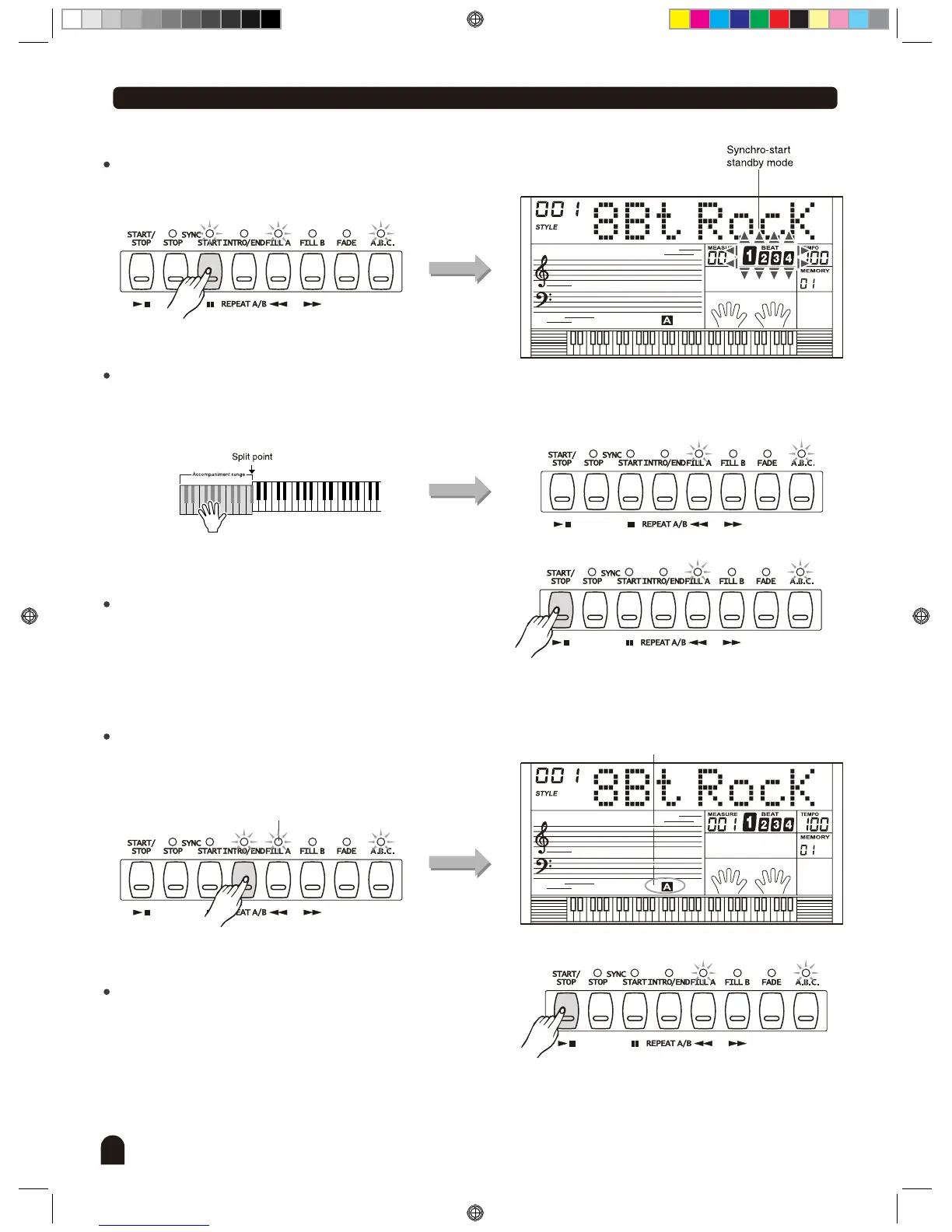
Sync start:
Press [SYNC START] button to enter the sync start
waiting mode. The 4 beats on LCD flash together.
If the A.B.C. mode is on , play any key in left area of
keyboard, the style start playing with bass and chord.
If the A.B.C. Mode is off, play any key on keyboard; the
style plays only the drum voice.
Press [START/STOP] again to stop the style.
Intro start:
Press [INTRO/END] button when the style is not playing,
'A' flashes on LCD, indicates the intro section is ready to
play. Length of intro varies in different style.
Flashing
Flashing
Press [START/STOP] button, then the style starts with
an intro section , followed by the main section.
3.
4.
DZB0'B0DQXDOBB*BSDUWBDZB0'B0DQXDOBB*BSDUWB


 To Next Page