Style Record
STYLE
STYLE
Flash together
39
6.
7.
8.
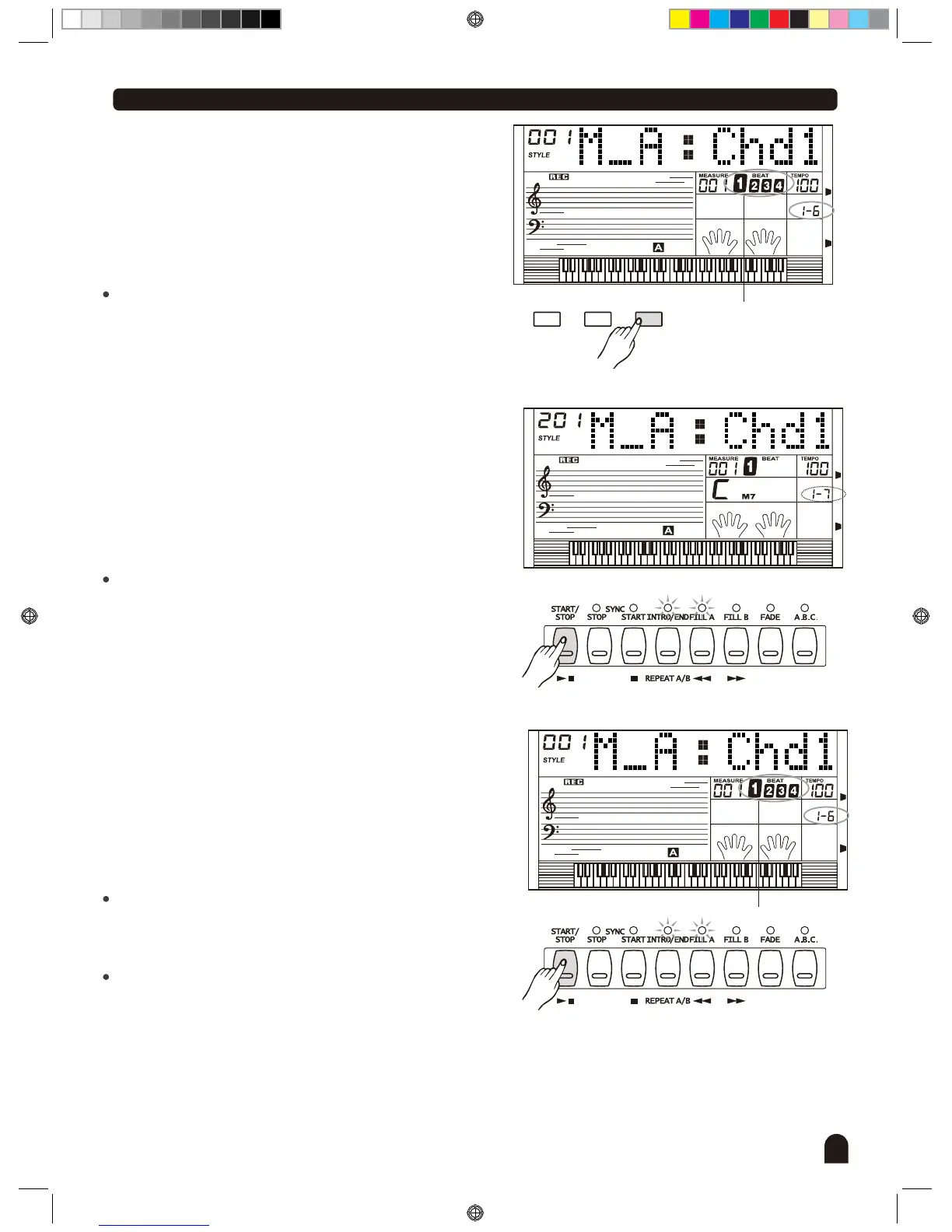
Press [FUNCTION/NEXT] to enter the record ready page.
Beat now flashes, indicating ready to record.
Press [START/STOP] button to begin recording.
Template rhythm begins to play in a loop of the selected
paragraph. Use the keyboard to input the notes, the note
that has just been inputed will be played in the next loop.
The notes can be input repeatedly while template plays in
a loop. The note will be replaced if a different note is input
while the template is playing in the next loop.
Press [START/STOP] button to stop the recording.
Record ready page is resumed with beat now flashing
again.
If another paragraph or track needs to be recorded, simply
use the [FUNCTION/NEXT] button to go back to step 4 or
5 and repeat the remaining steps.
FUNCTIONMIXER
BACK NEXT
STYLE
Flash together
DZB0'B0DQXDOBB*BSDUWBDZB0'B0DQXDOBB*BSDUWB


 To Next Page