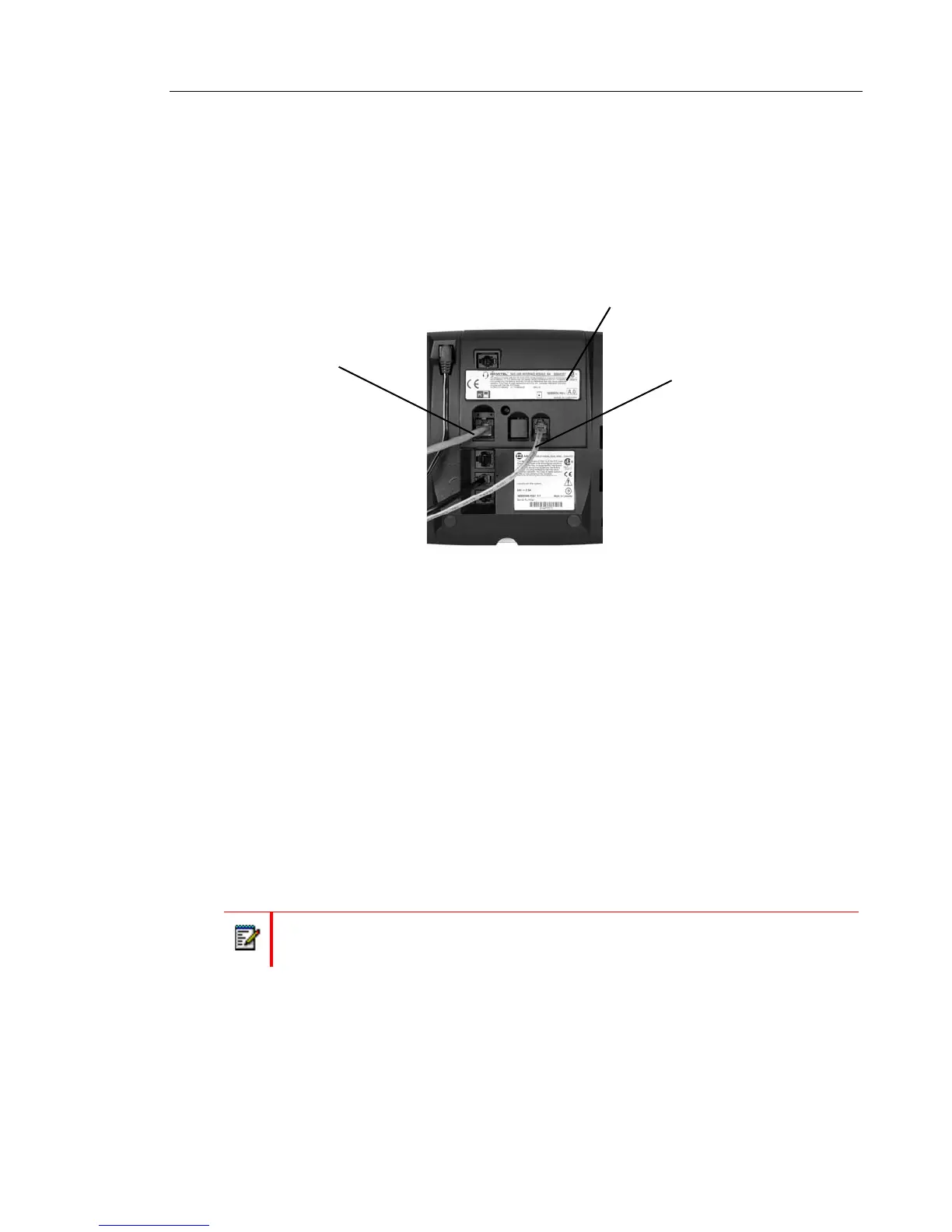
Using the Line Interface Module (LIM)
The LIM is an optional device that adds an analog phone line capability to your IP phone. In
the event of a network failure, the IP phone can be configured to use the public switched
telephone network (PSTN) to provide continued basic telephony until service in restored. The
analog line can also be used for emergency calls and local calling.
You can use the LIM to:
• allow incoming and outgoing analog PSTN calls directly to and from the IP phone
• provide survivability (failover) in the event IP connectivity is lost
• provide emergency dialing support (emergency calls can be programmed to connect
through the analog PSTN connection)
If you have a LIM connected to your IP phone, all programming of the LIM, except the Analog
button (key), is done by the Installer when your IP phone is installed. To program the Analog
button, see “Using Programmable Buttons” on page 24.
The LIM operates in one of the following two modes, as determined by your System
Administrator:
• LIM Mode: You can use the LIM line at any time.
• Failover Mode: You can use the LIM line only when the IP connection has failed.
For information on emergency number dialing using the LIM, see “Placing Emergency Calls
using the LIM Line” on page 33.
Note: Handsfree and on-hook dialing are not supported on the LIM line.
Line Interface Module
Analog PSTN
Connection
Ethernet
Connection















 To Next Page