Mitel 5540 IP Console - User Guide
To retrieve a call on hold:
• Press Hold that was used to place the call on hold.
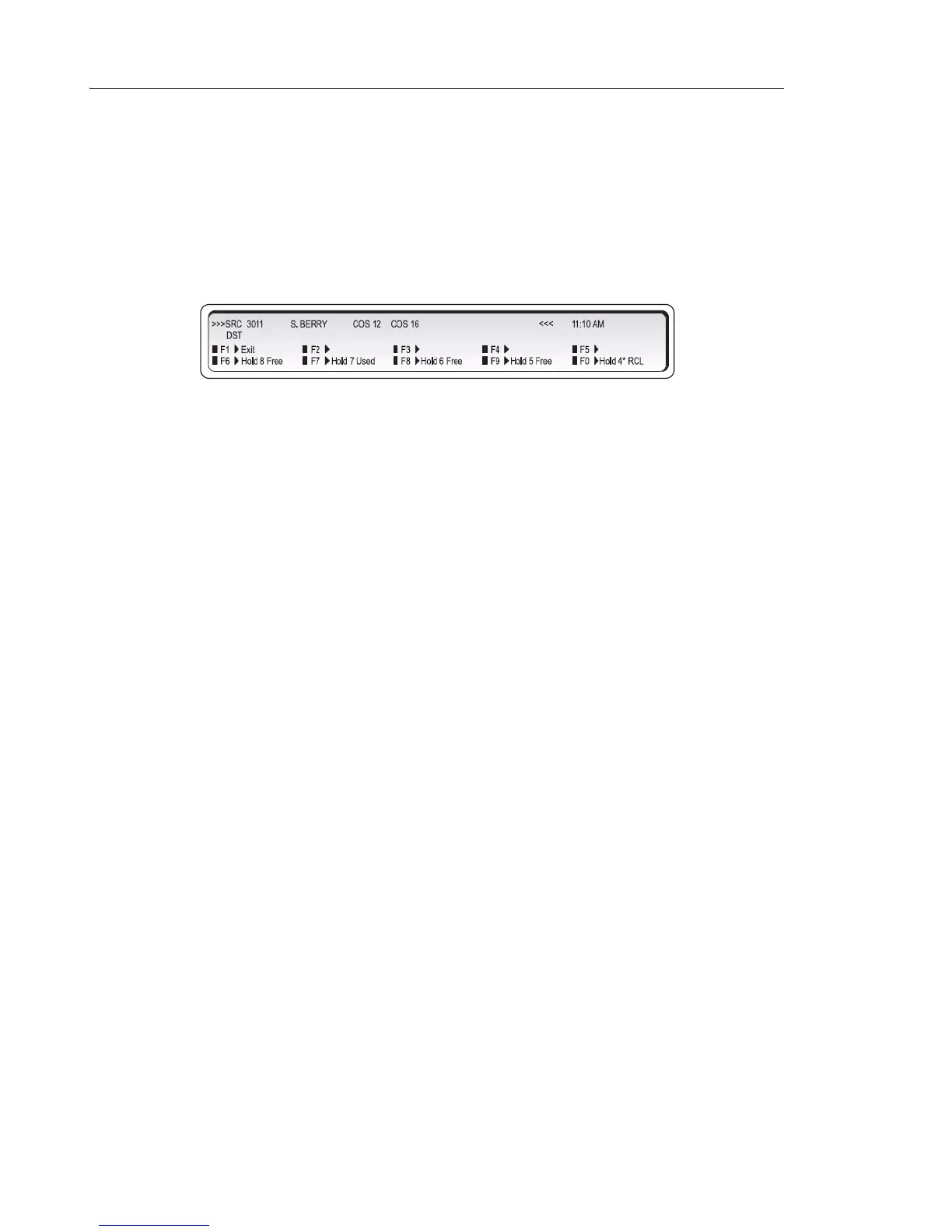
To access the five Hold slots available on the softkeys:
1. Press Hold 4+.
The display changes as follows:
The display shows that Hold slots 5, 6, and 8 are free, Hold 7 is in use, and Hold 4* is
"recalling" the console.
2. Press a free [Hold] softkey.
The lamp above the Hold 4+ key lights whenever any of the softkey hold slots are in use.
The display returns to the information that was showing before you pressed the Hold 4+ key.
To retrieve a call at a softkey Hold slot:
1. Press Hold 4+.
2. Press Hold softkey that was used to place the call on hold.
Hold Recall
If a call is left on hold longer than a specified time, it returns to the console as a recall. The
lamp above the Hold key used to place the call on hold flashes and the console beeps once to
indicate a recall at Hold 1, twice for Hold 2, three times for Hold 3, and four times for calls on
hold at any of the softkey Hold slots.
To answer the recall, follow the procedure above for retrieving a call on hold.



 To Next Page