Personalizing your phone
MiVoice 5380 / MiVoice 5380 IP 77
eud-1679/1.0 – R3.0 – 08.2015
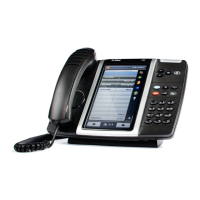
Setting the MiVoice M535 display
You can adjust the M535 display contrast and the M535 backlight intensity.
The backlight setting for the display of the MiVoice M535 is taken from the phone.
Setting the ringing properties (Audio)
This section explains how to set your phone's ringing tone properties.
Setting the ringing volume during ringing
You want to adjust the ringing volume.
You can adjust the ringing volume while the phone is ringing.
Setting the volume during a call
You want to adjust the volume while in a call. You have to set the volume of handset and
loudspeaker separately.
The new volume will remain stored even after the call is ended.
Menu
Press the Menu Foxkey.
Settings
Scroll to Settings and press the Select Foxkey.
Display
Scroll to Display and press the Select Foxkey.
<Display setting>
Scroll to the required display settings and press the Modify Foxkey.
Select the required setting and confirm with the Ok Foxkey.
➔The setting is stored.
Quieter: Press the –-key.
Louder: Press the +-key.
Quieter: Press the – key during the call.
Louder: Press the + key during the call.
Note:
The volume cannot be modified if you are in a call in edit mode and if the DTMF mode is
activated (see Chapter "Configuring the DTMF mode", page 84).






 To Next Page