2.
LET'S
r
i..
TRY
USING
THE
ASPUE
MElsEGA
2.4.2
Changlng
the
current
value
of
a
word
devke
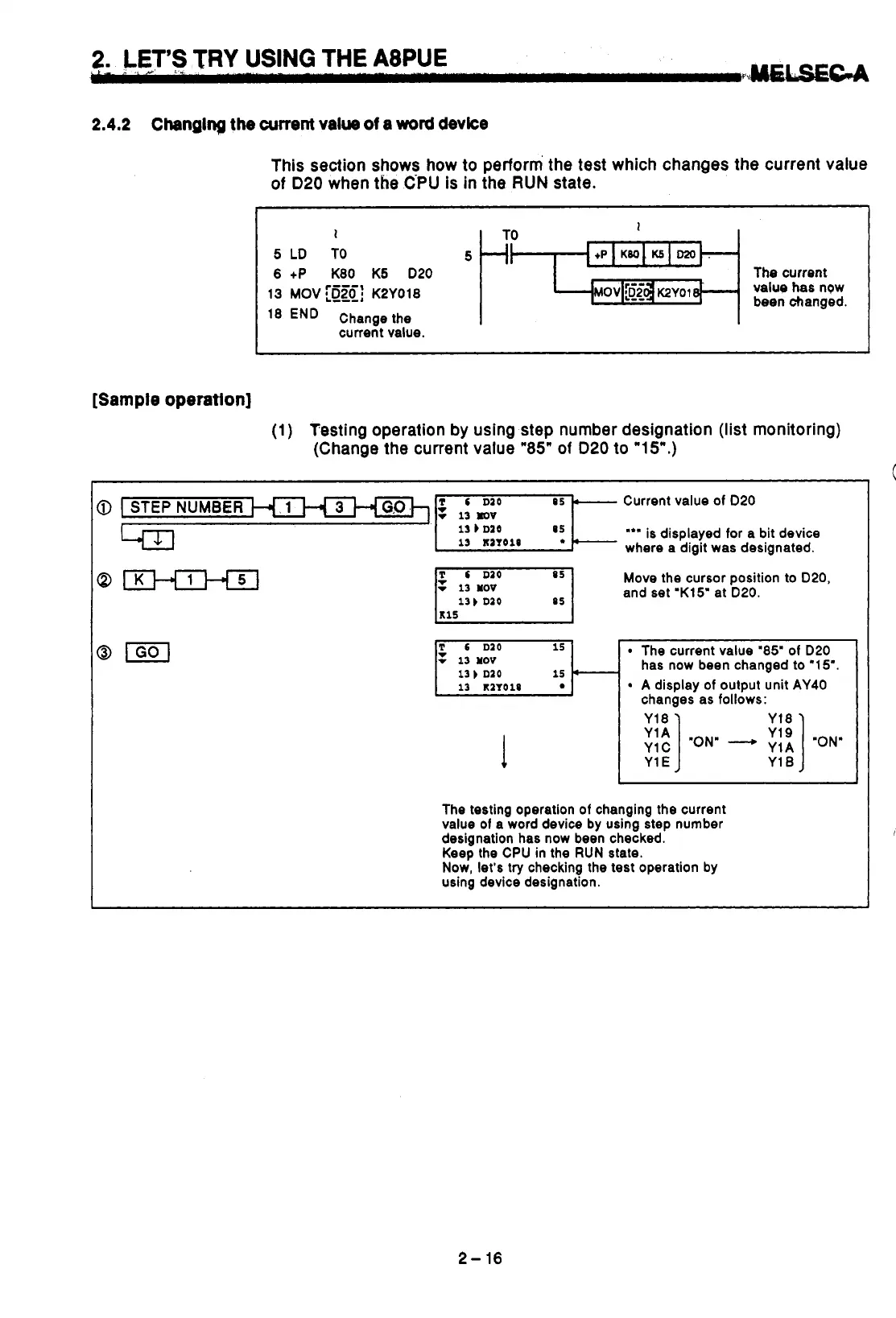
This section shows how to perform the test which changes the current value
of
D20
when the C-PU is in the RUN state.
1
5
LD
TO
5
6
+P K80 K5 020
I
The current
value has ngw
been changed.
I
13
MOV
KPYOl8
I
END
Change the
I
current value.
[Sample
operation]
(1)
Testing operation by using step number designation (list monitoring)
(Change the current value
"85"
of
020
to
VSW.)
NUMBER
3
G,O,h
FL
Current value of 020
*''
is
displayed for a bit device
where a digit was designated.
13
b
D10
13
K2TOlS
3
Move the cursor position to 020,
and set 'K15' at D20.
13
1
010
P
6
D10
15
The current value
"85"
of D20
v
13
YOV
13
b
010
15
4
13
K1TO18
A display of output unit AY40
v
has now been changed to "1
5".
changes as follows:
I
"ON"
-
'ON"
Y1
E
Y1
B
The testing operation of changing the current
value
of
a word device by using step number
designation has now been checked.
Keep
the CPU in the RUN state.
Now, let's try checking the test operation by
using device designation.
J
C
2-
16



 To Next Page
 Loading...