MLB-G3002 Terminal User Guide 14 Rev 1.1
3 ELECTRICAL INTERFACE DESCRIPTIONS
3.1 Overview
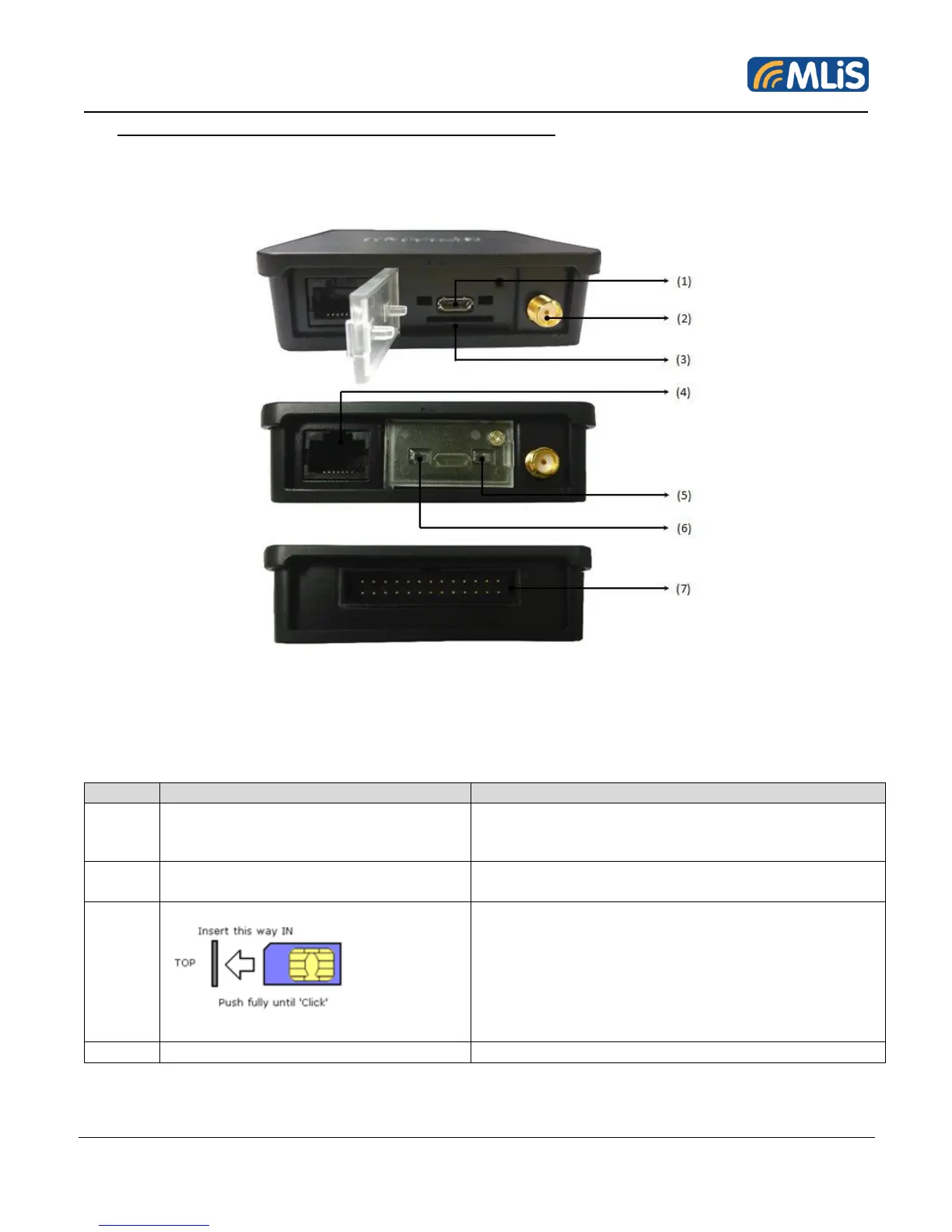
Front/Back View
Figure 3: External Interfaces/Indicators for MLB-G3002
The interfaces and indicators for MLB-G3002 are as follows:
Communication port via USB
﹡Need install USB driver
RF Connector (SMA Female)
Connects to external 50 ohms antenna with correct
frequency band
Push SIM card totally into ‘locking positing;.
Press again to eject SIM card.
Push SIM card totally into ‘locking position’. Press
again to eject SIM card
Insert or retrieve SIM card without Power Accepts
both +1.8V and +3V SIM cards Insert with SIM card
contacts face up
For Power and Communications


 To Next Page