Instructions for use
36 LSI_K_np_en 1206_mmm_V2.08_B2V
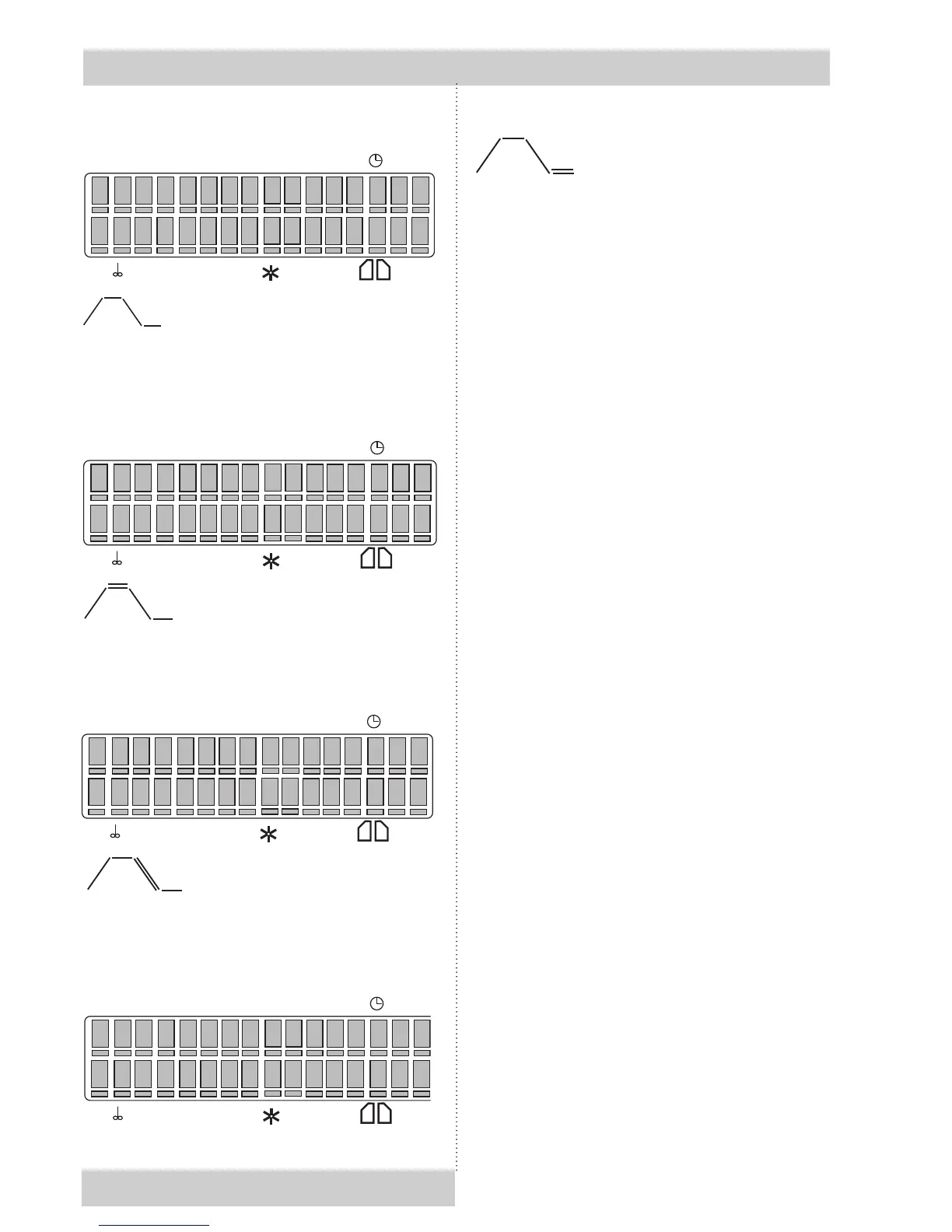
Program Segment
°C
RH
5 6
*
P
/
–
°C
°C
°C
.
1
0
0
h
h :
min
=
/
= S4/T2
S1 is active, temperature rises to T1
°C°C°C = actual temperature
hh:mm = time passing from the start till T1
reaching.
S2 is active, temperature T1 has been
reached, T1 delay period has been running:
°C°C°C = actual temperature
hh:mm = T1 delay countdown from the preset
value to zero.
S3 is active, temperature rises to T2:
°C°C°C = actual temperature
hh:mm = time from the end of T1 till T2 reaching
S4 is active, temperature T2 has been
reached, T2 delay period has been running:
Program Segment
°C
RH
5 6
*
P
/
–
°C
°C
°C
.
1
0
0
h
h :
min
=
/
Program Segment
°C
RH
5 6
*
P
//
–
°C
°C
°C
.
1
0
0
h
h :
min
/
–
= S3
= S2/T2
Program Segment
°C
RH
5 6
*
P
//
–
°C
°C
°C
.
1
0
0
h
h :
min
/
–
= S1
°C°C°C = actual temperature
hh:mm = if the procedure duration is unlimited,
the time elapsed is displayed. If the procedure
duration is limited, time remaining till its end is
displayed.
After the programme ends, chamber temperature
and text “End” are displayed. Both the indication
of the programme and the chamber temperature
disappear after pressing any key on the panel.
11.16.2.5 INFORMATION ON SET
PARAMETERS DURING OPERATION
OF THE UNIT
SS AND SP PROGRAMMES – TWO-
DOOR MODEL WITH bLOCKING
If a programme ended with an opened ap
or door and the display shows “Open”, the
programme must be restarted by means of
START/STOP.
If the ap is opened in the “End” situation:
1. If the device is equipped with a HEPA lter
and at least one of the ventilators is running,
the loading side panel will display “Flap
opened” and the acoustic signalling will
be switched on. “Open” and the chamber
temperature will be displayed alternately on
the unloading side panel.
2. In other cases, the printer will print “Flap
opened! Repeat the sterilization!” and the
door blocking will be switched to “Stp”. The
unloading side panel will show the running
text “Flap opened-repeat steril.” while the
loading side panel will display “Non-sterile”.
The programme can neither be changed
nor started in this situation. By pressing
the button on the loading side panel, the
text “Non-sterile” will disappear and a new
programme can be started.



 To Next Page