IG7600 Administration Manual
Copyright 2013 Tecom, Co. LTD. All rights reserved Page 97 of 97
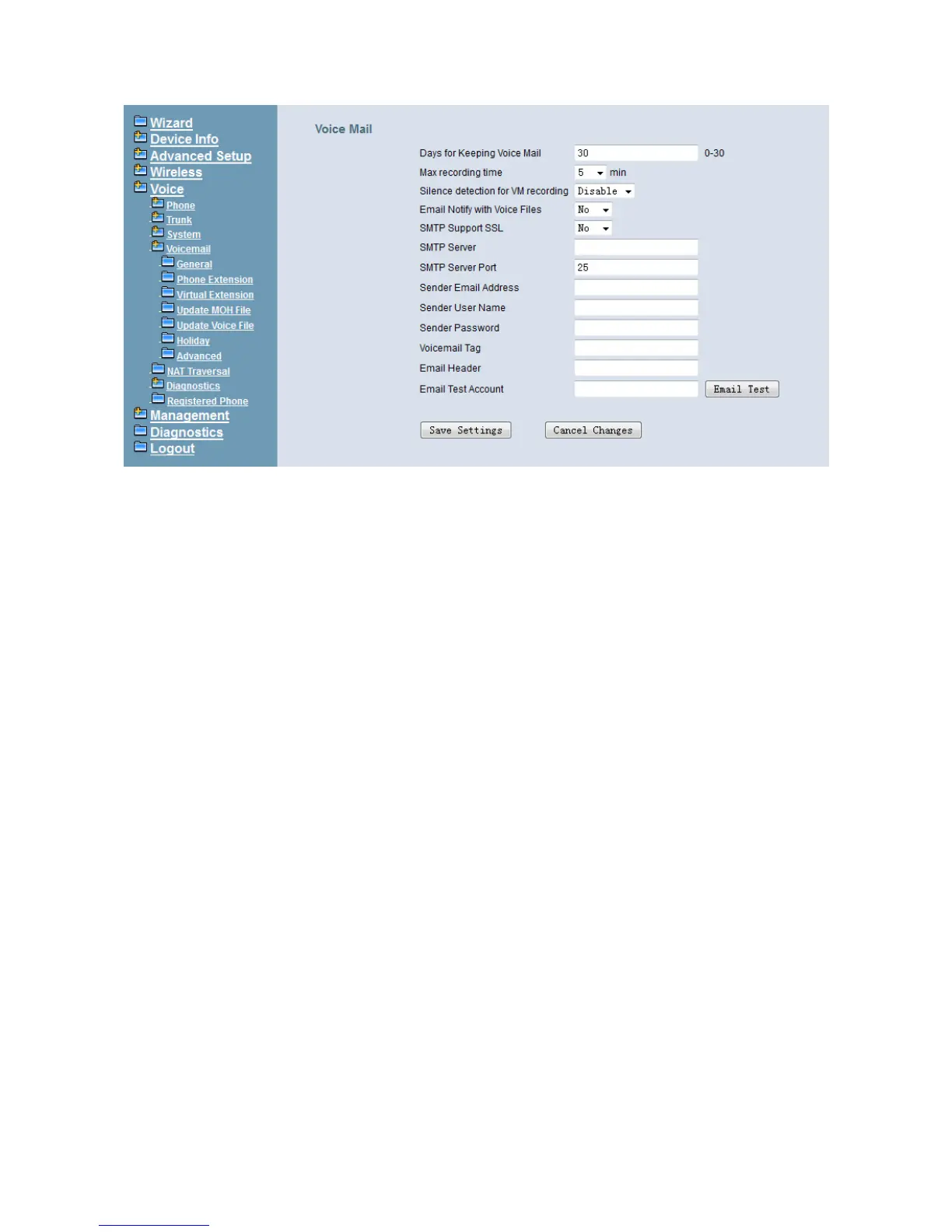
Figure 6-74. Voice – Voice Mail – General – 2
Voice Mail: (Figure 6-74),
Days for Keeping Voice Mail: Keep days for leaving messages. 0 means that the
messages are kept until the users delete them.
Max recording time: The range of recording time is form 1 to 30 minutes.
Silence detection for VM recording: Set “Enable” of this item will do the silence
detection in VM recording. If “silence” is detected, IG7600 will terminate the recording
and release the line. It doesn’t work when AA’s codec is G.729.
Email Notify with Voice Files: Add attached WAV file in notifying email for leaved
message.
SMTP Support SSL: Choose “Yes” to support SSL.
SMTP Server: SMTP Mail Server.
SMTP Server Port: SMTP Mail Server port. The default value is 25.
Sender Email Address: Email Address of Sender.
Sender User Name: User Name of Sender’s Email.
Sender Password: Password of Sender’s Email.
Voicemail Tag: Voicemail tag
Email header: Email header
Email Test Account: Input a Target Mailbox here. Press the button [Email Test] To
send a test Email to the Target Mailbox.
6.6.4.2 Phone Extension
Voice Mail extension configuration allows you to configure voice mail settings for each
extension. While pressing “Configure”, it shows Extension Voice Mail Configuration
screen. (Figure 6-75)



 To Next Page