IG7600 Administration Manual
Copyright 2013 Tecom, Co. LTD. All rights reserved Page 98 of 98
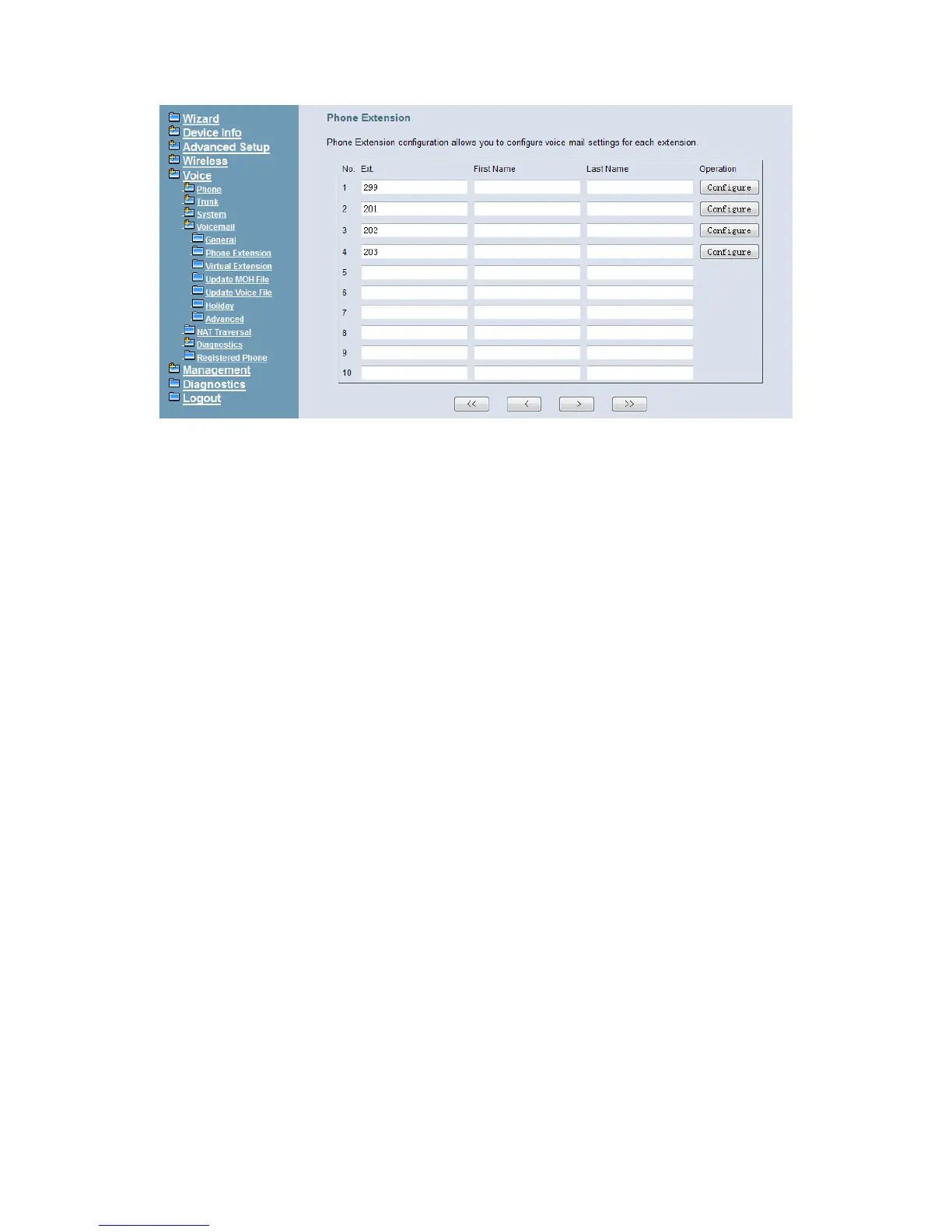
Figure 6-75. Voice – Voice Mail – Phone Extension
The following items will be configured in the Extension Configuration (Figure 6-76, Figure
6-77):
Voice Mail: Enable/Disable. To disable this item, there is not allowed to listen to the
message from outside party.
Password: Password of voice mailbox of the extension.
E-mail Address: Phone user’s E-mail Address.
Prompt Language: Provides one of the two languages to be chosen.
Email Message: This item is used when the message file is attached. You can select
“Save as New”; the message will be displayed as a new message. Select “Save as
Old”; the message will be recognized as a listened message. Select “Delete”, the
message will be recognized as a deleted message.
Distribution Lists: This item is used to configure the Distribution Lists of the Ext. You
can configure 3 Lists at most. Usage: When you hear your message and you want to
transfer the message (Press 4 when listening to the message) to a group of users,
you can use Distribution Lists to make this easier. Each list can configure ten EXTs or
Virtual Extensions at most to be the destinations. When you transfer your message,
after the prompt that asks you to input the destination number, you just need to press
1 digit (1, 2 or 3) to choose the Distribution List and then press # to confirm, then your
message will be transferred to all the members in the Distribution List.
Leaving Message: When disabling it, the mailbox stops recording messages.



 To Next Page