6
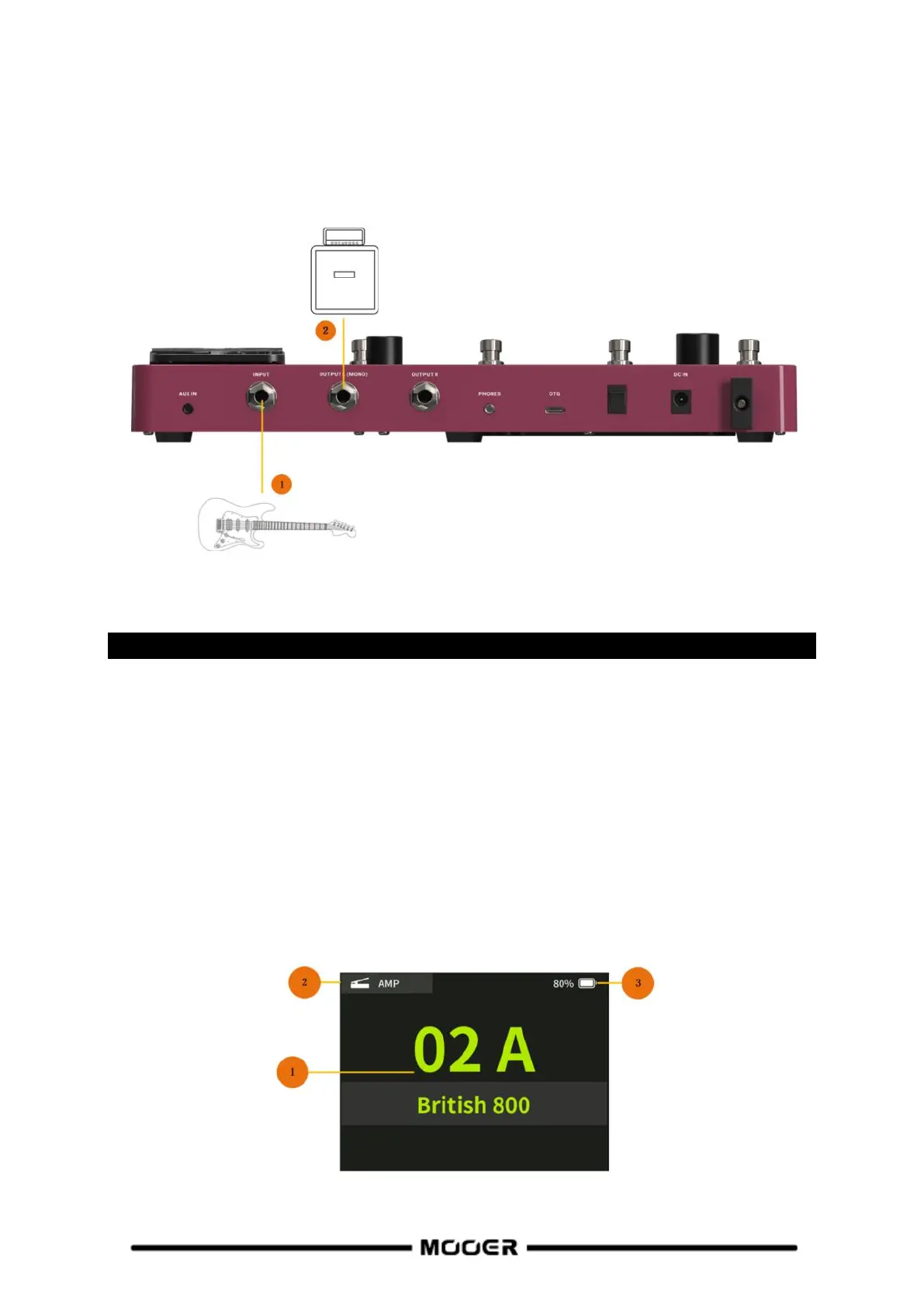
Connection to a guitar amplifier
This connection scenario connects the output jack of the GE150 Pro directly to the input of your
guitar amplifier. It is recommended to deactivate AMP and CAB modules to avoid unwanted
interference with the sound characteristics of the physical amplifier and cabinet.
1. Connect an instrument.
2. Connect the INPUT of your guitar amplifier.
QUICK START
Start up
Turn the MASTER volume knob down to minimize the output volume.
Connect the inputs and outputs of the device as required according to the connection
scenarios above.
Connect the included power supply (the GE150 Pro Li can operate on battery power) and
turn the device on by switching the Power switch to "I".
The display shows a boot-up screen for a few seconds.
After the boot sequence is completed and the screen shows the main user interface, adjust
MASTER volume to the appropriate volume.
Main user interface


 To Next Page