4
CONNECTIONS
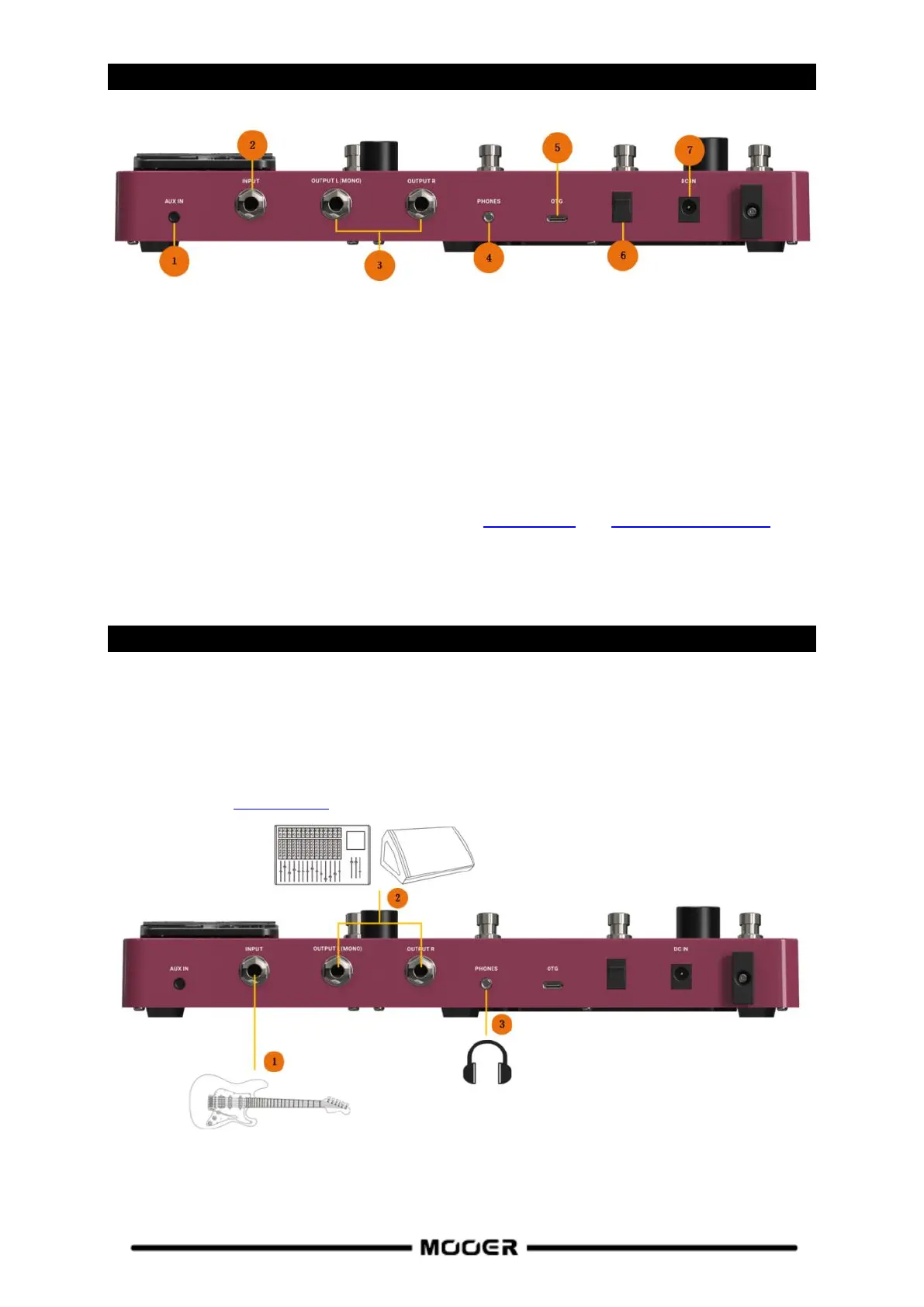
1. AUX IN: 1/8" stereo TRS audio input jack for connecting an external audio source (mobile device,
audio player) for practicing.
2. INPUT: 1/4" mono audio jack, input for your instrument.
3. OUTPUT (left / right): 1/4" unbalanced mono audio jacks. Connection to the input of active
speakers, other effects, amplifiers or other audio devices.
4. Phones: 1/8" stereo headphone output jack.
5. OTG: USB Type C interface. Connection to a computer for using supported software for preset
editing, data management and firmware upgrades. Connection to a mobile phone or a recording
device for OTG audio playback and recording (see OTG Function, see GE150 PRO SOFTWARE).
6. Power switch: Use this switch to turn the device ON / OFF
7. 9 VDC power input: Connect the supplied power supply adaptor.
CONNECTION SCENARIOS
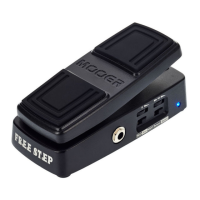
Connection to Full-Range equipment
This connection scenario includes full-range equipment such as studio monitors, sound cards, active
stage monitors, PA systems (full-range/crossover amplifiers + full-range/crossover speakers),
headphones, and other full-range equipment. When you establish connections using this application
scenario it is recommended to activate AMP and CAB modules in order to achieve a professional
guitar sound (see Preset editing).
1. Connect an instrument.
2. Connect FR equipment (mixing console, active stage monitor, PA system, sound card, studio
monitor).
3. Connect headphones.


 To Next Page