2
FEATURES
New member of MOOER GE series, using the new design language
Choice between GE150 Pro (traditional version with power adaptor) and GE150 Pro Li
(version with integrated Lithium-Ion battery)
55 realistically sampled amp simulations using intelligent inverse modeling technology to
recreate the sound of real amplifiers
Supports loading of third-party IR cabinet simulation sample files
Including 200 pre-programmed factory presets
On-board EXP pedal can be configured as volume control or expression pedal
Built-in 80 second stereo phrase LOOPER function
Built-in drum machine module with 40 drum rhythms and 10 metronomes
Precise built-in instrument tuner
Type-C USB port: supports connection to computer-based editing software for preset editing,
data management, firmware upgrades, or OTG connections for audio recording and playback
AUX IN interface for audio input connections to mobile devices or external audio players for
practicing
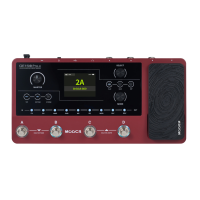
CONTROLS
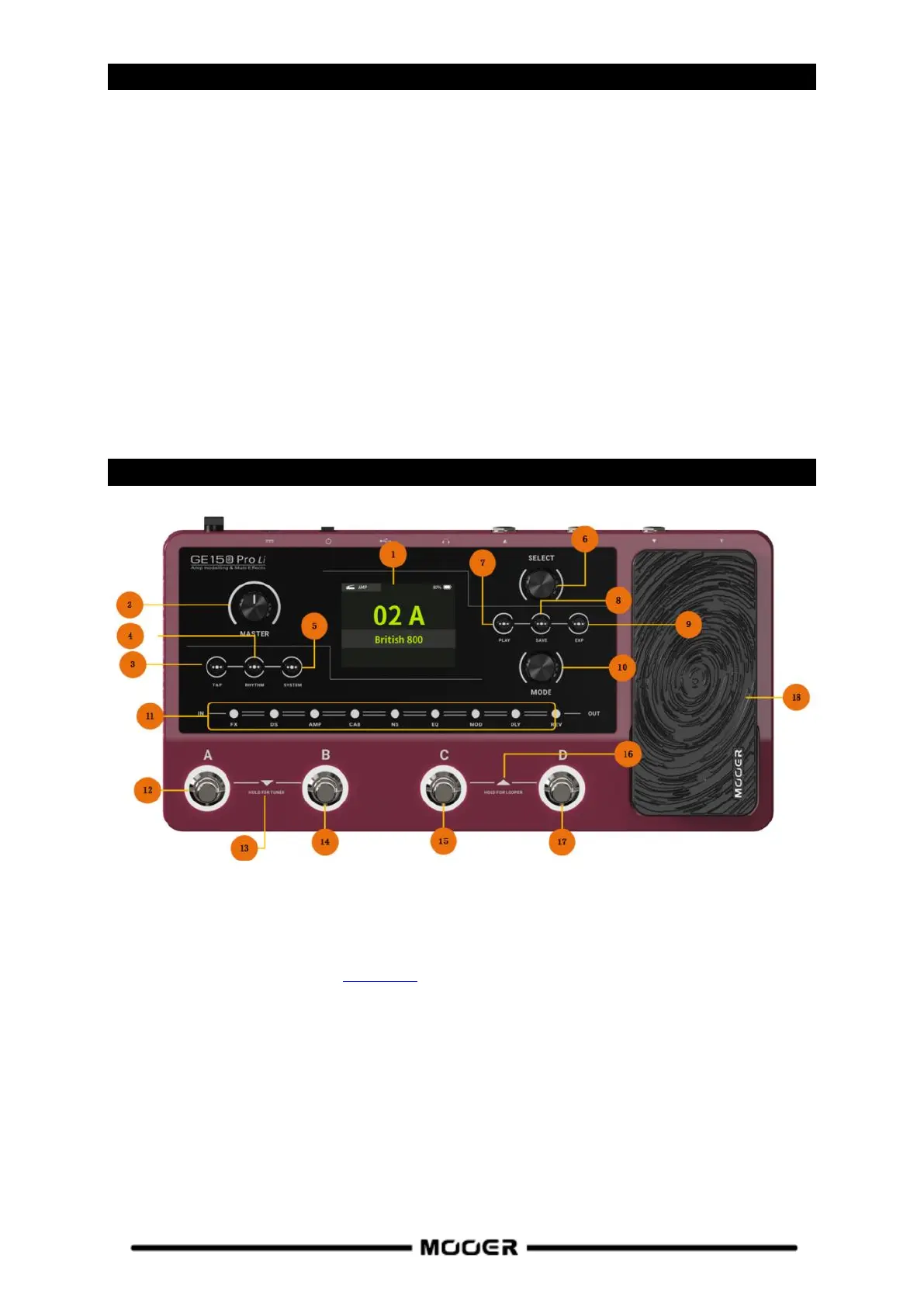
1. 2.8 inch LCD screen: Status and information about presets and operating modes.
2. MASTER knob: Rotate to adjust the total output volume.
3. TAP button: Use this to tap in tempo settings. The LED in the button blinks to indicate the
currently selects tempo. (See Tap Tempo)
4. RHYTHM button: Turns the DRUM MACHINE on/off and opens the RHYTHM settings menu.
5. SYSTEM button: Opens the SYSTEM settings menu.
6. Select knob: Use this to select presets, edit model parameters and adjust function settings in
different menus.
Rotate the knob to select items on the screen (highlighted).
Press the knob to confirm the selection.
Rotate the knob to change values.
Press the knob to confirm the changes and return to selection mode.
7. PLAY button: Press to return to the main user interface.


 To Next Page