RS03/06-S/Q Hardware Manual
8
9 / 28 / 2015
+86-400-820-9661
• Download the Step-Servo Quick Tuner from the MOONS’ website and install it.
• Launch the software by clicking Start-----Programs ----MOONS’ -----Step-Servo Quick Tuner
• Connect the drive to PC by RS-232 cable. Please select right COM port in the software.
• Connect the drive to the Power Supply.
• Connect the motor to the drive.
• Power up the drive.
• The software will recognize your drive, display t
he model and firmware version and it’s ready
for action.
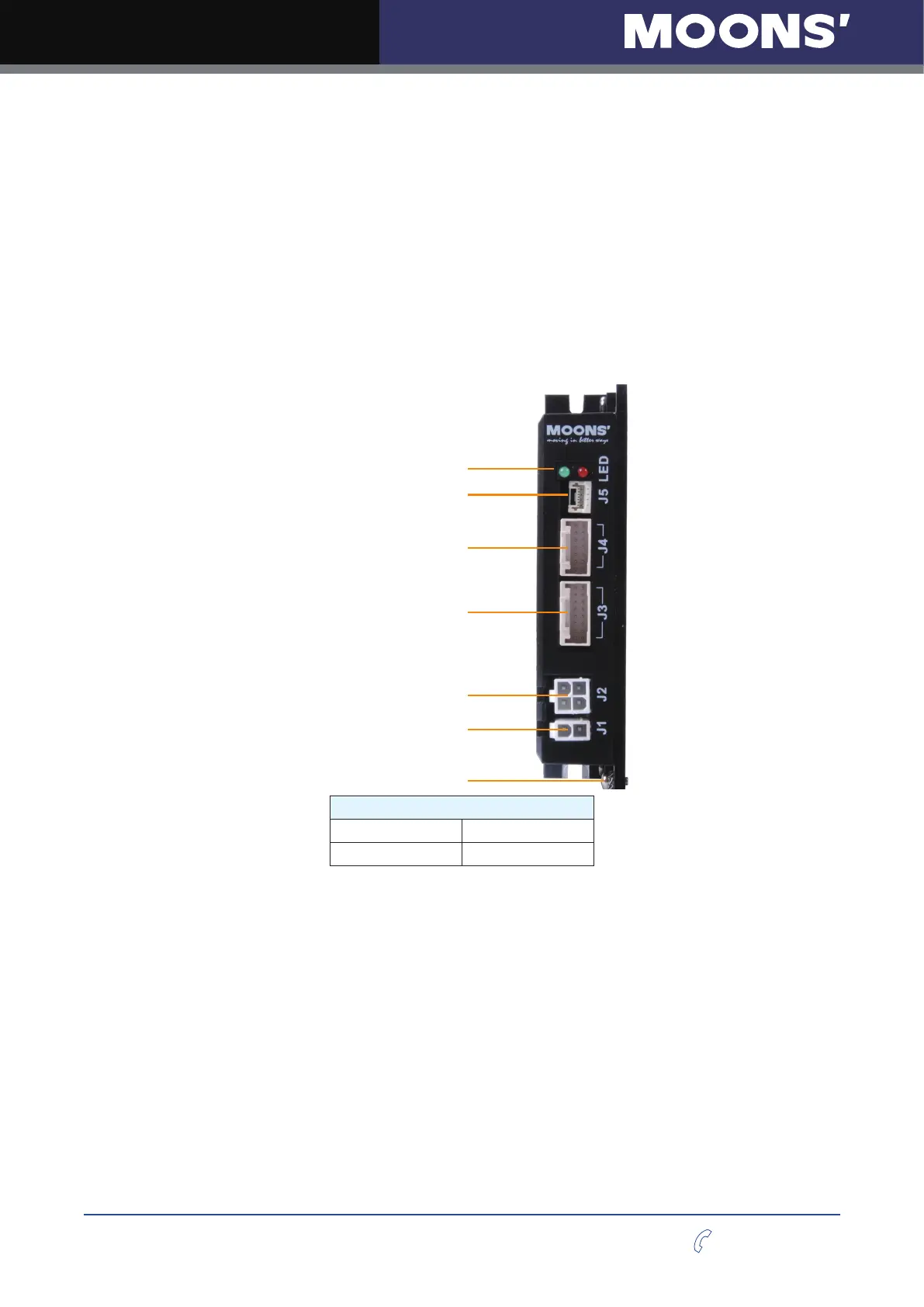
The connectors and other points of interest are illustrated below:
LED
RS-232 Connector
I/O Connector
Encoder Connector
Motor Connector
Power Connector
Model
RS03-S-A RS06-S-A
RS03-Q-A RS06-Q-A












 To Next Page