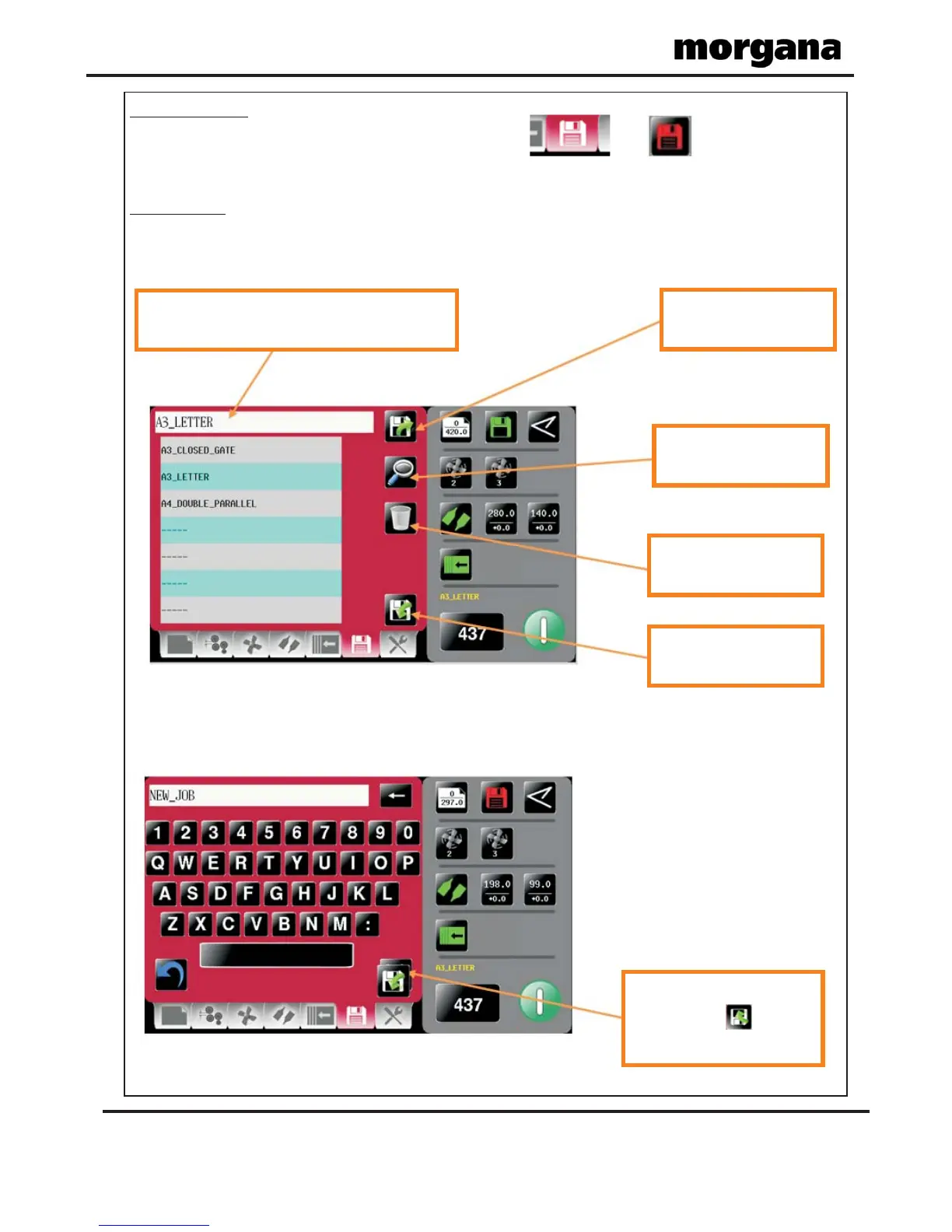
To create a new job name click in text area &
keyboard will open to input job name.
Load existing job from
store
Clicking to search
currently stored jobs
Clicking to delete
currently stored jobs
Clicking to save job
shown.
Return to Store Menu &
click save icon to save
job to store
Page 26
FOLDING
Store Pages.
New Jobs.
To get to the Store setting page click the lower tab or from the
status area.
Having set up your job you can give the job a name and save it to a store. You can
also retrieve previously saved jobs, modify them or delete jobs you no longer require.
Keyboard for entering job name.
Operating the AutoFold Pro



 To Next Page