Page 23
SYSTEM
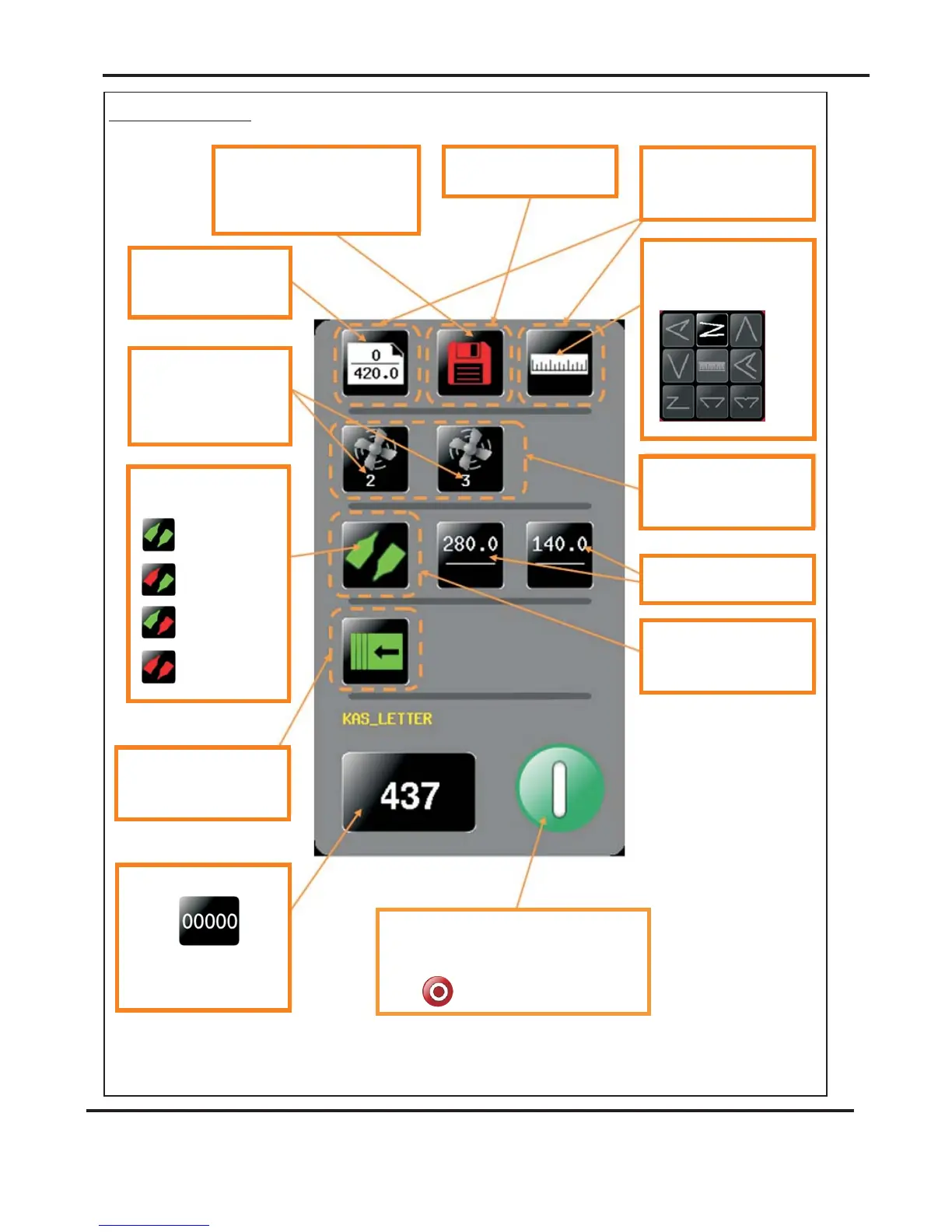
Status Screen.
Currently selected fold type
- can be one of the
following.
Clicking in this area will take
you to the Feed bed setting
page.
Clicking in this area will take
you to the store page
Clicking in this area will take
you to the paper setting
page.
Green icon indicates settings are
saved-arediconwould show that
settings have been changed but
the job has not been saved.
Paper length & Paper
Type - input from the
paper setting screen.
Fan speed0-1-2or3
Front & Rear
Long bed option also has
centre fan.
Indicator for status of
knives.
K1&K2On.
K1Off&K2On
K1On&K2Off
K1&K2Off
Clicking in this area will take
you to the delivery setting
page.
Clicking in this area will take
you to the Fold setting
page.
Fold Positions & Micro
adjust settings
Current job count - click to
zero
A screen will appear to
confirm that you want to
reset the count.
Click to start machine with settings currently
shown - you will receive a notification if
system switch is not on. Press again to stop
Job
AutoFold Pro
Operating the AutoFold Pro



 To Next Page