
 Need help?
Do you have a question about the Moto 360 and is the answer not in the manual?
OLED display stays dimly illuminated when not in use, conserving battery.
Fully charges from 0-100% in one hour using the included charging dock.
Use wrist gestures to browse notifications with a flick of your wrist.
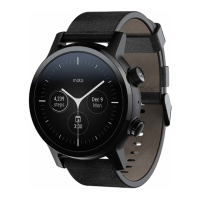
Personalize watch appearance with different themes, dials, and straps.
Manage notifications and access fitness/activity tracking information easily.
Instructions for attaching and replacing watch bands using quick-release pins.
Steps to connect the charging dock and charge the watch battery to 100%.
Guide to pair the watch with a smartphone using the Wear OS app.
How to change the watch dial by touching, holding, and selecting different faces.
Customize watch face widgets (complications) for specific information like date or weather.
Navigate notifications with wrist gestures, activate/deactivate via settings.
Manage Bluetooth, Wi-Fi, and mobile network connections for your smartwatch.
Adjust screen brightness, enable dimming, set screen lock, and change text size.
Track vital health metrics like Move Minutes for activity and Heart Points for exercise.
Monitor duration, calories, distance during activities; track runs, cycling, etc.
Guidelines for optimal heart rate tracking, strap fit, and placement.
Use NFC for payments via apps like gPay after setup.
Access help, tutorials, updates, and join community discussions via online resources.
Details Motorola Mobility LLC's trademarks and intellectual property rights.
Information on human RF exposure compliance and device operation.
Precautions for users with pacemakers or defibrillators.
States compliance with FCC/IC limits for radio wave exposure.
Declares product compliance with essential requirements of EU Directives like 1999/5/EC.
 General
| Display Size | 1.56 inches |
|---|---|
| Resolution | 320 x 290 pixels |
| Processor | TI OMAP 3 |
| RAM | 512 MB |
| Storage | 4 GB |
| Battery Capacity | 320 mAh |
| Water Resistance | IP67 |
| Display Type | LCD |
| Operating System | Android Wear |
| Connectivity | Bluetooth 4.0 |
| Sensors | Accelerometer, Ambient Light Sensor |
| Weight | 49 grams |
| Dimensions | 46 x 46 x 11.5 mm |

 To Next Page