38
Checking Your Progress
The always-on, OLED display (now without a ‘’flat tire’’)
makes it easy for you to keep tabs on your progress. During
an activity, your watch will display live progress such as the
duration of the activity, calories burned and distance traveled.
Use the rotating crown or swipe up to reveal more data on
your progress.
And because the 3rd gen Moto 360 includes a built-in GPS
and barometric altimeter, you track all your activities without
carrying your phone.
The Fit Workout app on your Moto 360 tracks and records
your runs, cycling, strength training and other activities. You
can review your activity history and details at any time within
the Google Fit mobile or watch app
Starting an activity
To start an activity, on your watch tap the top crown button
Fit Workout Choose your activity Start. If you choose
an outdoor activity, stand still and wait for the icon at the
top to stop blinking and change to a solid and reads ‘GPS
acquired’.
Tip: To speed up GPS acquisition ensure you have a direct
line of sight to the sky and are not around any large struc-
tures.
Removing the watch from your wrist and holding it until GPS
is acquired can speed up the process.
Heart Rate Tracking
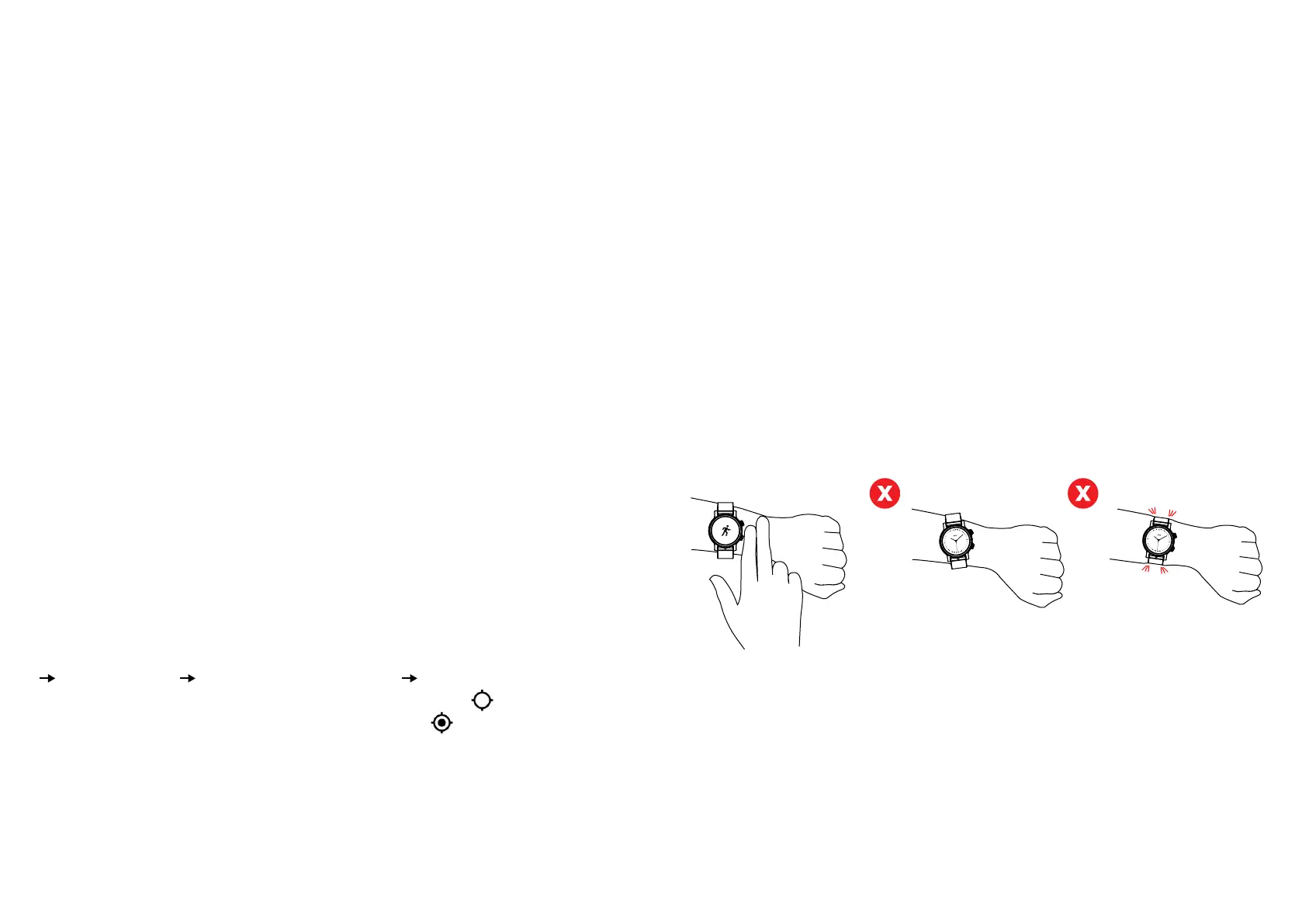
For optimal tracking, it is recommended to wear the included
silicone strap. Wear the watch two fingers distance from your
wrist bone and make sure the strap is snug but not constrict-
ing movement or blood flow.


 To Next Page