14
Before using your 3rd gen Moto 360 for the first time, remove the plastic cling from the back of the watch
and charge the battery until the charge level indicator on the watch screen shows 100%.
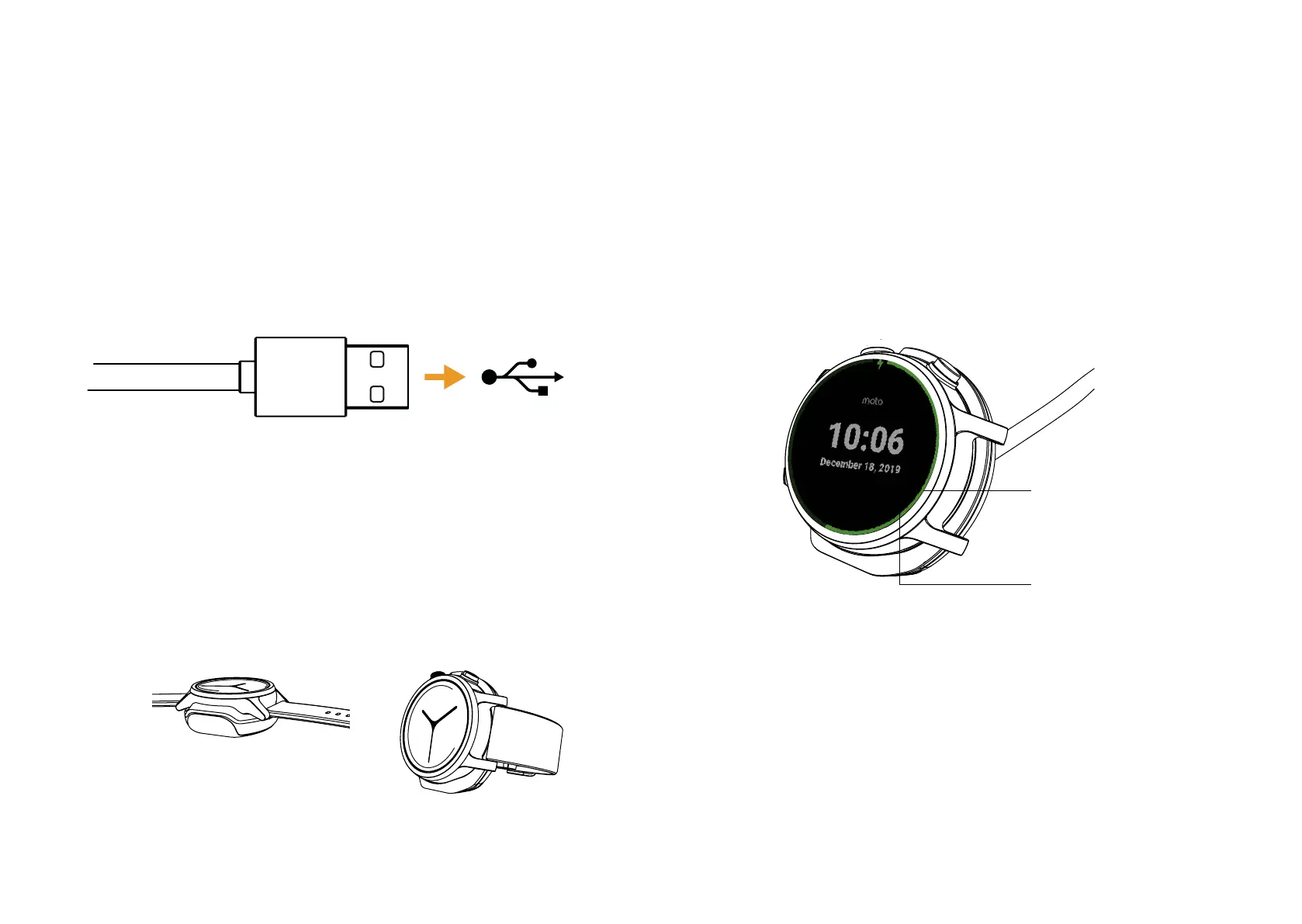
1. Plug the 3rd gen Motorola Charging Dock into a computer
or USB-A power brick.
2. Snap your watch into the charging dock with
the watch buttons lining up with the top of
the Motorola logo on the charging dock.
The charger works both lying flat and standing up at an
angle for easy viewing. If you want, you can slide the cord
into the slot on the bottom of your charging dock for
easier cable maintenance.
3. Use the charge level indicator to determine when your
watch is fully charged.
Visual Charge
Level
Tap on screen to
change between
digital and analog
clocks
Charging Up


 To Next Page