24
Notifications
To receive your most important updates whenever you’re
connected to Wi-Fi, enable notifications from your phone’s
Wear OS app.
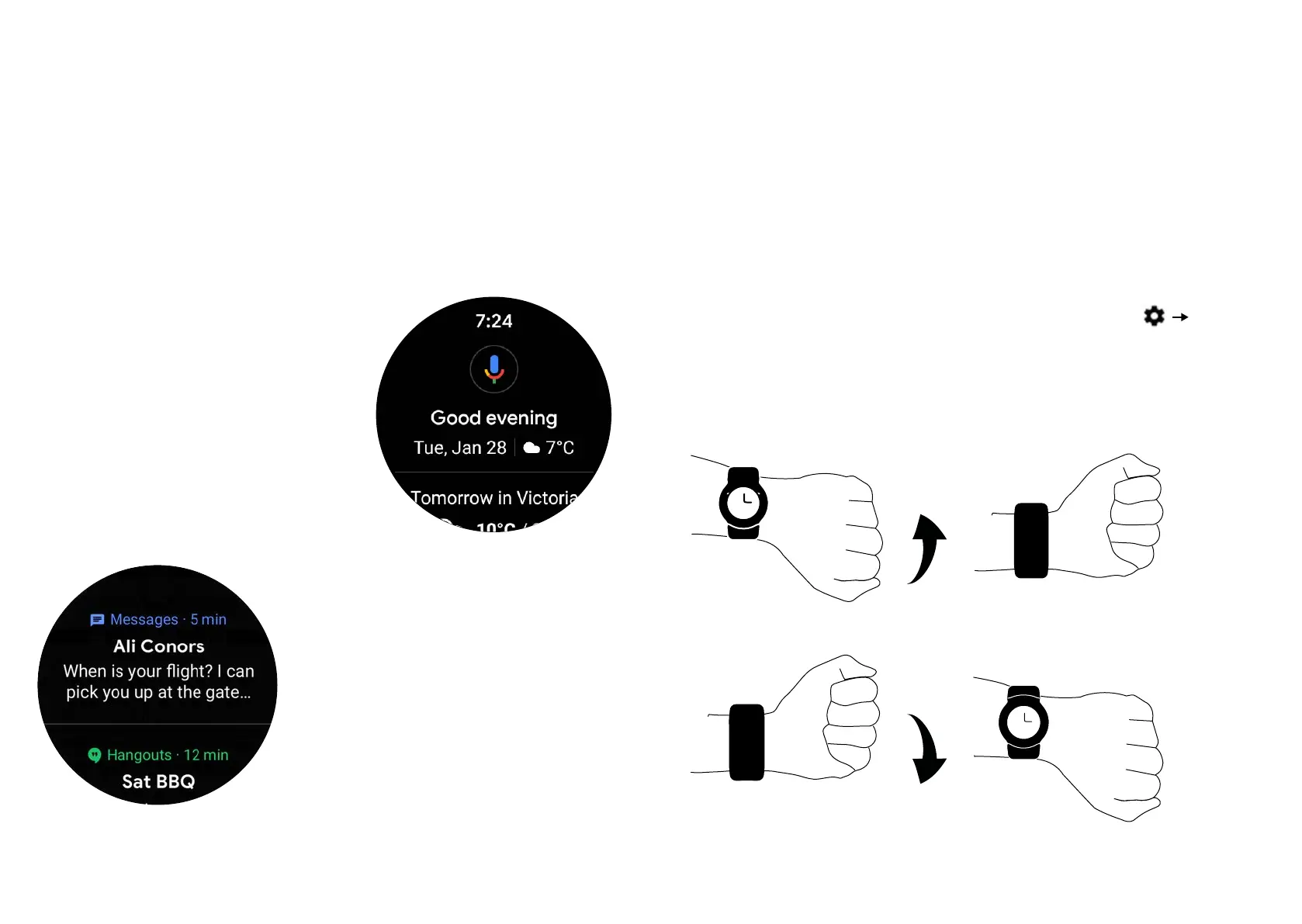
Swipe right from the left
of your watch to access
virtual assistant notifications
such as breaking news, steps
made, weather, upcoming flights
and reminders. Swivel down the
rotating crown on the top right
side of your watch case to scroll
through your virtual assistant
updates.
To view your incoming app noti-
fications, simply swipe up from
the bottom of your watch screen
and turn the rotating crown up
and down to browse through.
Hands-free Scrolling
Apart from the touch screen and rotating crown, you can also
flip through your notifications with a flick of your wrist.
This feature recognizes your wrist gestures to help you navi-
gate your Moto single-handedly. To activate or deactivate it,
swipe down from the top of the screen, then tap
Wrist
Gestures.
To see the next notification: Twist your wrist quickly forward,
then slowly back towards you.
Fast
Fast


 To Next Page