36
Google Fit
Your 3rd gen Moto 360 smartwatch has Google Fit as its
default fitness app. The watch features full compatibili-
ty with the app, including Move Minutes and Heart Points
monitoring. You can also connect Google Fit with a range
of third-party apps, such as Under Armour Record, Workout
Trainer, Runtastic PRO to access additional features.
Swipe from right to left to access your fitness info and sign
into Google Fit. You can also map your customizable action
button (the push-crown on the right) to get you there in-
stantly.
Tip: To add a recurring exercise or schedule a one-time work-
out session, open Google Calendar and press on the ‘’+’’ and
then tap on ‘’Exercise’’.
Moving Minutes & Heart Points
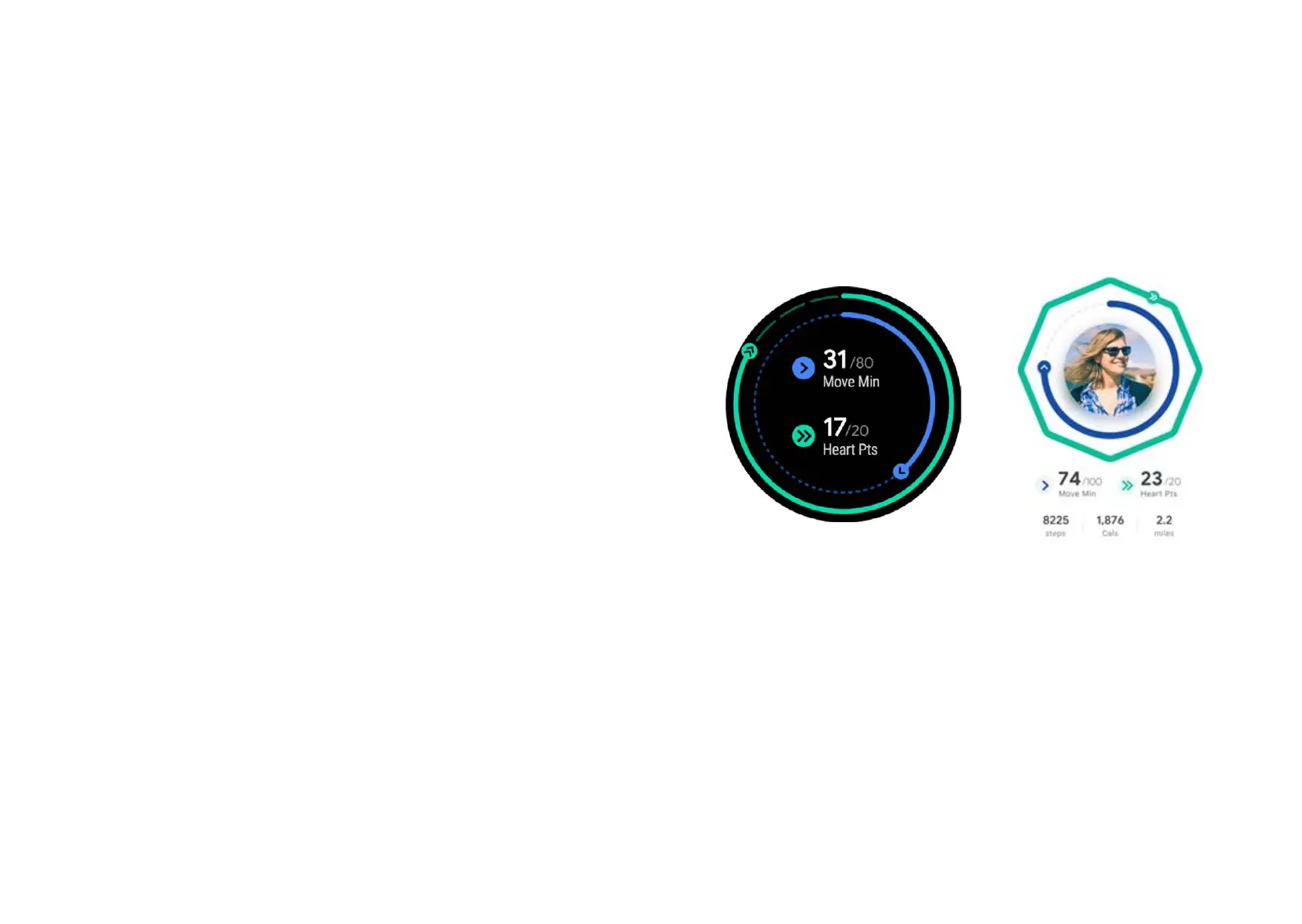
Google Fit lets you keep track of two vital health metrics -
Move Minutes and Heart Points.
You can earn Move Minutes by staying active. Taking the
stairs instead of an elevator or catching up with your friend
over a walk instead of coee will earn you Move Minutes and
can inspire you to make small-time improvements to your
health and wellbeing.
These will be shown as a blue ring on the home screen.
You earn Heart Points, displayed as a green ring running
alongside the bezel, whenever you perform a slightly more
demanding activity, such as a swift walk or a jog.
You earn one heart point per minute of such exercise, or two
per minute when performing an intense activity such as a
sprint.


 To Next Page