10
11
Model no. 011-1973-2 l Questions? Contact us 1-88 8 -942 -6686
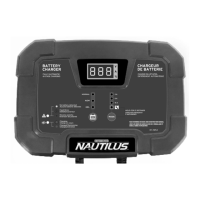
CONTROLS AND INDICATORS
D. Battery Type
There are 3 batt ery types to choose from. Pressing the butt on repeat edly will cycle t hrough
each of the bat t ery t ypes. See below for an overview of each t ype.
NOTE: The bat t ery charger will ret ain t he last selected mode in memory. In t he event AC power is
disrupt ed (e.g., power failure), t he charger will re-st art in the last selected mode once power is
rest ored.
E. Charging Modes
There are 4 charging modes t o choose from. Press t he MODE but ton repeatedly to cycle through each
of the regular modes. To select t he special mode (RECONDITIONING), hold t he MODE but t on for 3
seconds. Charging will aut omatically begin about 5 seconds aft er the charge mode has been select ed.
NOTE: The bat t ery charger will ret ain t he last selected mode in memory. In t he event AC power is
disrupt ed (e.g., power failure), t he charger will re-st art in the last selected mode once power is
rest ored.
12V
12V
BATTERY TYPE
NORMAL (14 .4 V)
AGM (14.8 V)
GEL (14 .1 V)
EXPLANATION
For charging 12-volt Wet (flooded), Maintenance-free (MF), Calcium (Ca) and
Enhanced Flooded (EFB) bat t eries as well as many AGM bat t eries.
For charging some 12-volt AGM bat teries
.
For charging most Gel bat teries.
For best result s, check the charging recommendat ions on your bat t ery or consult wit h t he bat t ery manufact urer.
MODE
2A
8A
15A
EXPLANATION
Battery Capacity Range
Charging Maintenance
For charging small to medium 12 V lead-acid batteries.
10 to 50
Amp-hour
30 to 160
Amp-hour
50 to 300
Amp-hour
10 to 300
Amp-hour
10 to 400
Amp-hour
30 to 500
Amp-hour
50 to 500
Amp-hour
Not applicable
For charging medium to large 12 V lead-acid bat t eries.
For faster charging of large to extra large 12 V lead-acid
batteries.
For recondit ioning 12 V lead-acid batteries suffering from
capacit y loss due to sulphat ion or st rat ification. USE
WITH CAUTION—see instruct ions and precautions under
Using Recondit ioning Mode.
CONTROLS AND INDICATORS
C. Charge Status Indicator
A blinking LED indicat es t he batt ery is charging. A solid LED indicates charging is complet e and
batt ery charger has ent ered the Maintain st age. (See " UNDERSTANDING the MULTI-STAGE
CHARGING PROCESS" sect ion.)
Amber (solid)—No bat t ery det ect ed. Check t o ensure t hat clamp connections to t he bat tery posts are
clean and solid. If connections are good, t he bat t ery is severely discharged (<1.5 V) and may be unsafe to
charge. The bat t ery should be t ested or replaced. (NOTE: “ 888” will also appear on the digit al display)
Red (blinking)—A fault has been triggered and charging has been aborted. Check the digit al display for a
Fault Code and see “ Troubleshooting/ Fault Codes” for possible causes and solut ions.
Red (solid)—Reverse polarity has been det ect ed. Reverse clamp connections.
B. Fault/ Error Indicator
This LED will light up if the charger detects a problem and can not proceed wit h charging.
®/MD




 To Next Page