Getting Started 1 - 5
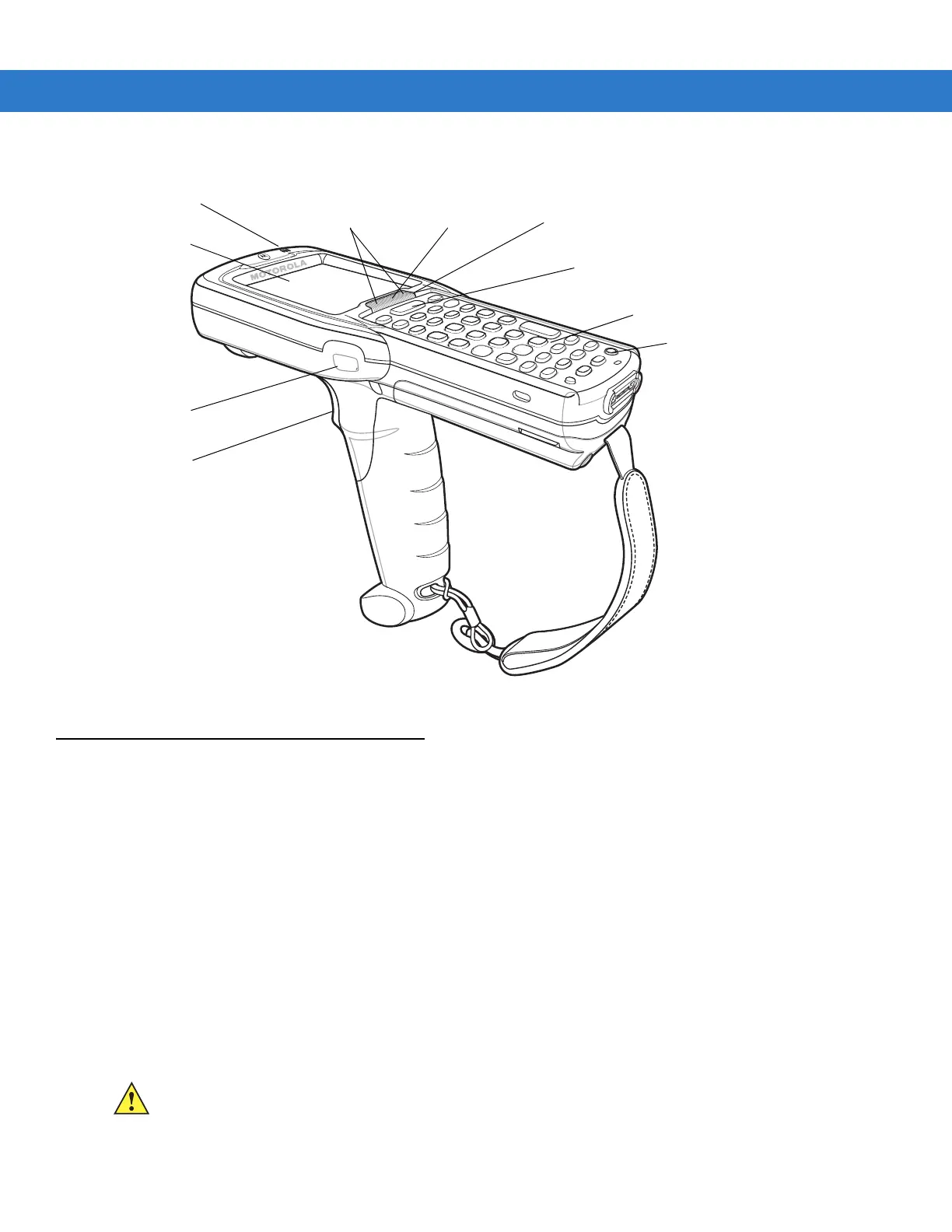
Figure 1-4
MC3090G Mobile Computer
Mobile Computer Startup
To start using the mobile computer:
•
Install the main battery.
•
Charge the main battery and the backup battery.
•
Start the mobile computer.
Install Main Battery
If the main battery is charged, the mobile computer can be used immediately. If the main battery is not charged,
see Battery Charging on page 1-7. To remove the main battery, see Main Battery Removal on page 1-11.
To install the main battery:
1. Rotate the latches to the open position.
2. Pull on the strap to lift the Strap/Door Assembly off, bottom first.
Keypad
Indicator LED Bar
Display
Power
Scan Button
Beeper
Trigger
Scan LED
Indicators
(red/green)
Charge LED
Indicator
(amber)
Scan LED
Indicator
(red/green)
CAUTION Do not lift up on the latches when removing the Strap/Door Assembly. Lift up on the Hand Strap only.



 To Next Page
 Loading...










