Using Bluetooth 3 - 13
Discovering Services
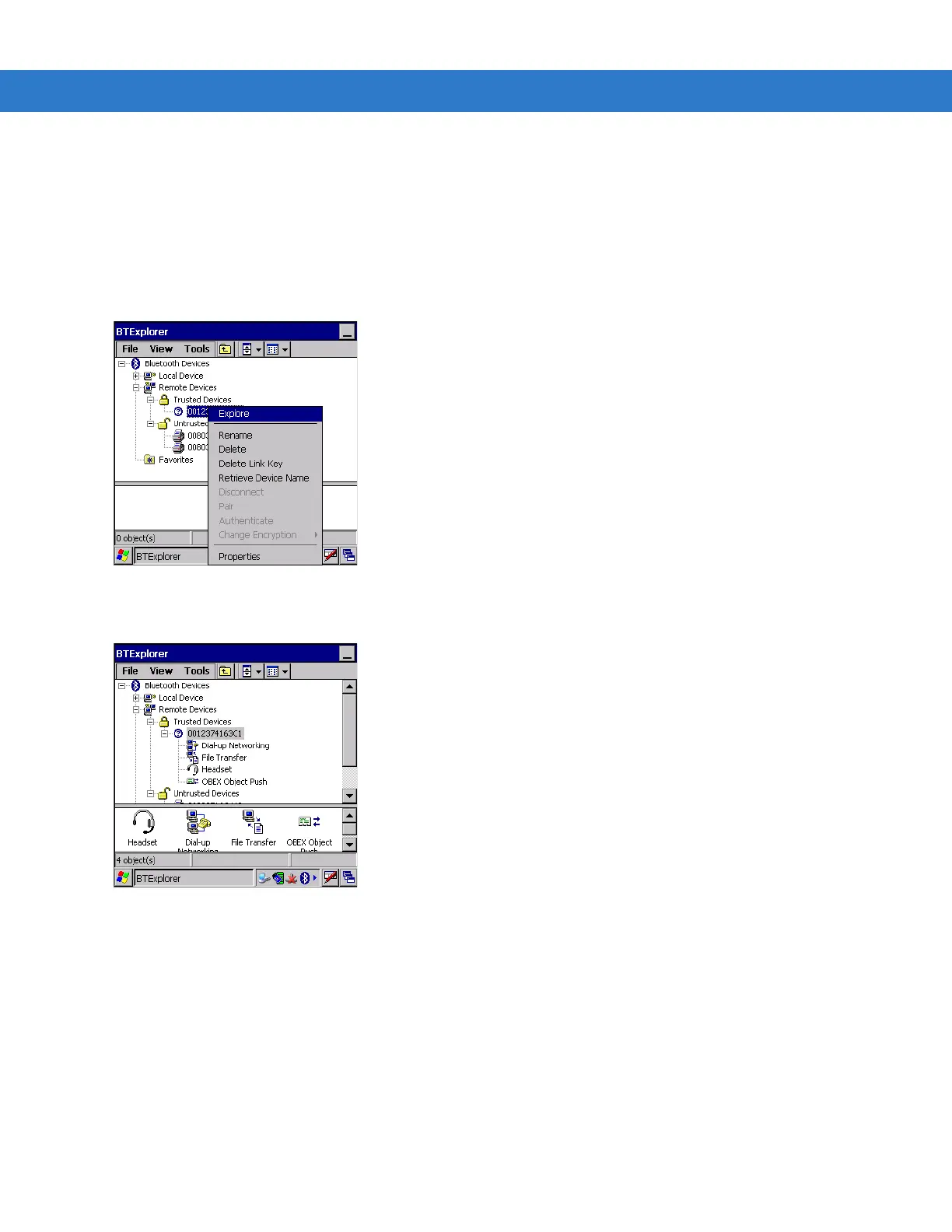
Before services can be used, you must first discover remote devices and then bond to those devices.
To determine what services are available on a bonded remote device:
1. Tap the
Bluetooth icon and select Show BTExplorer.
2. In
BTExplorer window, tap and hold on the remote device and select Explore from the pop-up menu.
Figure 3-19 Discovering Services
3. The mobile computer communicates with the remote device and then lists the services under the device name.
Figure 3-20 List of Discovered Services
Some examples of available services are:
• File Transfer Services
• Dial-Up Networking Services
• Headset or Hands-Free Services
• OBEX Object Push Services
• Serial Port Services
These services are discussed in the following paragraphs.



 To Next Page
 Loading...










