8 Settings via the MICT
Rev. 08/2018 53
8.9.1 External Device
To change the device type, approval for the access level Advanced Service is required.
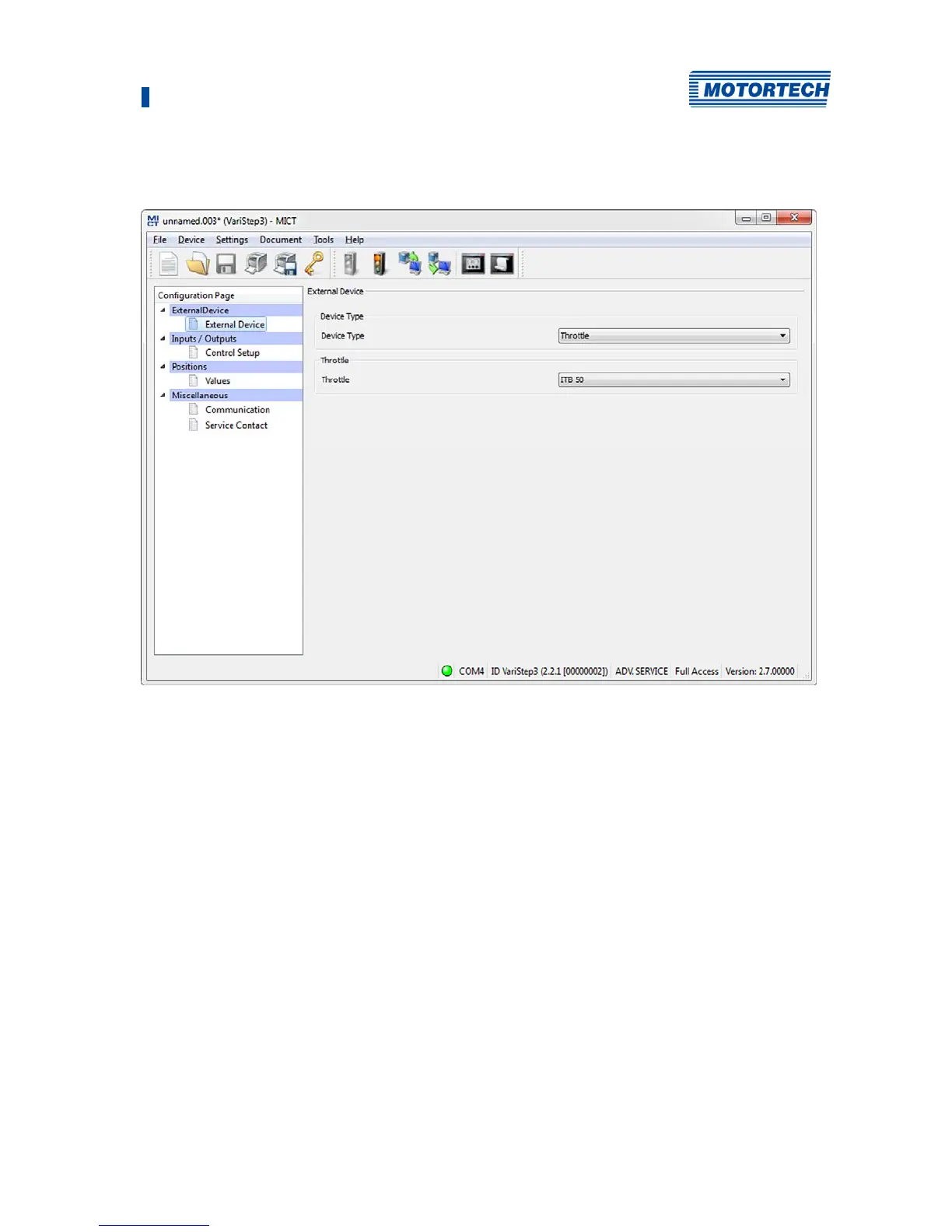
Device type
Select the device type you wish to configure and control with the VariStep3 stepper motor driver
from the drop-down list.
When the device type has been changed and the modified device configuration has been
downloaded to the device, the Status LED flashes orange. This indicates that a reference run in
required.
– Gas Mixer
Select this option in order to select from the following drop-down list the type of gas mixer
that corresponds to the device that you want to configure (e.g. VF2 200-120 Rev. B for a
VariFuel2 type 200-120 with a revision B stepper motor). Note the stepper motor revision
when making your selection. Type RK1 corresponds to the stepper motor conversion kit for
gas mixers (MWM TBG620 series).
– Throttle
Select this option to select the throttle from the following drop-down list with integrated
stepper motor (ITB) or the throttle gear (TG) that corresponds to your application.


 To Next Page