Rev. 08/2018 77
10.1 Troubleshooting
If the stepper motor driver detects any error, the LED status starts blinking in red. You can find
details about status signaling in the following information box. In automatic mode, the binary
output Error is also activated in the event of a fault and the corresponding LED lights up. Using
the MICT you can see the type of error occurred. Refer to the section Runtime Data – Message
Log on page 66.
Status signaling
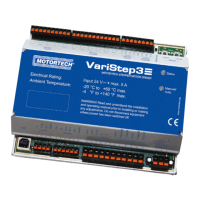
The status of the VariStep3 stepper motor driver is signaled via the LED
Status.
– Flashing green: Error-free operation
– Flashing orange: Warning
Warnings can be acknowledged by simultaneous pressing of buttons
Open and Close (in manual Mode) or by the external reset signal.
Warnings can for example be caused by:
– Overload of the device
In addition, the LED flashes orange for the following reasons.
– No device type has been configured (device type: None or
Unknown).
– Device connected was changed.
– Overtemperature or over current error confirmed by MICT.
– A reference run is required.
The first two cases make downloading a modified configuration to the
device a priority.
– Flashing red: Error
Errors can be acknowledged by simultaneous pressing of buttons Open
and Close or by the external reset signal. Errors can for example be
caused by:
– Step loss
– Overtemperature
– Low voltage
– Over current
– Alternate flashing of red and green:
The supply voltage for the device was too low during start up.
10 Errors


 To Next Page