8 Settings via the MICT
72 Rev. 08/2018
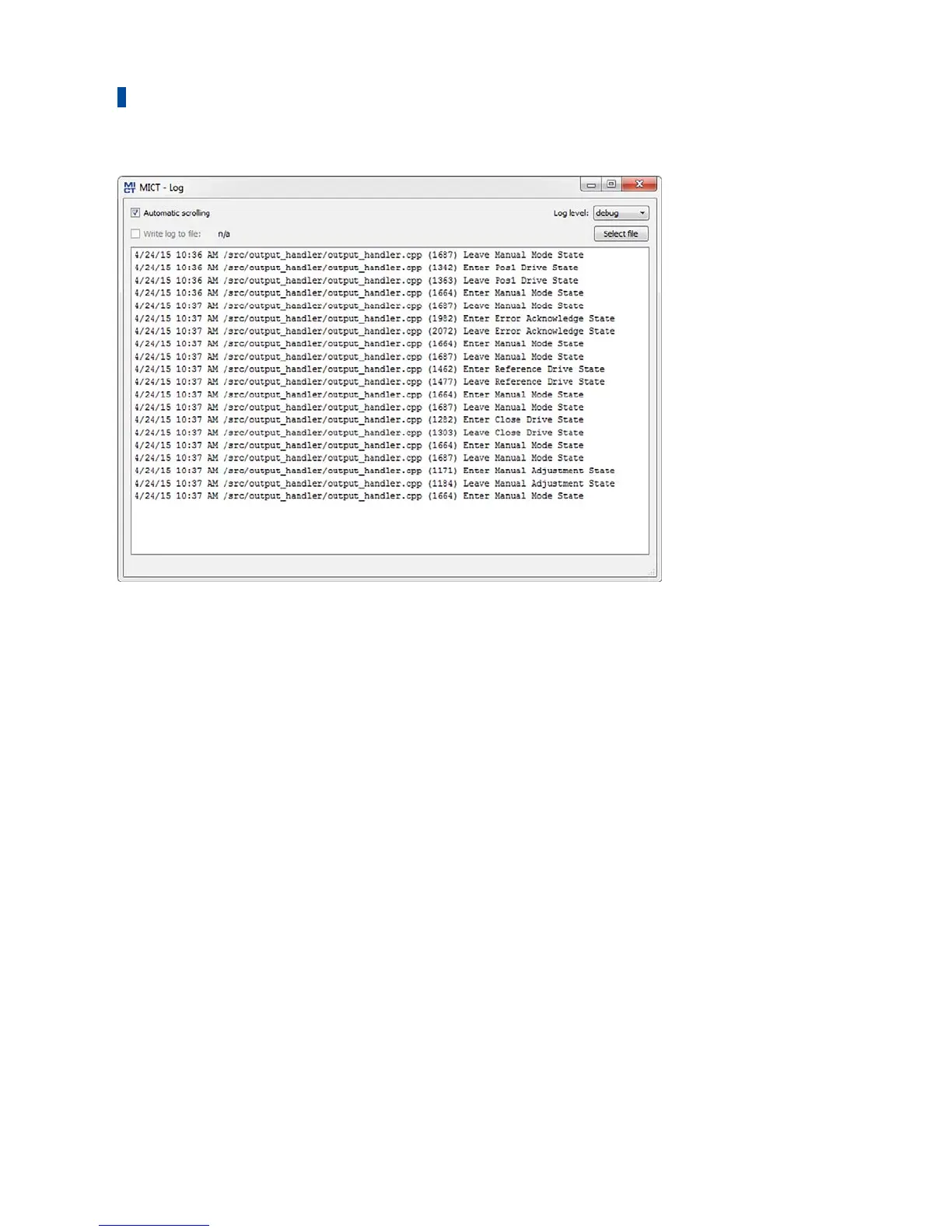
The window Log serves to support error diagnostics by MOTORTECH.
– Automatic scrolling
If the function is active, the view panel focuses on the latest message.
– Log level
The selection of the log level is specified by MOTORTECH if needed.
– Write log to file
This checkbox activates or deactivates, respectively, the saving of the logged data in a
selected file. If the function is disabled, the logged data are merely shown on the display.
– Select file
With this button, you can select a file to which you want to save the logged data.
If you are prompted to create a log file in the case of a service request, proceed as follows:
1. Open the window Log via the toolbar or the menu bar.
2. Select a path with the Select file button and enter the file name for the log file.
▸ If the file does not yet exist, it is automatically created with the extension .log.
3. Activate the checkbox Write log to file.
4. Select the level specified by MOTORTECH from the list Log level.
5. Leave the window open.
▸ The log messages are logged both in the window and in the selected file.


 To Next Page