INSTALLING THE MOTU USB MIDI SOFTWARE
22
hear several instruments play at once because data sent to
one unit is received by all the devices in the daisy chain
that are listening to that same MIDI channel.
To avoid this sort of unwanted instrument layering:
1
Double-click on the first device in Mac OS’s
Audio
MIDI Setup
utility and disable some channels as shown in
Figure 3-4 on page 19; leave others enabled.
2
Repeat this for the other devices in the daisy chain so
that no two devices have the same channels enabled.
For example, if you daisy chain a Korg Triton and a Roland
JV-1080, set the Triton to use channels 1-8 and the JV-
1080 to use channels 9-16.
3
Now go to the front panel of each MIDI instrument
itself and program it to respond to only the channels that
are enabled in Audio MIDI Setup. Refer to the
documentation for the device for details on this last step.
OUT
IN
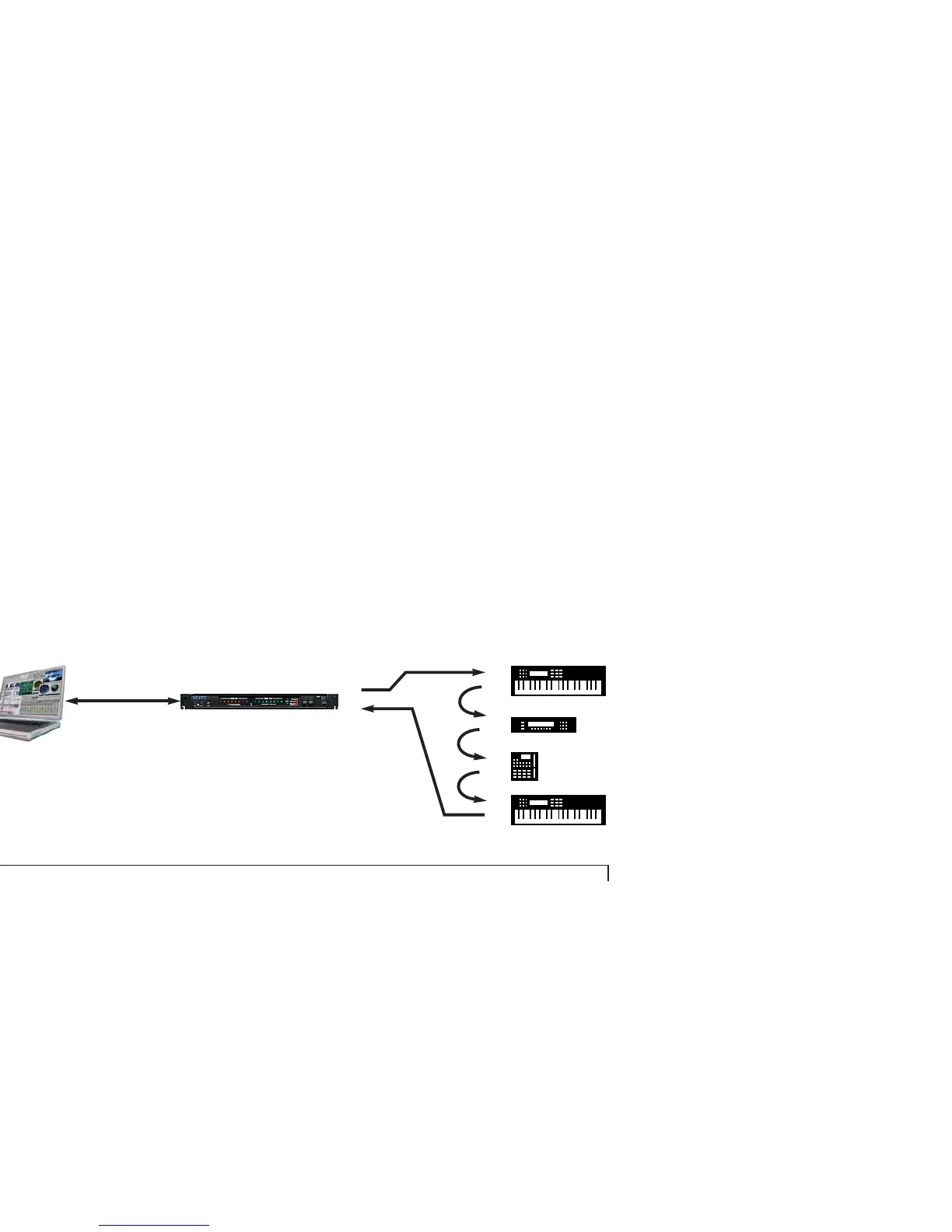
Figure 3-5: See “Daisy-chaining MIDI devices” on page 21 for special instruc-
tions on setting up your MIDI gear for daisy-chaining in this manner.
IN
THRU
IN
THRU
IN
THRU
IN
OUT
MOTU USB MIDI interface
USB
cable



 To Next Page