CLOCKWORKS FOR MAC OS 9
92
THE PRESETS WINDOW
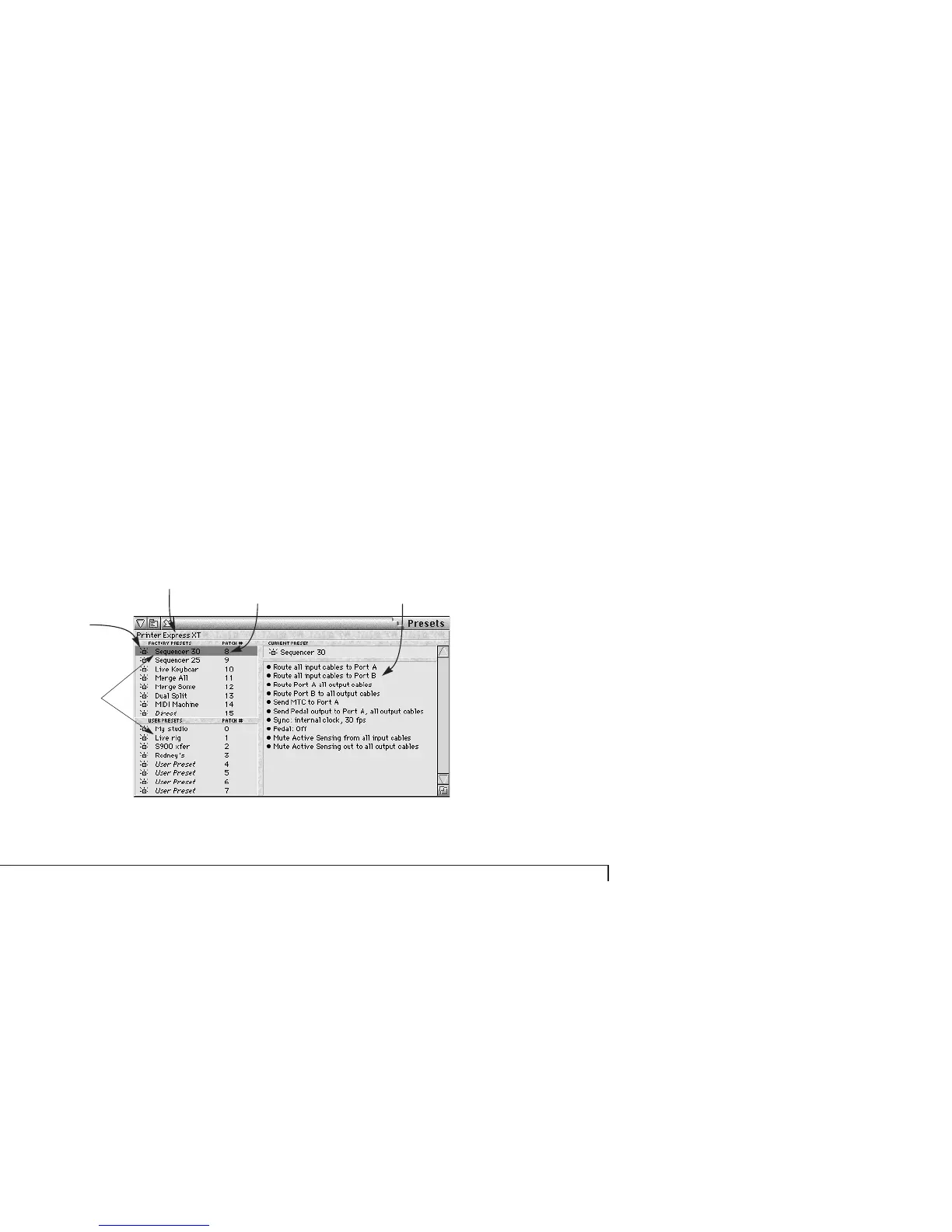
The Presets window in ClockWorks (as shown in
Figure 6-40) gives you an overview of information about
all the presets. It lets you:
■ View an itemized description of each preset
■ Change the names of the eight user presets
■ Assign a MIDI patch change number to each preset so
that it can be called up from a sequencer, controller, or foot
switch
■ Make modifications to the preset settings
Click the name of the preset
to select it in the MIDI inter-
face itself. The current
preset name is highlighted.
The script for (description of) the
current preset. This list tells you all of
the settings for the preset, such as
cable routing and SMPTE settings.
The current preset
The status strip shows
what preset is currently
being loaded or saved.
MIDI patch change numbers for each
preset. If you want to change a number,
click the text box and type the desired
number. The range of values is 0 to 127.
Figure 6-40: The Presets window.



 To Next Page