CLOCKWORKS FOR MAC OS 9
64
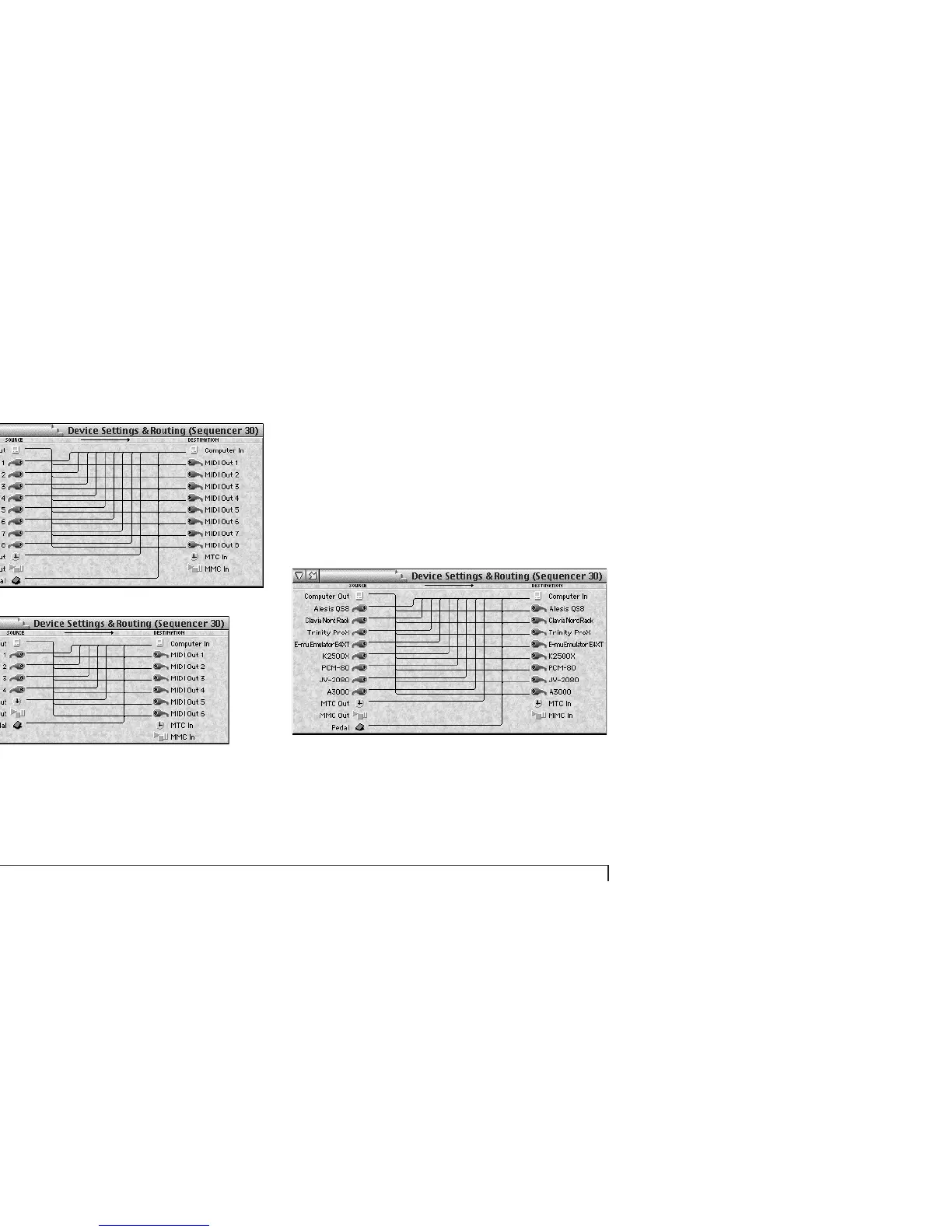
Figure 6-8: The Device Settings & Routing window provides graphic access to
all of your MOTU interface’s MIDI routing, merging and splitting capabilities.
Naming devices with FreeMIDI or OMS
If you configured your FreeMIDI or OMS setup to
accurately reflect the names of the devices connected to
your interface, you’ll see device names as shown below in
Figure 6-9. These device names are also displayed in other
windows throughout ClockWorks, including the Channel
Mapping, Event Muting, Knobs & Pedals, Patch List, MIDI
Cannon, and Setups & Modifiers windows.
Figure 6-9: FreeMIDI or OMS provides names for the MIDI device connected to
each input and output. Choose Edit FreeMIDI Configuration from the Utilities
menu to open FreeMIDI Setup or OMS Setup and create device names. If you
have multiple devices connected to a MIDI port, the console displays the term
‘multiple devices’.
Device Settings & Routing window for the MIDI Express XT
Device Settings & Routing window for the micro express



 To Next Page