CLOCKWORKS FOR MAC OS 9
79
Transport controls
The transport controls are just like standard tape deck
transports. From left to right, they are: rewind, stop, play,
pause and record. These buttons control the time code
generated by your MOTU interface when it is in Internal
mode.
Figure 6-28: ClockWorks transport controls.
SMPTE Readout
The SMPTE Readout provides a running update of the
time code being generated or converted by your MOTU
interface. This running update is made possible by MIDI
Time Code (MTC) generated by your MOTU interface
and routed to the Macintosh. If the SMPTE Readout is not
responding, make sure in the Device Settings & Routing
window that the MTC Out port on the left is connected to
the computer port on the right.
The SMPTE readout shows your MOTU interface’s current
frame location in hours: minutes: seconds/ frames. You
can also type in any frame location you wish into the
SMPTE Readout to cue your MOTU interface to a specific
frame location.
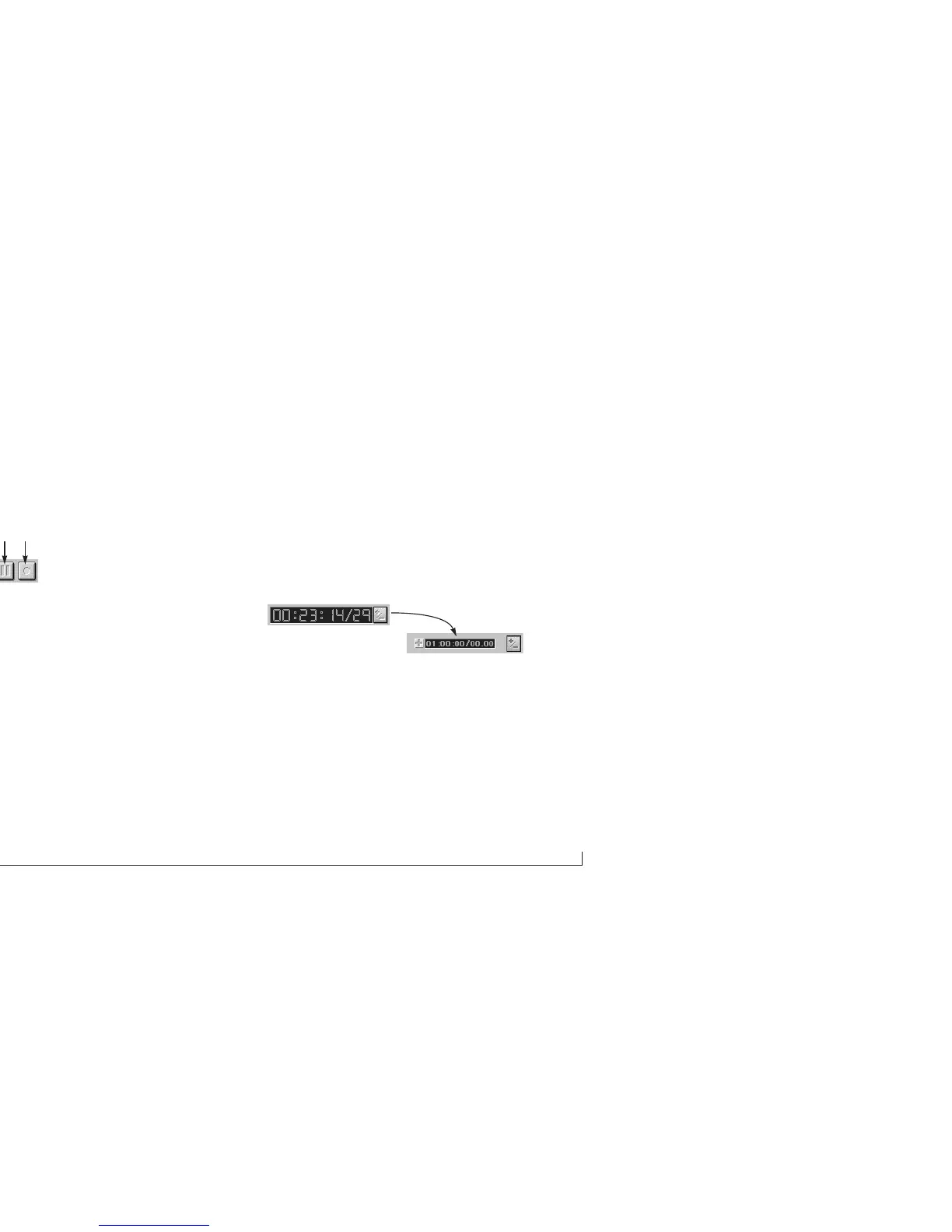
When your MOTU interface is set to slave to an external
time code source, you can click the offset button as shown
below in Figure 6-29 to type in a global SMPTE offset for
your MOTU interface.
Figure 6-29: Click the button as shown to type in a global SMPTE offset for your
MOTU interface.
Locate Buttons
You can set the eight locate buttons to any SMPTE frame
location you wish and then cue your MOTU interface (and
all connected devices) as desired by clicking the
appropriate Locate button.
Rewind Stop Play RecordPause



 To Next Page