INSTALLING THE MICROBOOK HARDWARE
16
CONNECT AUDIO INPUTS AND
OUTPUTS
Here are a few things you should keep in
mind as you are making input and output
connections to other devices.
Mic input with preamp
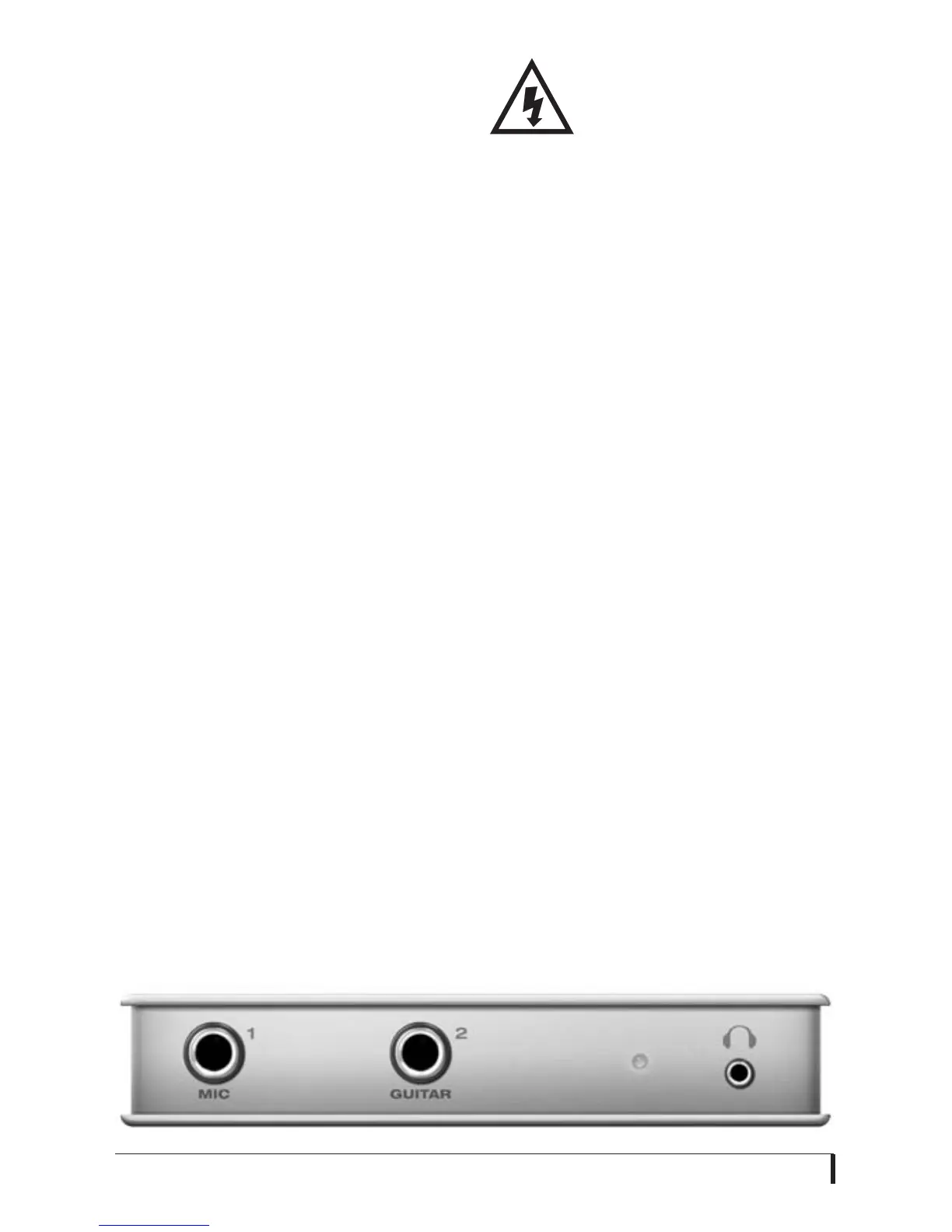
Connect a dynamic or condenser
microphone to the mic input (Figure 3-2)
with a standard mic cable. If the cable has
a quarter-inch plug, connect it directly. If
it has a male XLR plug, use the female-
XLR-to-quarter-inch adapter included
with the MicroBook.
☛
The mic cable adapter supplied with
the MicroBook is wired specifically for
the MicroBook mic input, so do not use a
substitute, unless you are certain it is
wired as shown in Appendix B, “Mic
Adapter Pin-outs” page (51).
☛
Do not connect a +4 (line level) input
to the mic input (because it will overdrive
the preamp).
Phantom power
If you are connecting a condenser
microphone or other device that requires
48V phantom power, you can enable
phantom power for the mic input using
the MicroBook’s CueMix FX software
(Figure 3-4). See “Input settings” on
page 17.
☛
Make sure 48V power is
turned OFF
before
plugging
anything in to the mic input.
Only engage 48V power
when a device that requires it is plugged
in. Never enable 48V power when a
tip/sleeve (unbalanced) plug is connected
to the mic input.
20 dB pad
If the input signal is still too hot with the
trim turned all the way down, engage the
20dB pad button in the CueMix FX
Channel tab (Figure 3-4). See “Input
settings” on page 17.
Guitar input
Plug in your guitar to the guitar input
(Figure 3-2). For ultra-realistic sound
and feel when producing guitar tones
with virtual guitar processing software
(amp modeling, cabinet modeling,
virtual effects pedals, etc.), consider
using MOTU’s ZBox guitar impedance
adapter (sold separately), which adds
proper impedance characteristics that
cannot be modeled in software. Visit
motu.com for details.
Line level inputs
The quarter-inch analog line level inputs
3-4 (Figure 3-3) are balanced (TRS)
connectors that can also accept an
unbalanced plug. Alternately, you can use
Figure 3-2: MicroBook front panel














 To Next Page