INSTALLING THE MICROBOOK HARDWARE
17
the eighth-inch stereo mini plug for line
level input (from an iPod or other
source).
☛
Do not use the stereo mini input and
quarter-inch inputs at the same time. If
you are using the mini jack, unplug the
quarter-inch jacks. If you are using the
quarter-inch jacks, unplug the mini jack.
Trim
The mic and guitar inputs are equipped
with 51 dB and 32 dB (respectively) of
digitally controlled analog trim (boost).
The line inputs can also be trimmed. You
can adjust the trim level for each input in
the MicroBook’s CueMix FX software.
See “Input settings” on page 17.
Input metering while adjusting trim
In the CueMix FX software, use the long-
throw, horizontal input level meter at the
top of the channel settings section
(Figure 3-4) to calibrate the level.
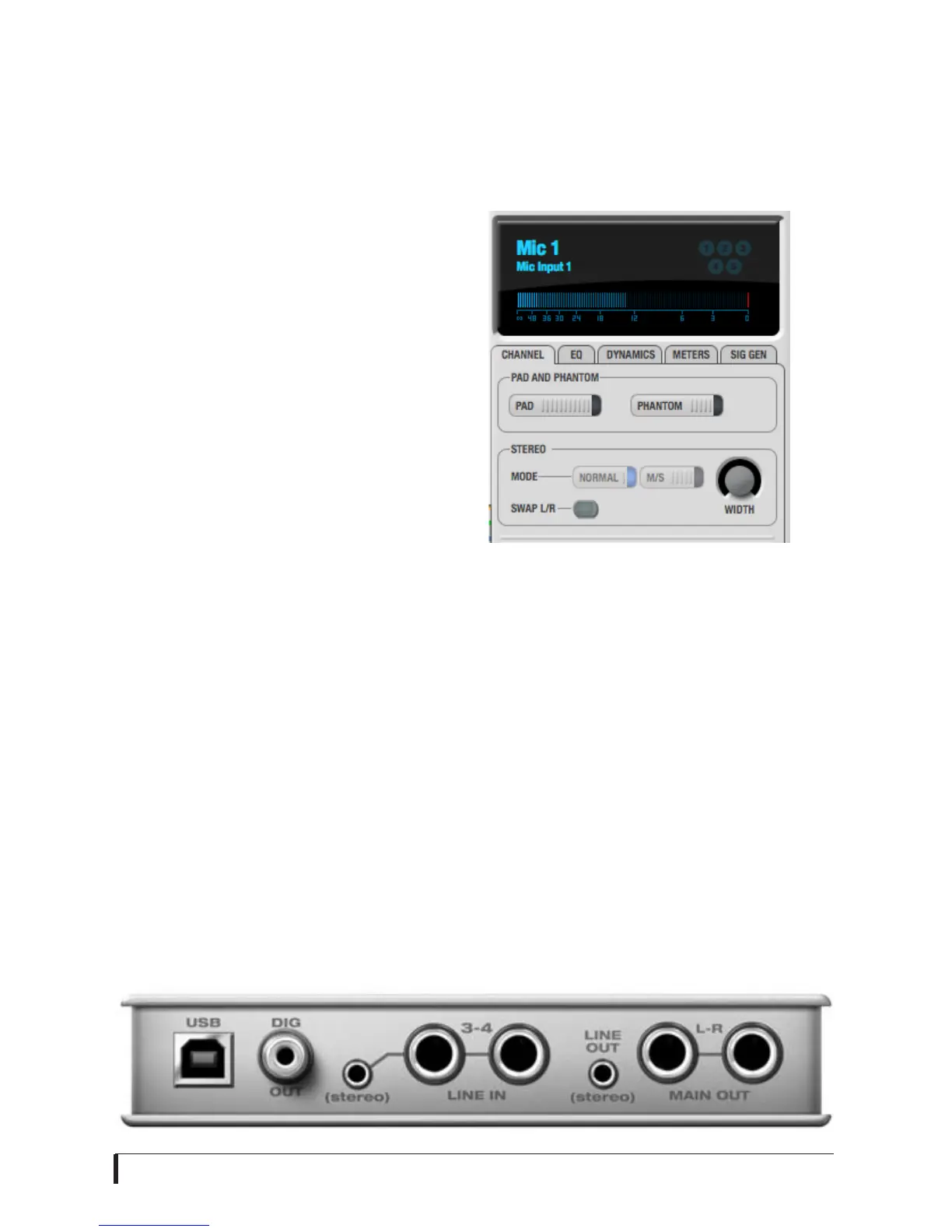
Input settings
To access input channel settings such as
48V phantom power, pad and trim,
launch the MicroBook’s CueMix FX
software and follow this procedure:
1
Click the Inputs tab (as shown on
page 7).
2
Click the Focus button for the desired
input channel.
3
Click the Channel tab (Figure 3-4) to
access the channel’s input settings.
Figure 3-4: Input settings in CueMix FX.
Main outs
In a standard studio configuration, the
main outs (Figure 3-3) are intended for a
pair of studio monitors, but they can also
be used as outputs for any purpose. The
quarter-inch main outs are calibrated to
produce a +4 dBu line level output signal.
Line out
You can use the eighth-inch stereo mini
line out jack for output to desktop
speakers or any other line level
destination.
Figure 3-3: MicroBook back panel














 To Next Page