WINDOWS AUDIO SOFTWARE
35
Managing inputs and outputs
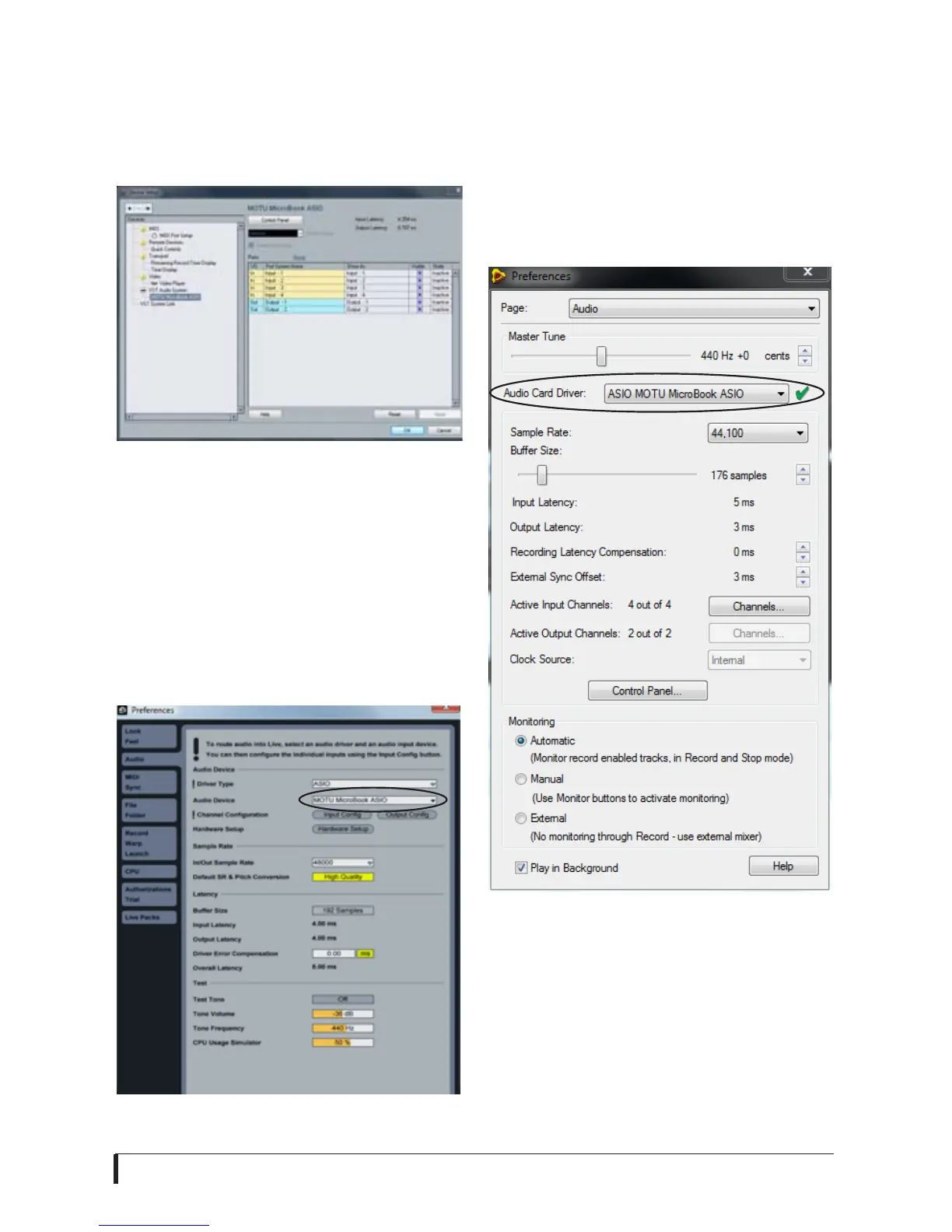
To manage MicroBook inputs and
outputs, select MOTU MicroBook ASIO
in the left-hand section (Figure 6-3).
Figure 6-3: Working with MicroBook inputs
and outputs in Cubase or Nuendo.
Live
In Ableton Live, access the preferences
window and click the Audio tab. Choose
ASIO from the Driver Type menu. Choose
the MOTU MicroBook ASIO from the
Audio Device menu (Figure 6-4).
Figure 6-4: Enabling the MicroBook in Live.
Reason and Record
In Propellerhead Reason and Record, go
to the Preferences window, choose Audio
preferences from the menu and choose
ASIO MOTU MicroBook ASIO from the
Audio Card Driver menu as shown below
in Figure 6-5.
Figure 6-5: Enabling the MicroBook in
Record.














 To Next Page