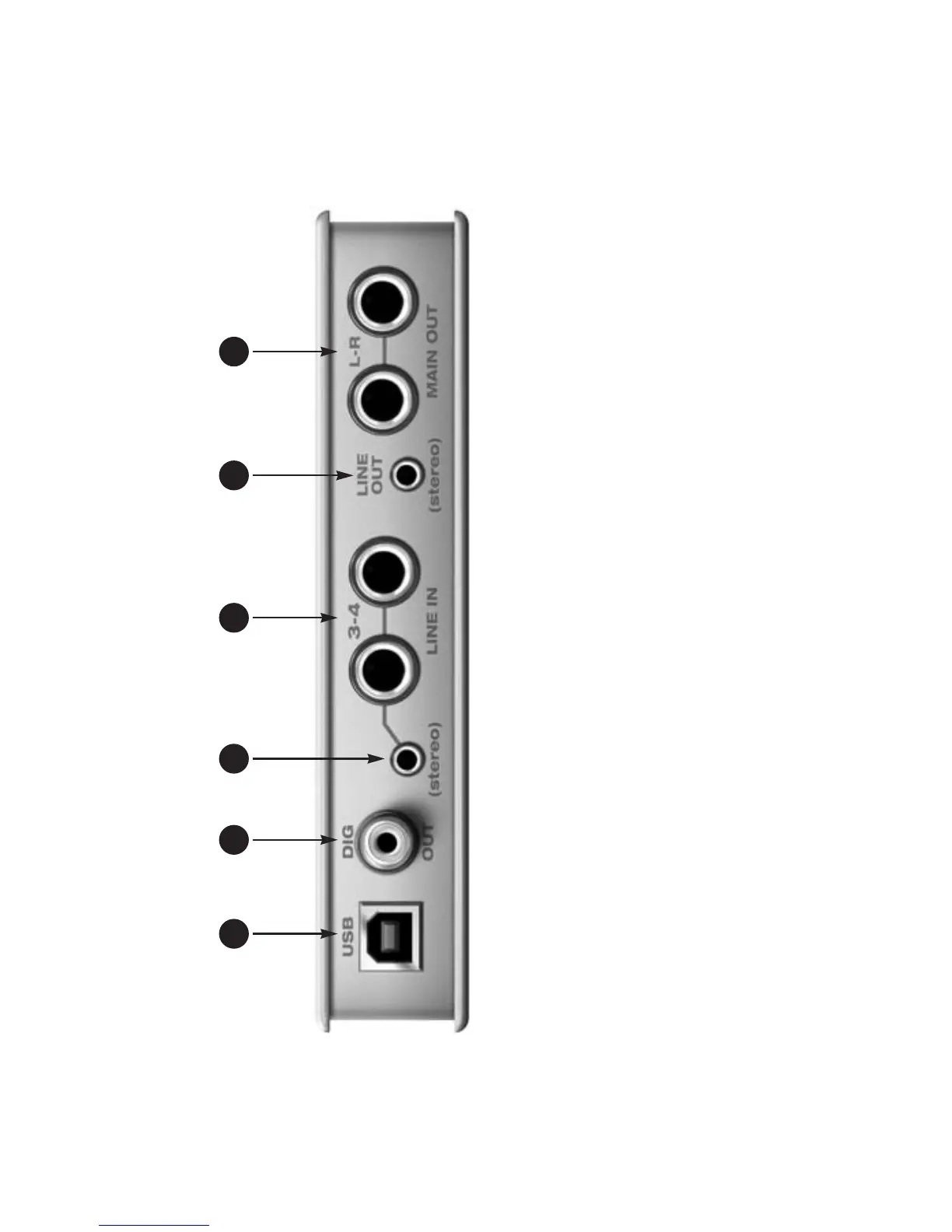
1. The MicroBook is powered by its
USB connection to the computer.
2. This stereo, 24-bit S/PDIF digital
output mirrors the Main Out.
3. This eighth-inch “stereo mini”
jack serves as an alternative
input for Line Inputs 3-4. For
example, you can plug in an iPod
or CD player here, instead of
using the quarter-inch jacks to
the right. DO NOT plug a cable
into this mini jack at the same
time as the quarter-inch jacks.
4. These two analog inputs are
balanced TRS (tip/ring/sleeve)
quarter-inch connectors that
can also accept an unbalanced
plug. These inputs (3-4) do not
have mic pre-amps, so they are
best used for synthesizers, drum
machines, effects processors,
and other devices with line level
signals (either -10 or +4). The
CueMix FX software lets you
adjust the input level for record-
ing. If you use these quarter inch
jacks, DO NOT plug a cable in to
the stereo mini jack.
5. This eighth-inch “stereo mini”
jack serves as a stereo line level
analog output that is completely
independent from the Main Out
(to the right).
6. These two balanced, quarter-
inch jacks serve as the Micro-
Book’s main outputs. You can
connect them to a set of
powered studio monitors and
then control the volume from
MAIN volume control in the
CueMix FX software. You can
hear the output of your audio
software on these Main Outs,
and also use CueMix FX to
monitor live MicroBook inputs.
Quick Reference: MicroBook Rear Panel
1 2 3 654














 To Next Page