Adjusting compressed air flow
Adjusting compressed air flow
It is advised to use a flow regulator for the compressed air (not included).
The air flow will determine how much material will be transferred and how fast the dosing unit will
be replenished with material, with each loading sequence.
The best is to adjust the air setting to its lowest possible level in order to conserve compressed air energy.
Parameters such as distance, material line bends, the flow characteristics of the material and vertical rises
in the flex hose all play a part in finding the proper setting. Ultimately, trial and error settings over several
loading sequences will work best to determine the right air level. Too low of a setting may not move
material effectively enough to satisfy demands cycle after cycle. Too much air will waste energy and cause
the filter on the lid to prematurely blind in an attempt to evacuate excess air.
Sensor adjustments
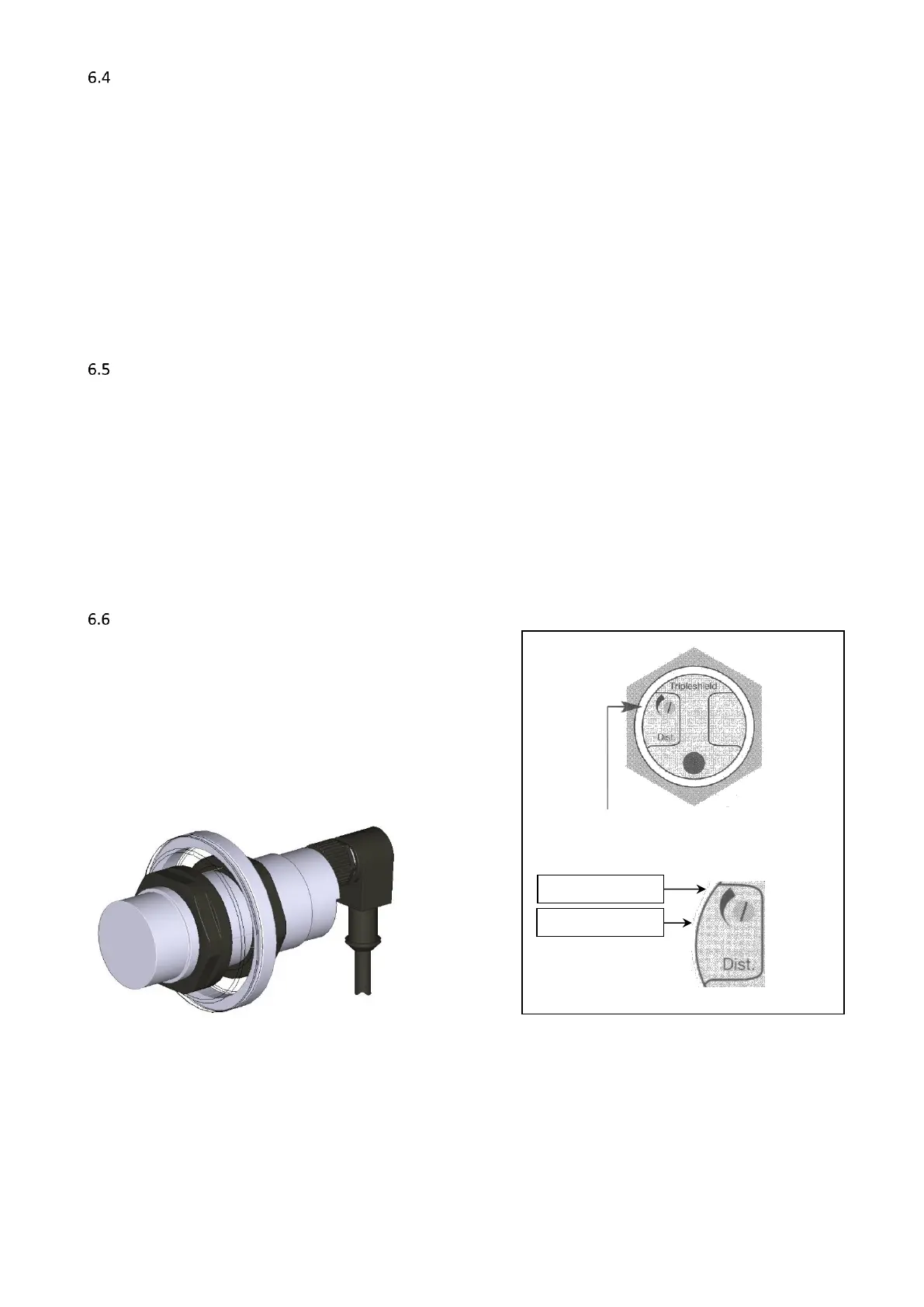
Sensor
Depending on the material you may need to adjust the sensitivity of the sensor which is delivered with the
hopper loader. At the back of the sensor is a small screw that can be used to adjust its sensitivity. To adjust,
fill the hopper with material until the sensor is just covered and turn the screw until the light on the sensor
goes on.
Because the sensor is in direct contact with the material, it is recommended that the sensor will be
initially adjusted for sensitivity and then re-adjusted, once the sensor becomes coated with typical material
fines, common to plastics conveying.
Capacitive Sensor Adjustment



 To Next Page