4 Installation
Mechanical Installation
Most mechanical parts are pre-assembled, making installation quick and simple.
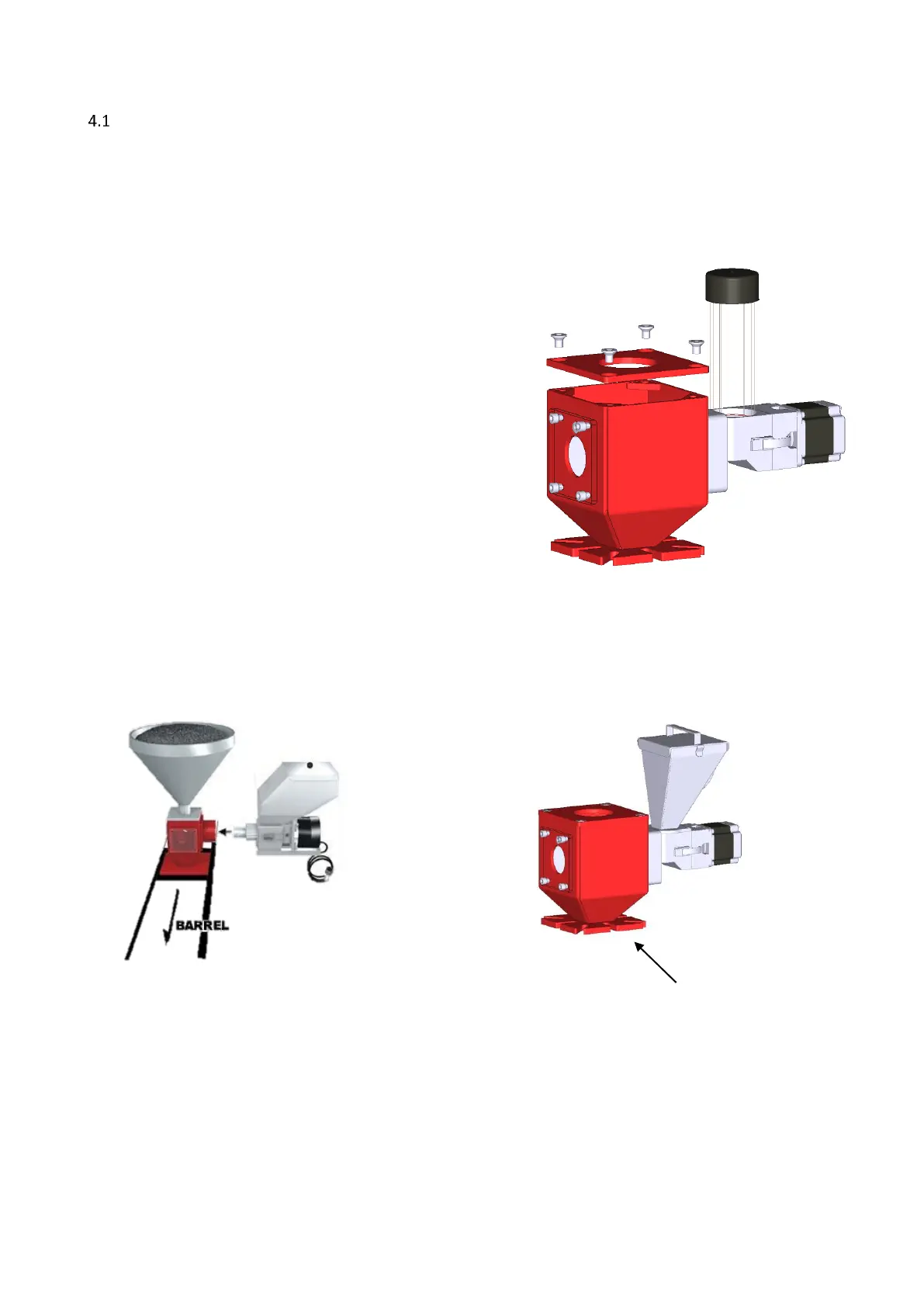
1. When installing a foreign main material hopper on top of a neckpiece, the top flange of the neckpiece
needs to be adapted. The lid of the neckpiece can be dismounted for easy machining.
2.
Install the neckpiece directly on top of the
entrance of the production machine;
Install the neckpiece in a 90-degree angle
to the machine barrel. This will optimize the
dosing accuracy in relation to vibrations of
the production machine;
Make sure that the complete unit is mounted;
horizontally levelled and fixed securely;
Assure proper grounding to control cabinet,
neckpiece and dosing unit.
3. Connect the unit to the neckpiece by closing curled knob
clockwise.
Mount the unit in a 90-degree
angle to the machine barrel,
as shown in the picture.



 To Next Page