NPort 5000 Series User Manual
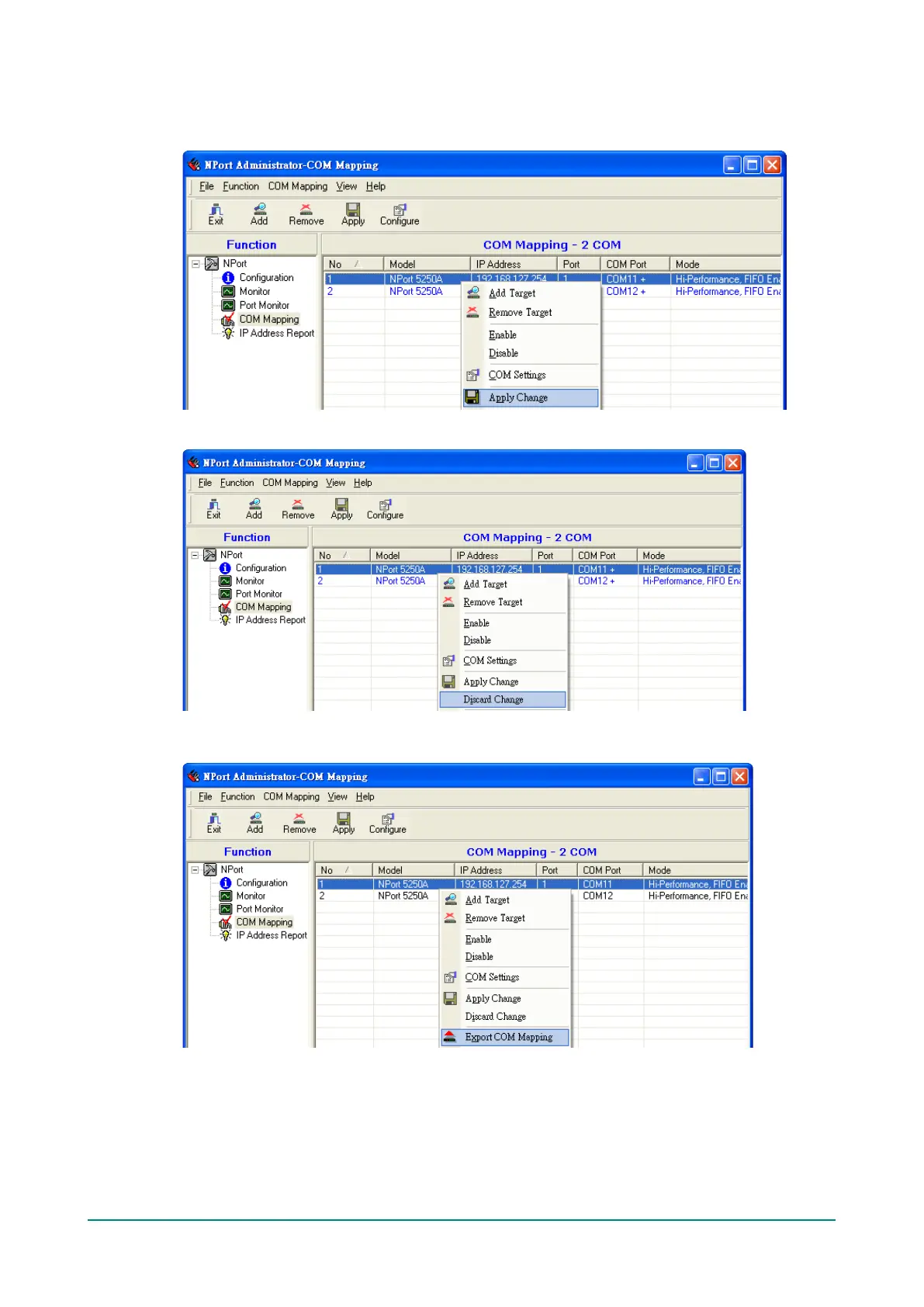
8. After setting the COM Mapping, remember to select Apply Change to save the information in the host
system registry. The host computer will not have the ability to use the COM port until after Apply
Change is selected.
9. Select Discard Change to tell Administrator NOT to save the COM Mapping information to the host.
10. To save the configuration to a text file, select Export COM Mapping. You will then be able to import
this configuration file to another host and use the same COM Mapping settings in the other host.


 To Next Page
 Loading...