NPort 5000 Series User Manual
Operating Settings
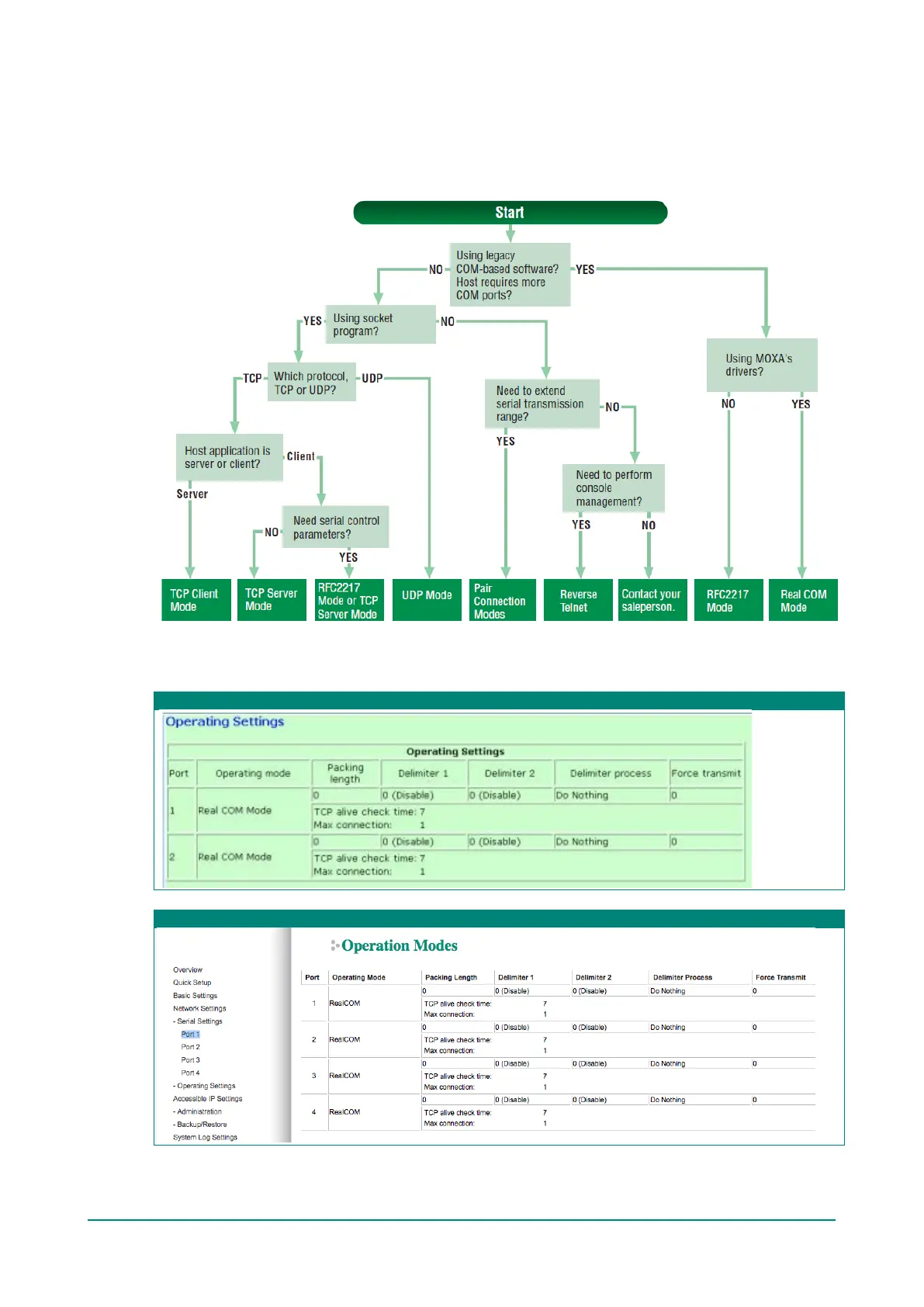
Operating Settings is where each device port’s operation mode and associated parameters are configured.
Use the chart provided below to select the operation mode that is most suitable for your application and
refer to Chapters 4 and 5 for a detailed explanation of different operating modes and parameters.
Click on Operating Settings under Main Menu to display the operating settings for the NPort’s serial
ports. To modify operating settings for a particular port, click on the Port Number under Operating
Settings, located under Main Menu on the left side of the browser window.
Web Interface for the NPort 5100, 5200, and IA5000 Series Only
Web Interface for the Overall NPort 5000 Series



 To Next Page
 Loading...