NPort 5000 Series User Manual
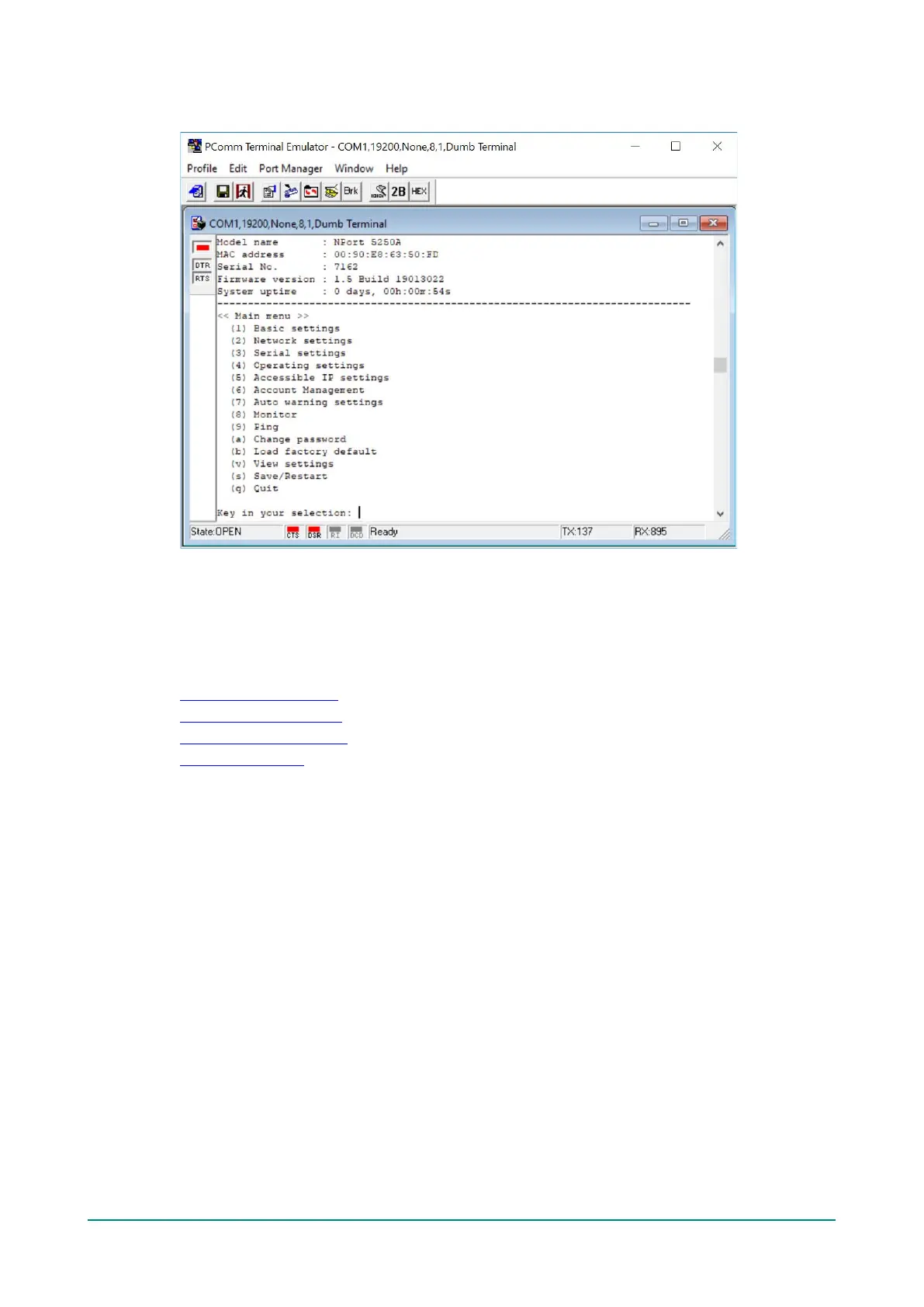
9. Start configuring the IP address under Network Settings. Refer to step 4 in the Telnet Console section
for the rest of the IP settings.
Testing Your NPort
After completing installation and configuration, you can do a simple test to ensure that your NPort will
communicate successfully. Click on the appropriate link below to view a technical note that explains how to
test your NPort one of four common operation modes: Real COM, TCP client, TCP server, and UDP.
• Real COM Mode for NPort
• TCP Client Mode for NPort
• TCP Server Mode for NPort
• UDP Mode for NPort


 To Next Page
 Loading...