NPort 5000 Series User Manual
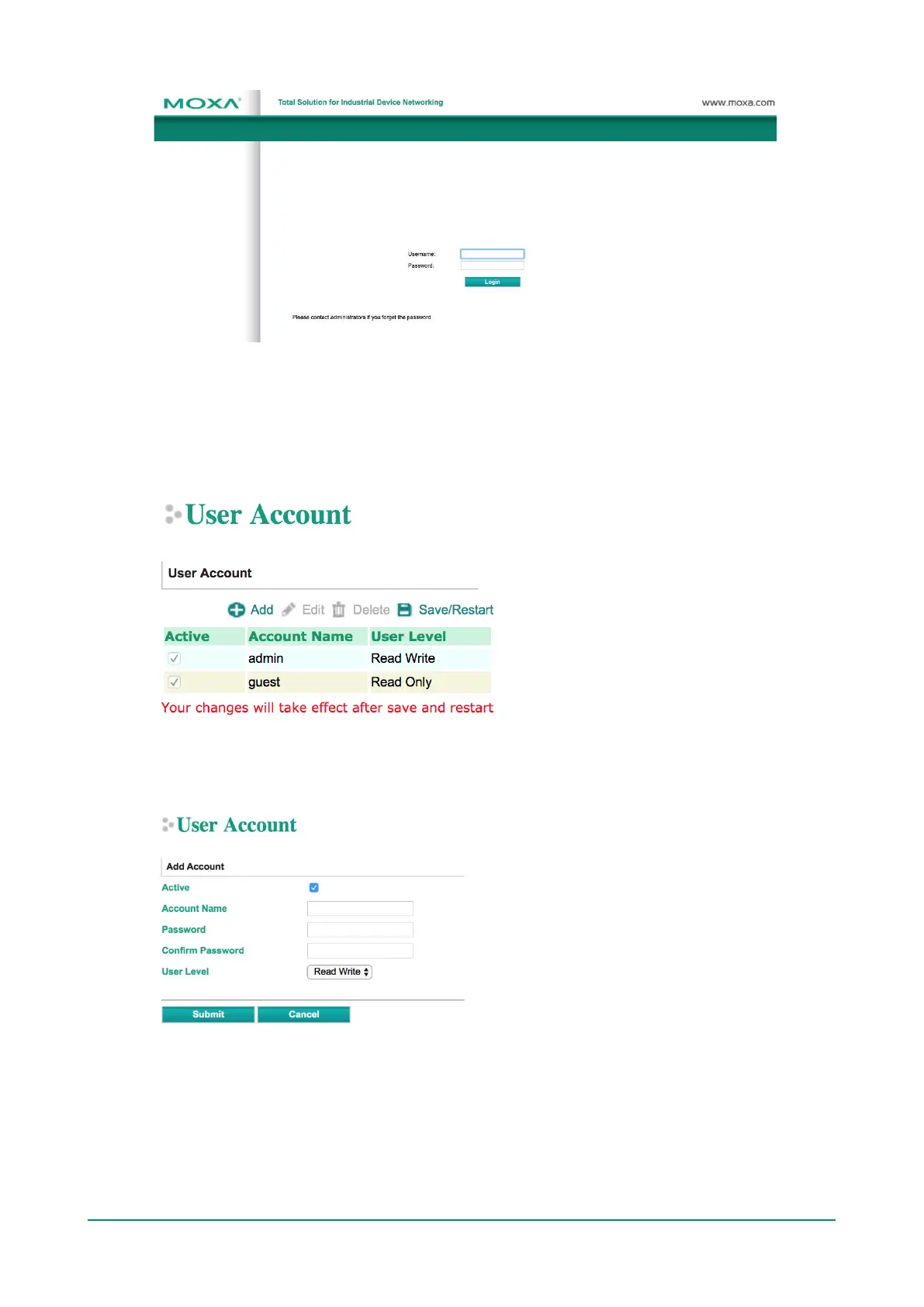
User Account
In the NPort 5000 Series, the main function groups are highly correlated with the User Level set by the
administrator(s). Administrators are allowed to add user accounts to the NPort 5000 device by clicking the
Add button on the User Account page. You may also click on the current user to Edit or Delete the
selected account.
The Add Account (Edit Account) page will show up for you to enter (modify) account information and
assign password to this user. Also, the Administrator(s) are allowed to assign proper User Level to this
user to limit his/her privileges of using NPort 5000.



 To Next Page
 Loading...