NPort 5000 Series User Manual
Changing the Serial Port Specified as Signal Port for the COM Group
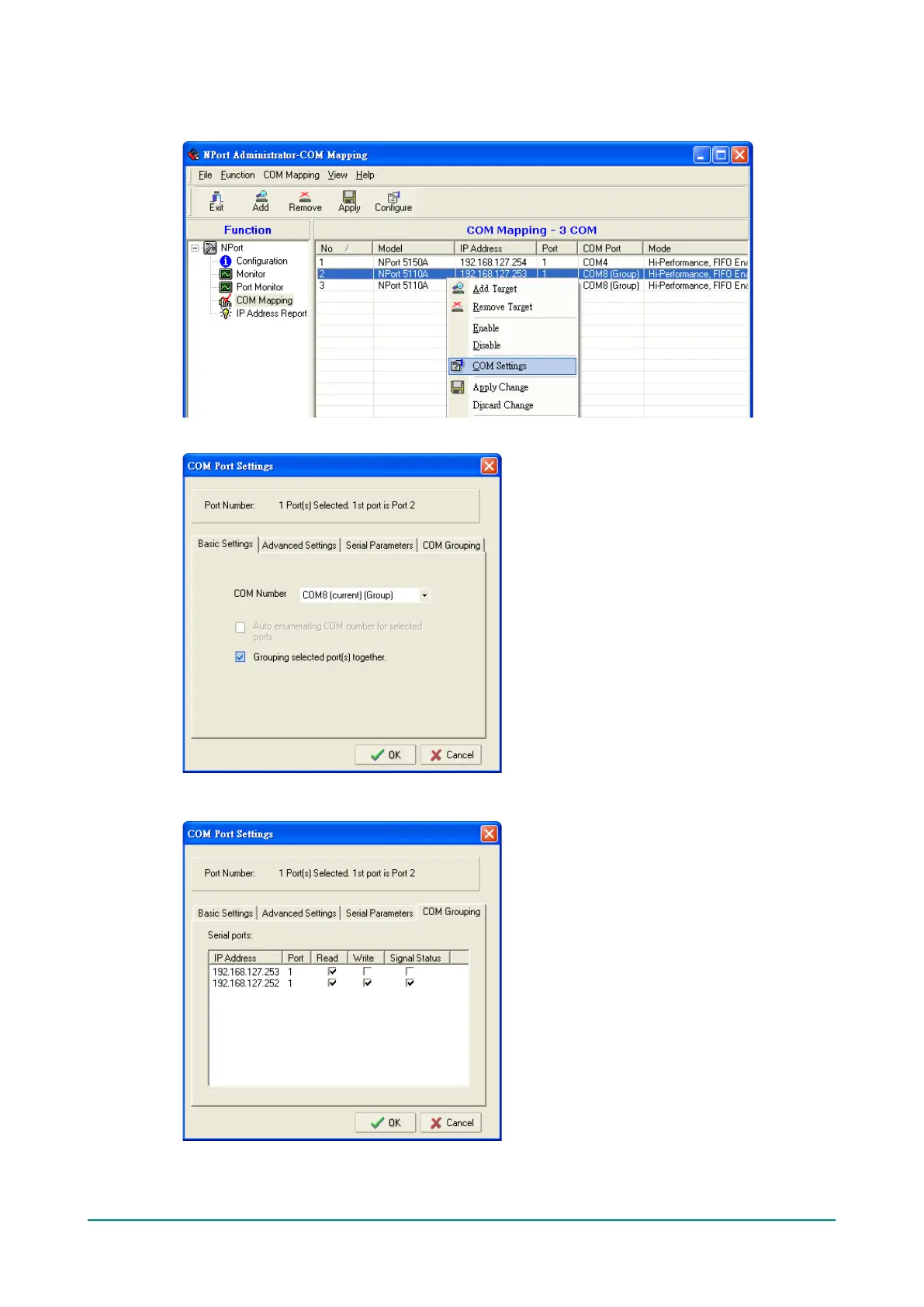
1. Select a serial port in the Group and then right-click and select COM Settings.
2. Check the Grouping selected port(s) together check box.
3. On COM Grouping page, you can specify one serial port whose signals will be taken into account by
the COM Group and change the Read/Write status for each serial port.


 To Next Page
 Loading...