NPort 5000 Series User Manual
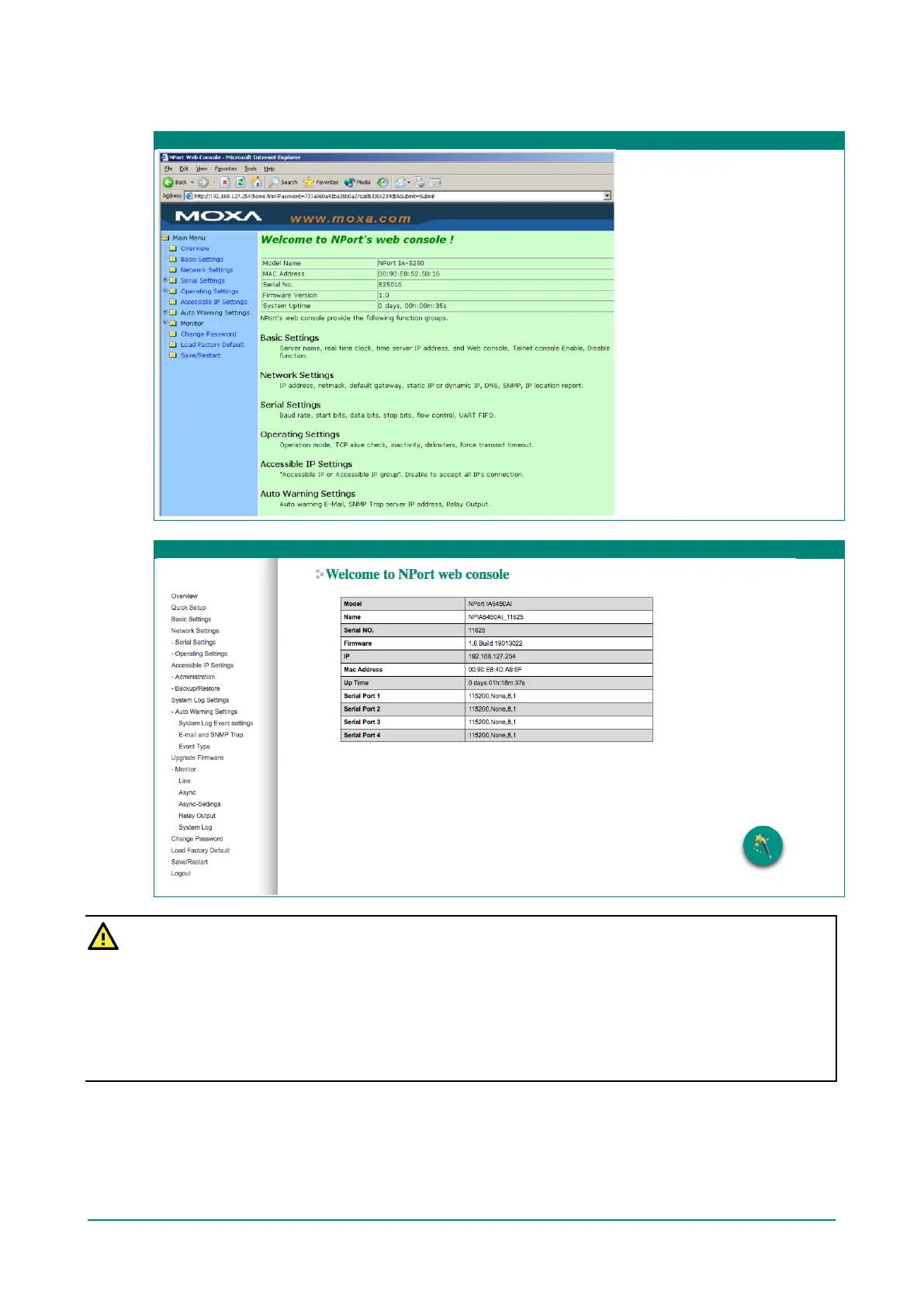
The NPort homepage will open. On this page, you can see a brief description of the Web Console’s function
groups.
Web Interface for the NPort 5100, 5200, and IA5000 Series Only
Web Interface for the Overall NPort 5000 Series
ATTENTION
If you can’t remember the password, the ONLY way to start configuring the NPort is to load factory
defaults by using the Reset button located near the NPort’s Ethernet port.
Remember to use NPort Administrator (for NPort 5000 and NPort IA5000 Series) to export the
configuration file when you have finished the configuration. After using the Reset button to load factory
defaults, your configuration can be easily reloaded into NPort by using the NPort Administrator Import
function. Refer to Chapter 5 for details about using the Export and Import functions



 To Next Page
 Loading...