OPERATION MSA
28
ALTAIR 4 - Operating Manual
3.3 Measurement Mode (Normal Operation)
In Normal Operation mode, the user can check the Minimum and Peak
readings prior to clearing the STEL and TWA values or performing a Span
and Zero Calibration.
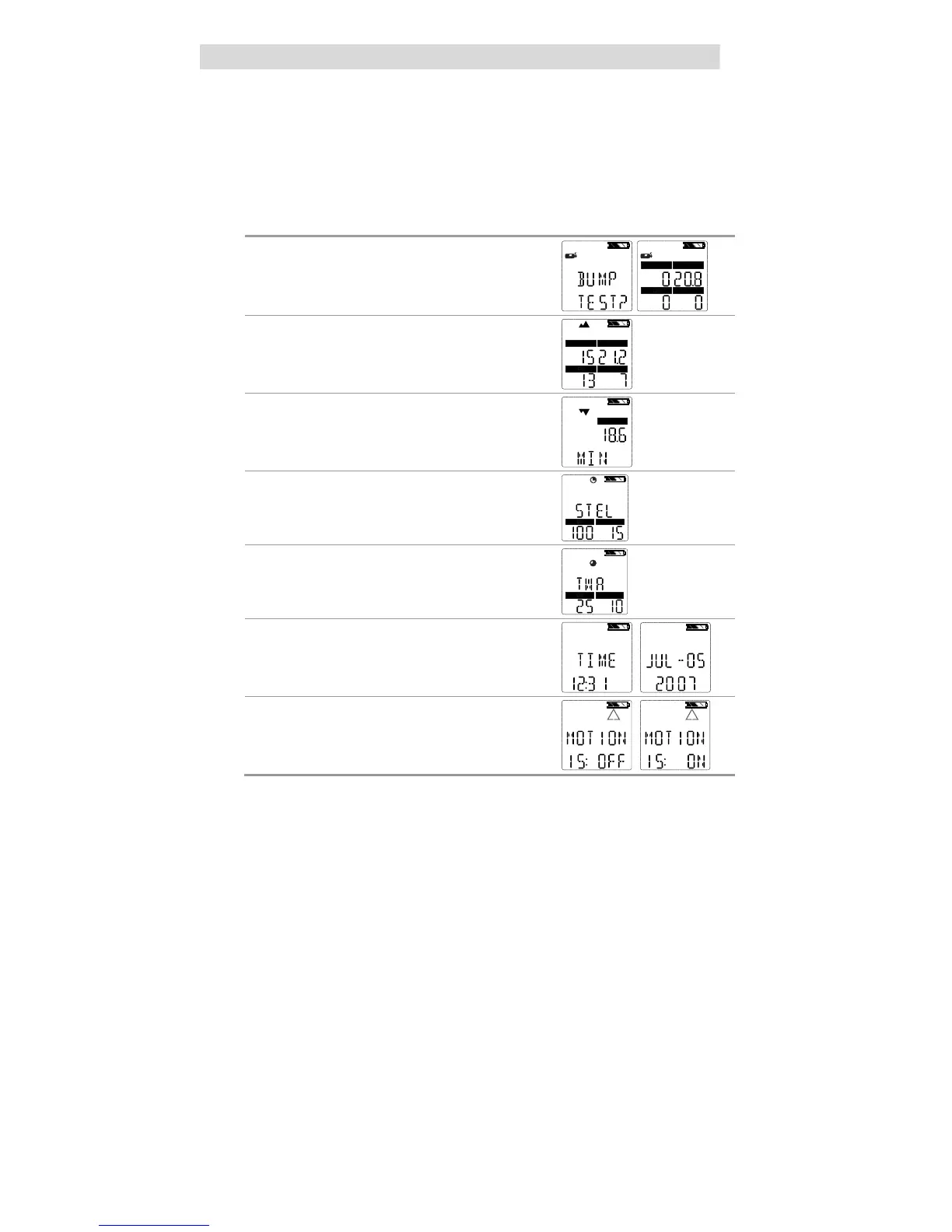
The following options pages can be executed from the Normal Operation
screen:
Bump Page
This page allows the user to perform a bump
check.
COMB/EX
O2
CO
Peak Page
This page shows the peak readings for all
sensors.
COMB/EX
O2
H2S
CO
Min Page
This page shows the minimum reading for the
oxygen sensor.
O2
STEL Page
This page shows the calculated STEL readings
of the instrument.
CO
TWA Page
This page shows the calculated TWA readings of
the instrument.
H2S
CO
Time / Date Page
This page shows actual time and date settings of
the instrument.
Motion Alert (optional)
This page allows the Motion Alert Feature to be
activated or deactivated.
Using the three instrument buttons, the user can navigate through each
sub-menu in a top/down sequence.
Refer to section 2.3 and 7.3 in the appendix for detailed instructions on
navigating through these screens.



 To Next Page