OPERATION MSA
38
ALTAIR 4 - Operating Manual
3.9.1 Zero Calibration
To skip the ZERO procedure and move directly to the calibration span
procedure, push the
[
]
button. If no button is pushed for 30 seconds, the
instrument prompts user to perform a SPAN calibration before returning to
the Normal Operation mode.
(1) Press and hold the
[
]
button in Normal
Operation mode for three seconds
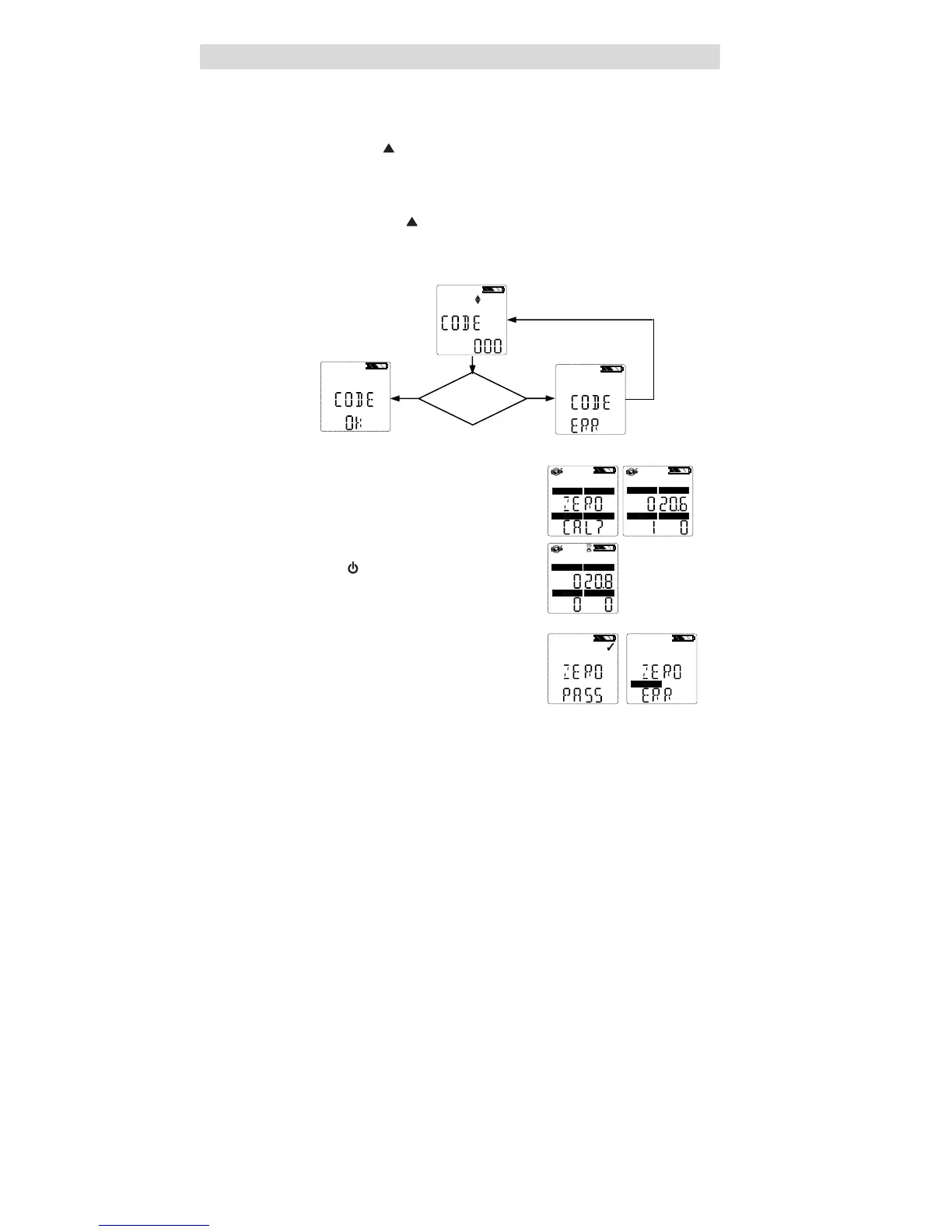
(2) If calibration lockout option is selected, enter password.
• ZERO screen is then displayed.
If calibration lockout option is NOT
selected:
• ZERO screen displays.
COMB/EX
O2
H2S
CO
COMB/EX
O2
H2S
CO
(3) With the instrument exposed to fresh air,
press the
[
]
button to confirm the
ZERO screen.
• The hourglass will flash during the
10 second sensor zero adjustment.
COMB/EX
O2
H2S
CO
After ZERO calibration completes, the
instrument momentarily displays “
ZERO
PASS” or “ZERO
ERR” along with the
flag of any sensor that failed.
CO
Password
Correct?
NO YES



 To Next Page